上篇帖子中我已经实现了使用内部的特殊ADC来测量RA4M2-SENSOR的板子温度,即使用TSN温度传感器,本篇帖子继续使用ADC来进行测试,只不过是使用通过的ADC通道来进行测试。好了话不多说了,进入正题
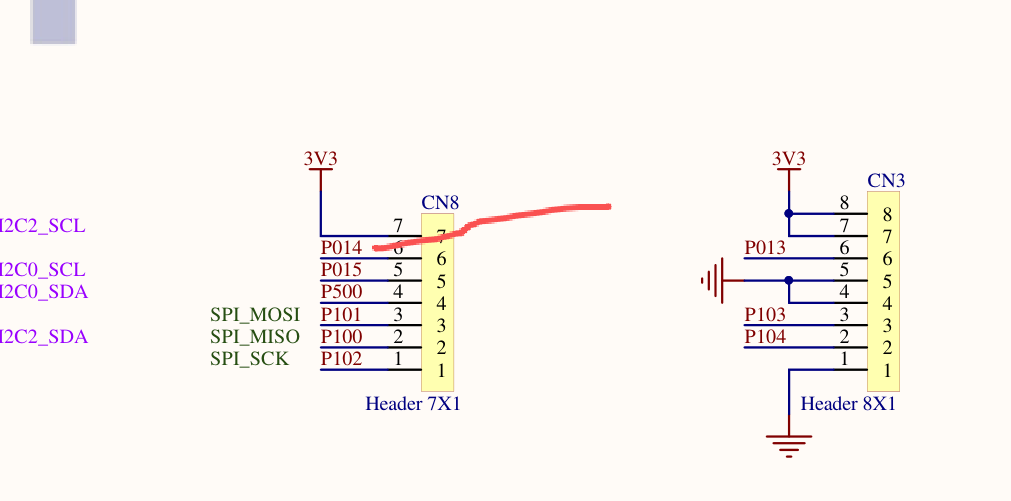
由原理图可知,ADC通道12对应的引脚为P014
1。打开RA smart配置软件
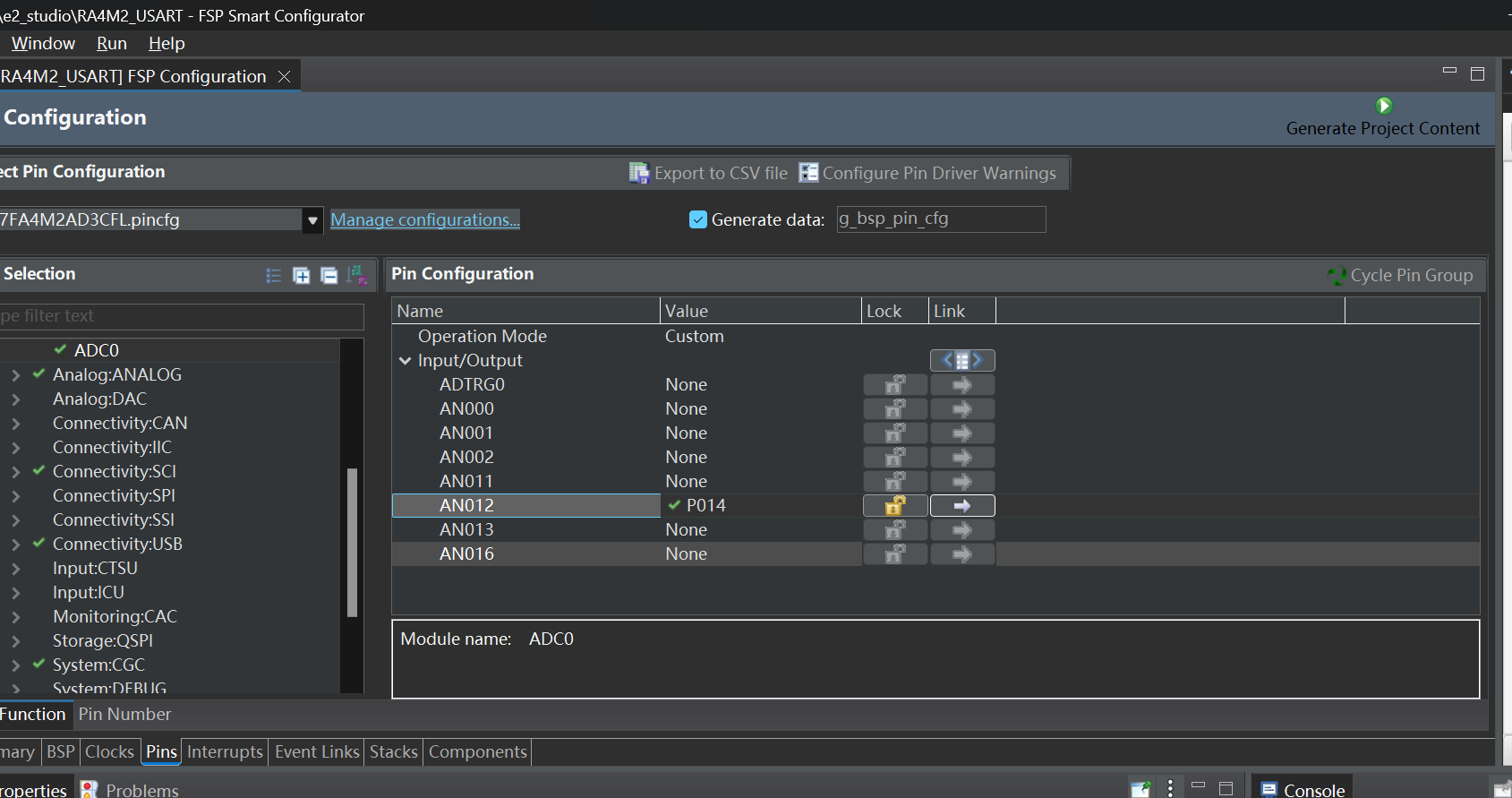
配置好引脚
2。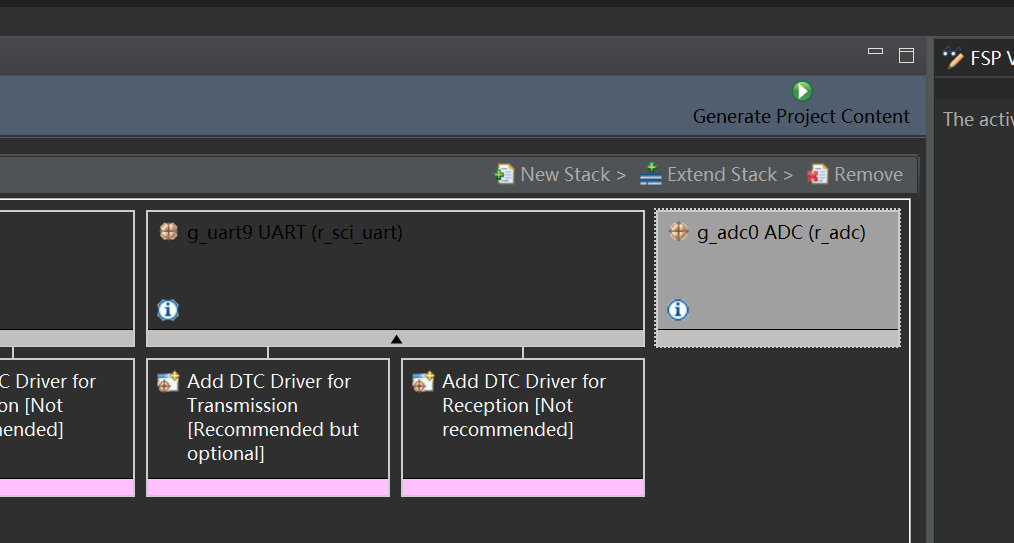
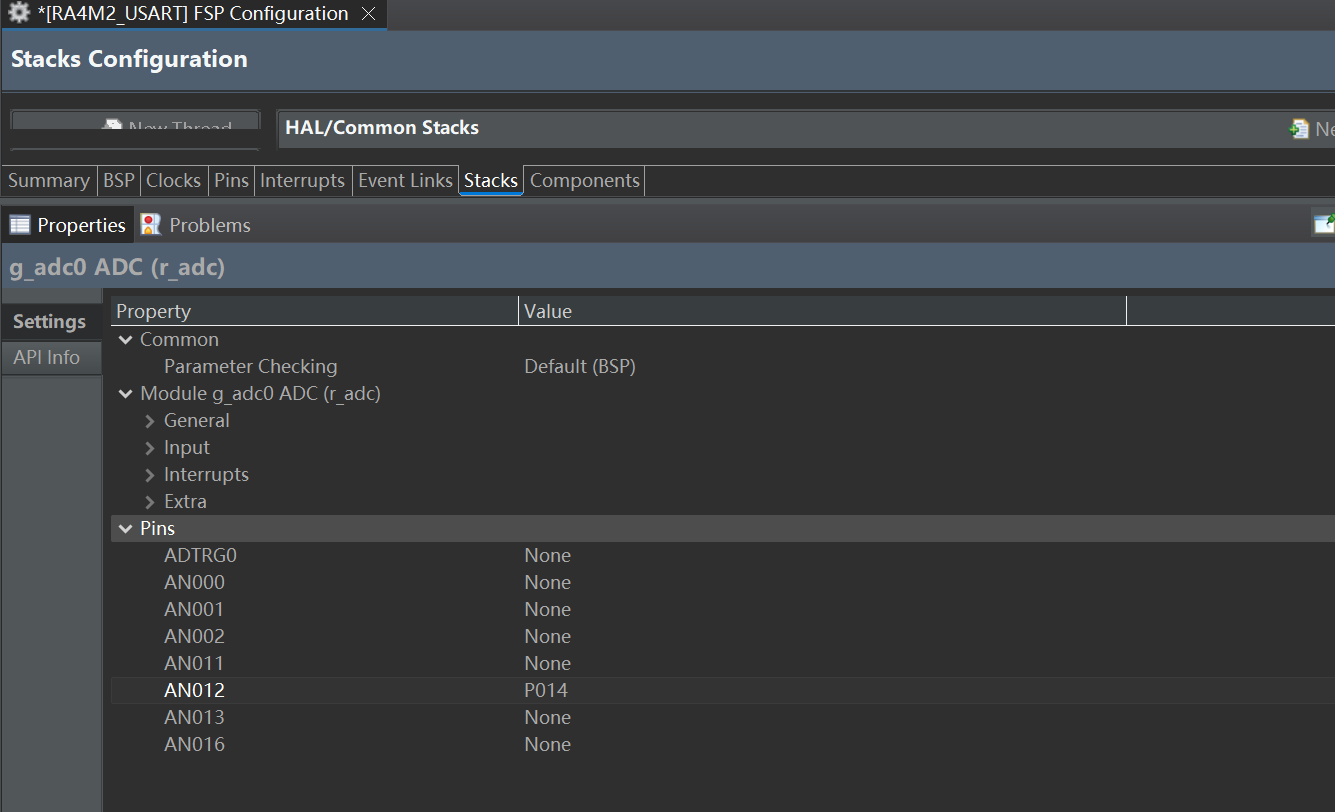
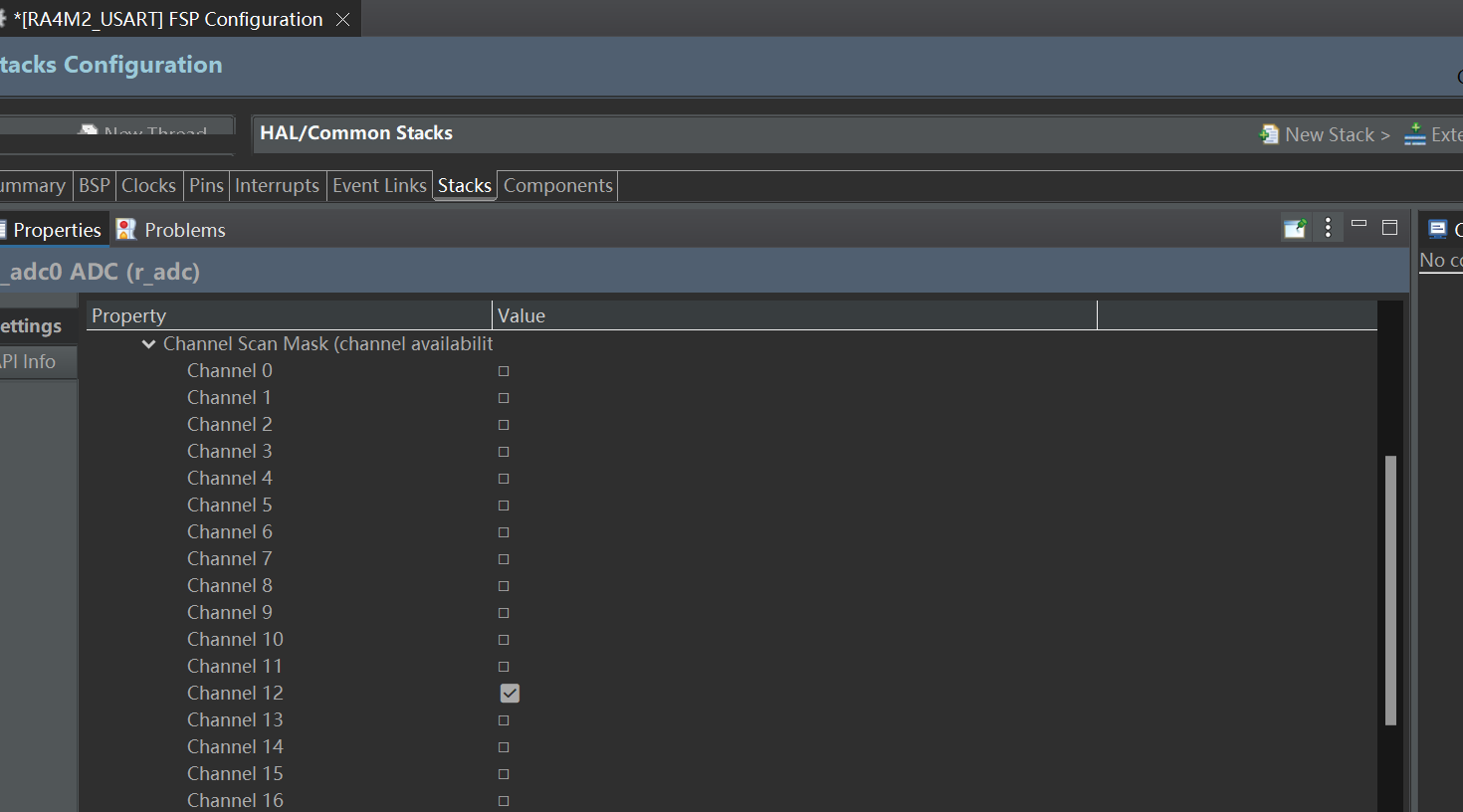
3。生成代码
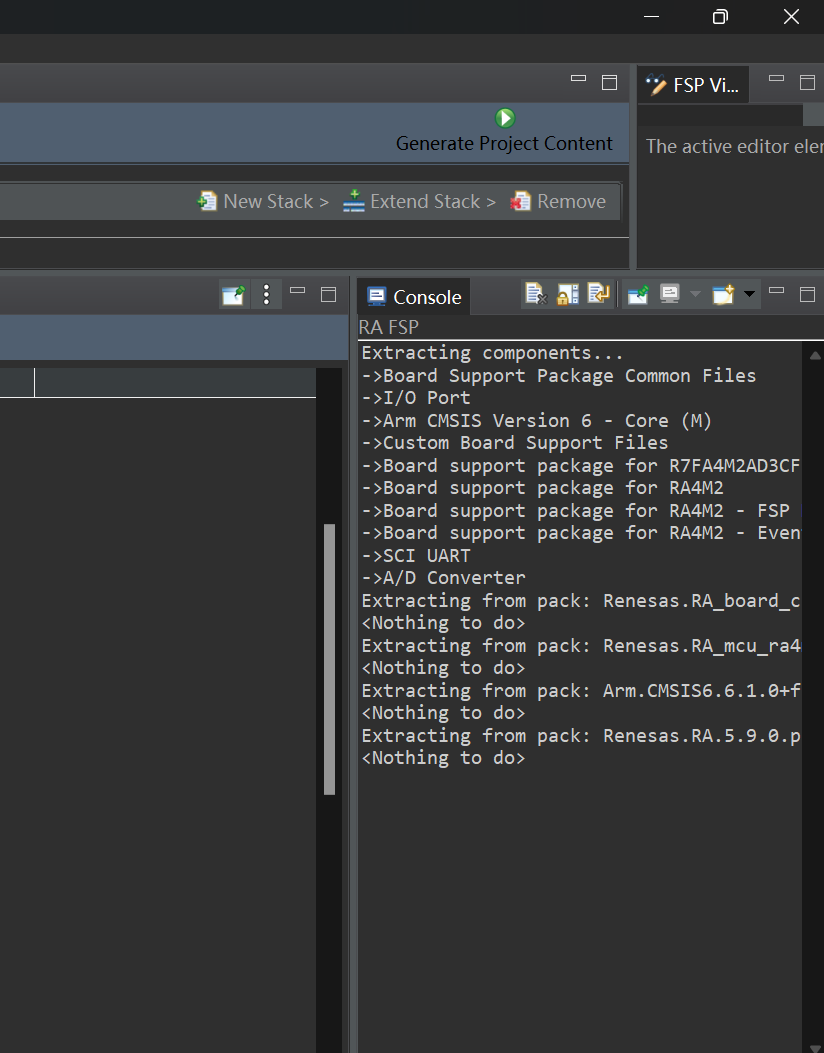
4。打开KEIL工程
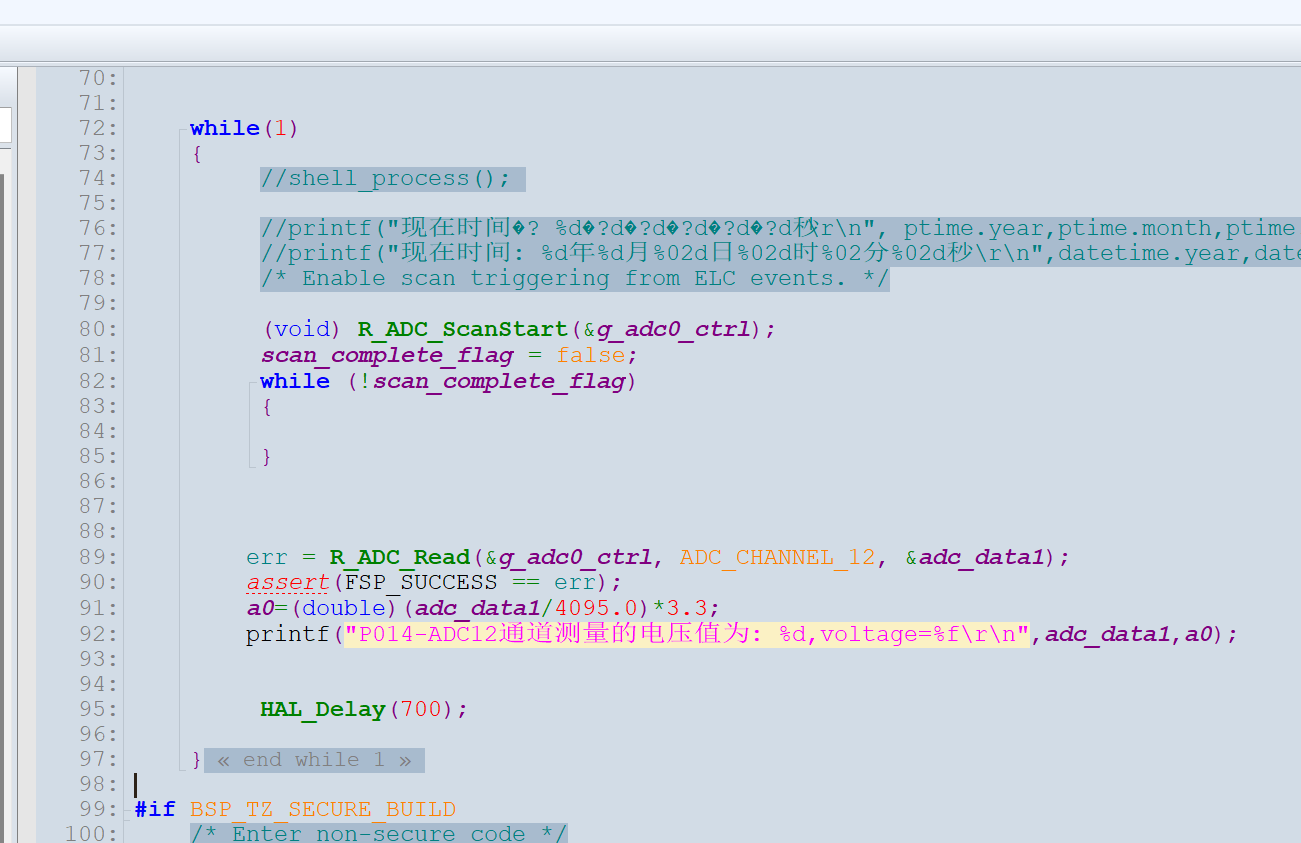
添加核心代码
#include "hal_data.h"
#include "LED.h"
#include "Systick.h"
#include "usart0.h"
#include "usart9.h"
#include "shell.h"
//#include "ebtn_app.h"
//#include "coremark.h"
FSP_CPP_HEADER
void R_BSP_WarmStart(bsp_warm_start_event_t event);
FSP_CPP_FOOTER
void ADC_TSN(void)
{
fsp_err_t err = FSP_SUCCESS;
err = R_ADC_Open(&g_adc0_ctrl, &g_adc0_cfg);
assert(FSP_SUCCESS == err);
err = R_ADC_ScanCfg(&g_adc0_ctrl, &g_adc0_channel_cfg);
assert(FSP_SUCCESS == err);
}
volatile bool scan_complete_flag = false;
void adc_callback (adc_callback_args_t * p_args)
{
//宏将告知编译器回调函数不使用参数 p_args,从而避免编译器发出警告,
FSP_PARAMETER_NOT_USED(p_args);
scan_complete_flag = true;
}
double a0,a5;
uint16_t adc_data1=0;
uint16_t adc_data2=0;
/*******************************************************************************************************************//**
-
main() is generated by the RA Configuration editor and is used to generate threads if an RTOS is used. This function
-
is called by main() when no RTOS is used.
**********************************************************************************************************************/
void hal_entry(void)
{
fsp_err_t err = FSP_SUCCESS;
fsp_err_t err1 = FSP_SUCCESS;
uint16_t time = 0;
uint8_t voltage_1 = 0; //电压整数
uint8_t voltage_2 = 0; //电压小数
static adc_info_t adc_info ; //adc information
static double die_temperature = 0 ;
static double V1 = 0;
static double Vs = 0;
uint8_t *dataPtr = NULL;
/* TODO: add your own code here */
hal_systick_init();
UART0_Init();UART9_Init();
//ebtn_APP_Key_INIT();
//shell_init();
ADC_TSN();
/**** Set the time variable of the calendar ****/
Calendar_TimeVariable_Set(2025,8,31,19,33,00);
while(1)
{
//shell_process();
//printf("现在时间�? %d�?d�?d�?d�?d�?d秒\r\n",ptime.year,ptime.month,ptime.day,ptime.hour,ptime.min,ptime.second);
  //printf("现在时间: %d年%d月%02d日%02d时%02分%02d秒\r\n",datetime.year,datetime.month,datetime.day,datetime.hour,datetime.min,datetime.second);
  /* Enable scan triggering from ELC events. */

  (void) R_ADC_ScanStart(&g_adc0_ctrl);
  scan_complete_flag = false;
  while (!scan_complete_flag)
  {

  }


 err = R_ADC_Read(&g_adc0_ctrl, ADC_CHANNEL_12, &adc_data1);
 assert(FSP_SUCCESS == err);
 a0=(double)(adc_data1/4095.0)*3.3;
 printf("P014-ADC12通道测量的电压值为: %d,voltage=%f\r\n",adc_data1,a0);


  HAL_Delay(700);
}
#if BSP_TZ_SECURE_BUILD
/* Enter non-secure code */
R_BSP_NonSecureEnter();
#endif
}
/*******************************************************************************************************************//**
-
This function is called at various points during the startup process. This implementation uses the event that is
-
called right before main() to set up the pins.
-
@param[in] event Where at in the start up process the code is currently at
**********************************************************************************************************************/
void R_BSP_WarmStart (bsp_warm_start_event_t event)
{
if (BSP_WARM_START_RESET == event)
{
#if BSP_FEATURE_FLASH_LP_VERSION != 0
R_FACI_LP->DFLCTL = 1U;
#endif
}
if (BSP_WARM_START_POST_C == event)
{
R_IOPORT_Open(&IOPORT_CFG_CTRL, &IOPORT_CFG_NAME);
#if BSP_CFG_SDRAM_ENABLED
R_BSP_SdramInit(true);
#endif
}
}
#if BSP_TZ_SECURE_BUILD
FSP_CPP_HEADER
BSP_CMSE_NONSECURE_ENTRY void template_nonsecure_callable ();
/* Trustzone Secure Projects require at least one nonsecure callable function in order to build (Remove this if it is not required to build). */
BSP_CMSE_NONSECURE_ENTRY void template_nonsecure_callable ()
{
}
FSP_CPP_FOOTER
#endif
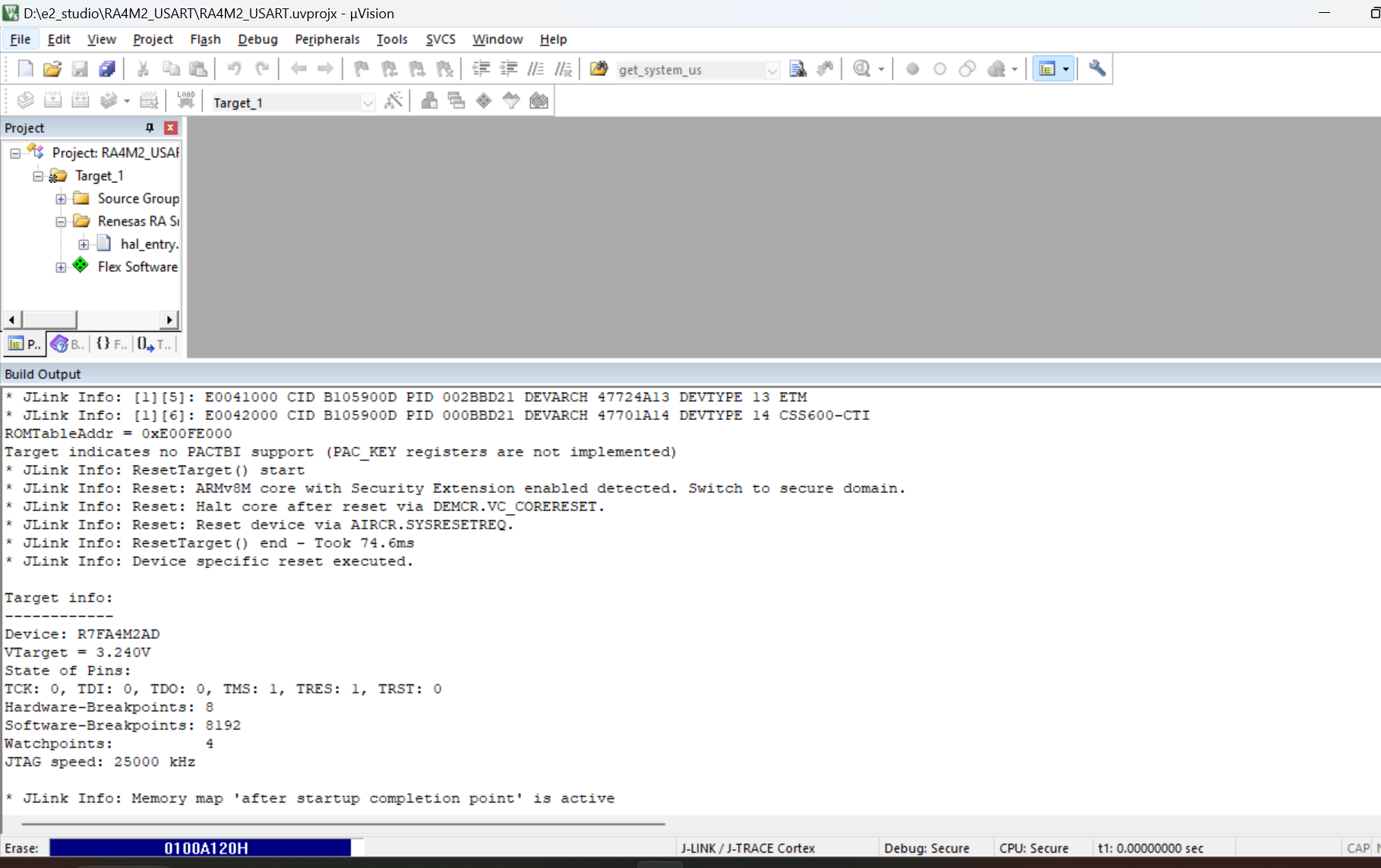
编译工程烧录代码到板子
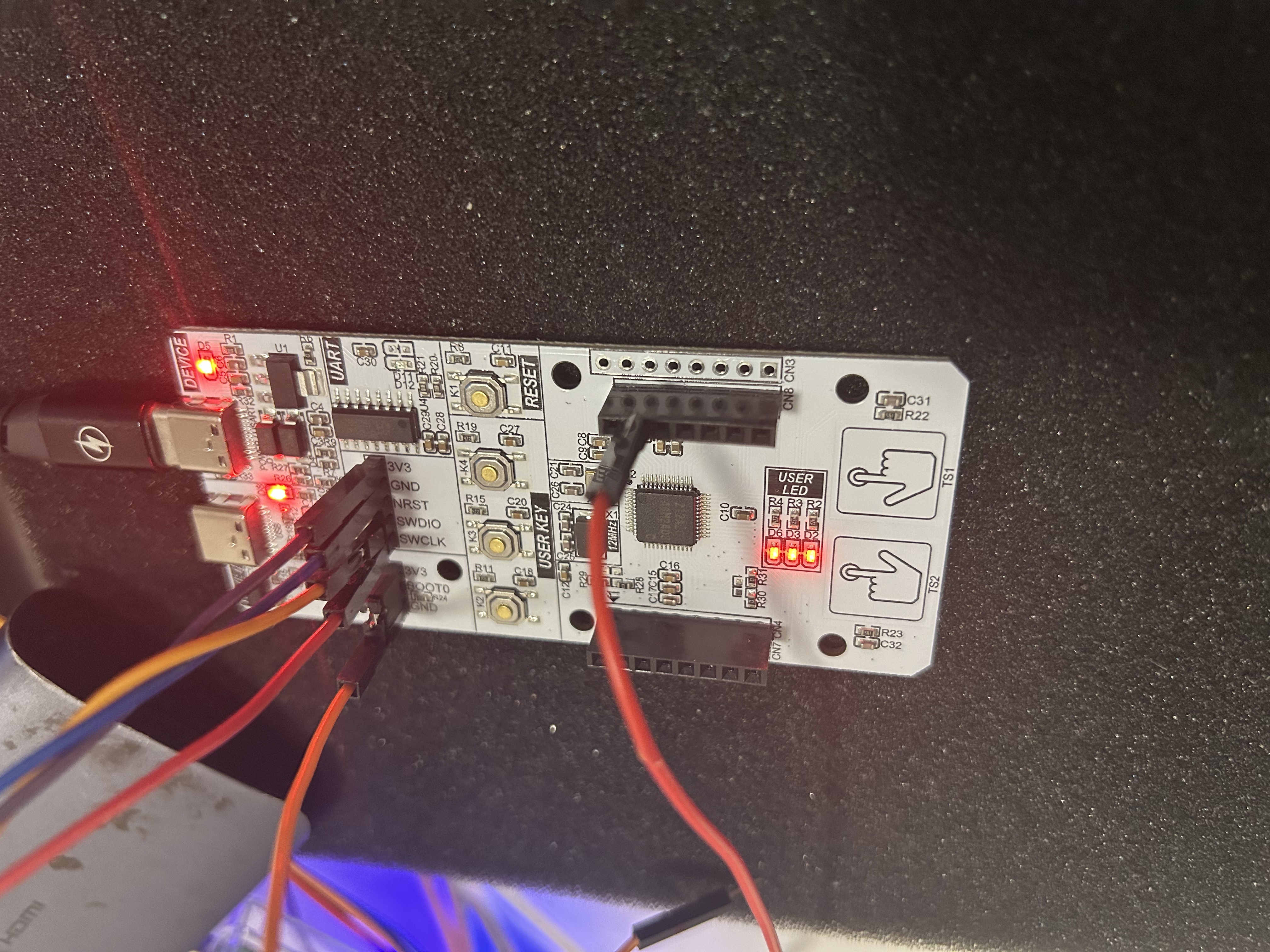
根据原理图可知,我使用的是ADC12通道,是P014引脚
对应板子上的这个插座
为了测量0V到3.30V
这里我分为两步:
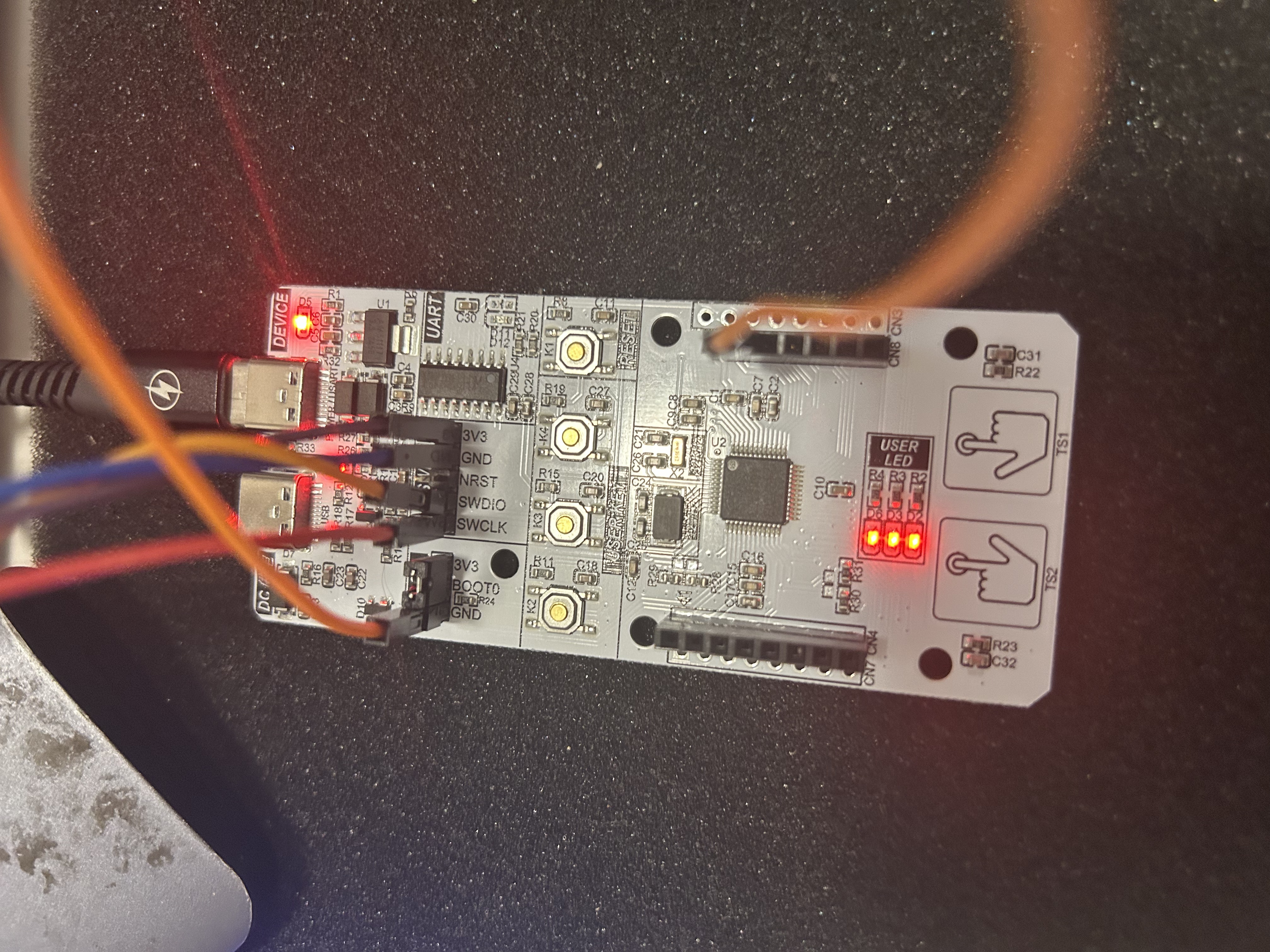
1。第一部,测量0V
首先将板子上的GND连接到P014
打开串口助手,查看打印数据
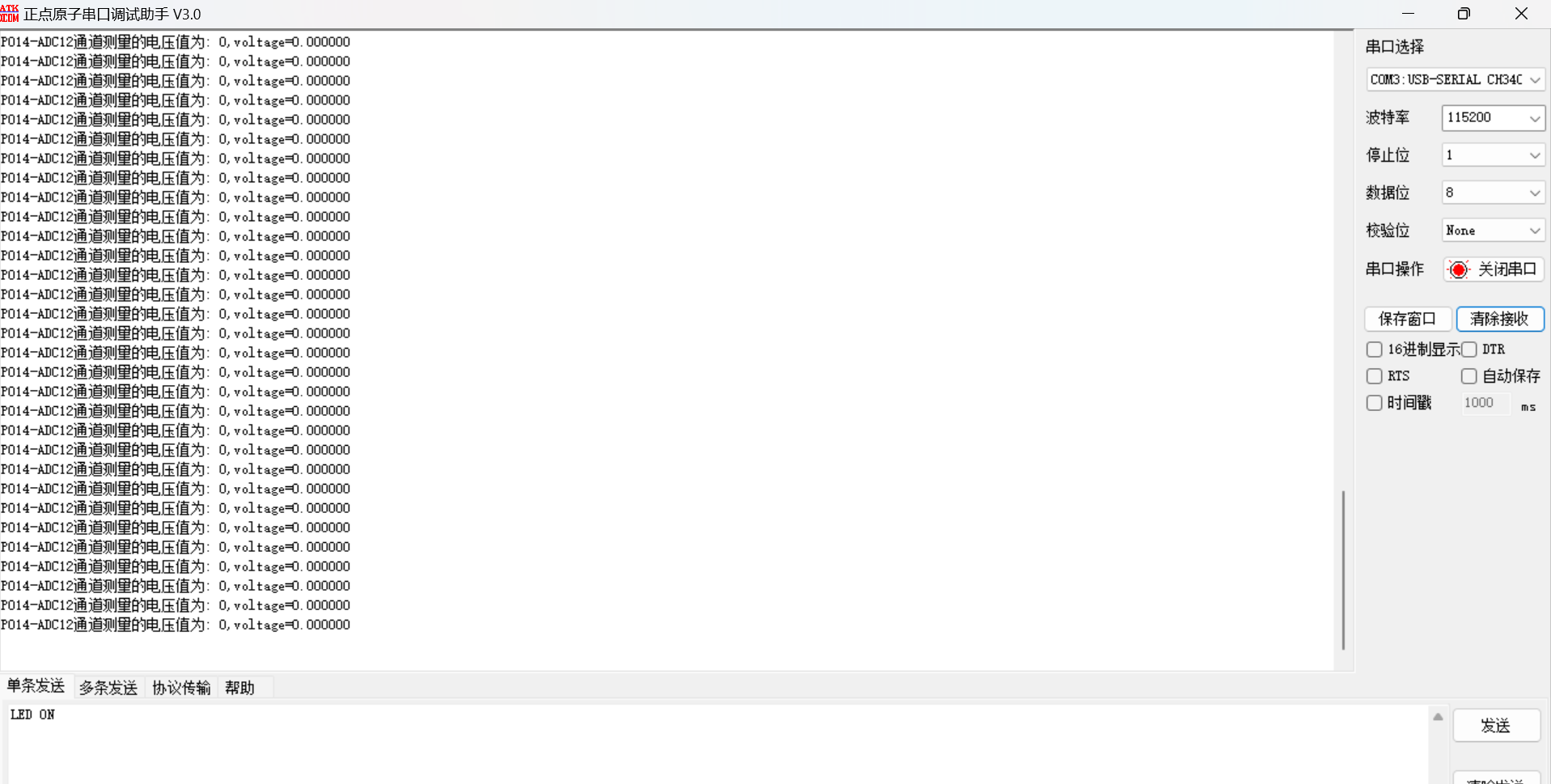
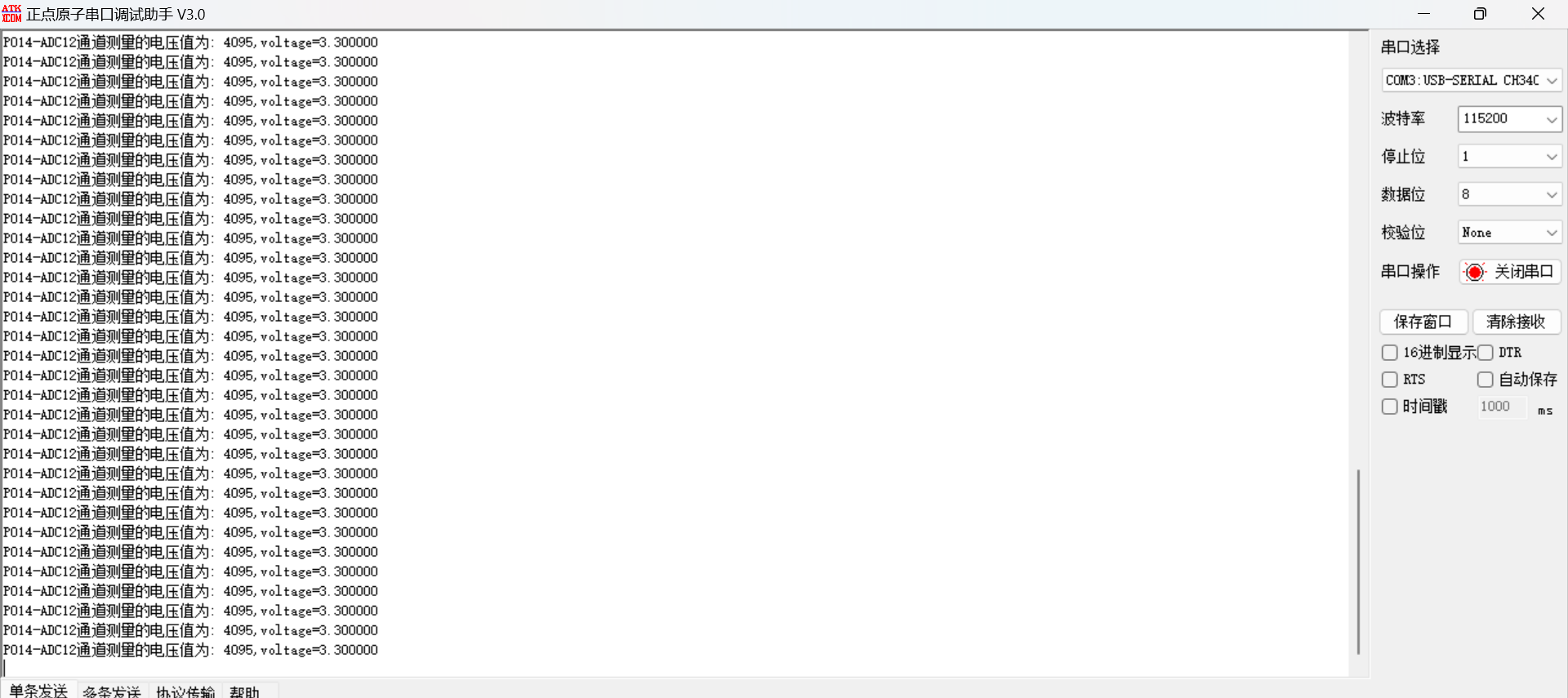
可以看到P014接GND,读取电压为0V,正确
2。第二步,测量满电压3.30V
由于板子上没有排针引出3.30V,那个被跳线帽占用了,所以这里,我是用了USB转串口数据器里的3。30V
直接连接到P014口

打开串口助手,可以看到测量电压
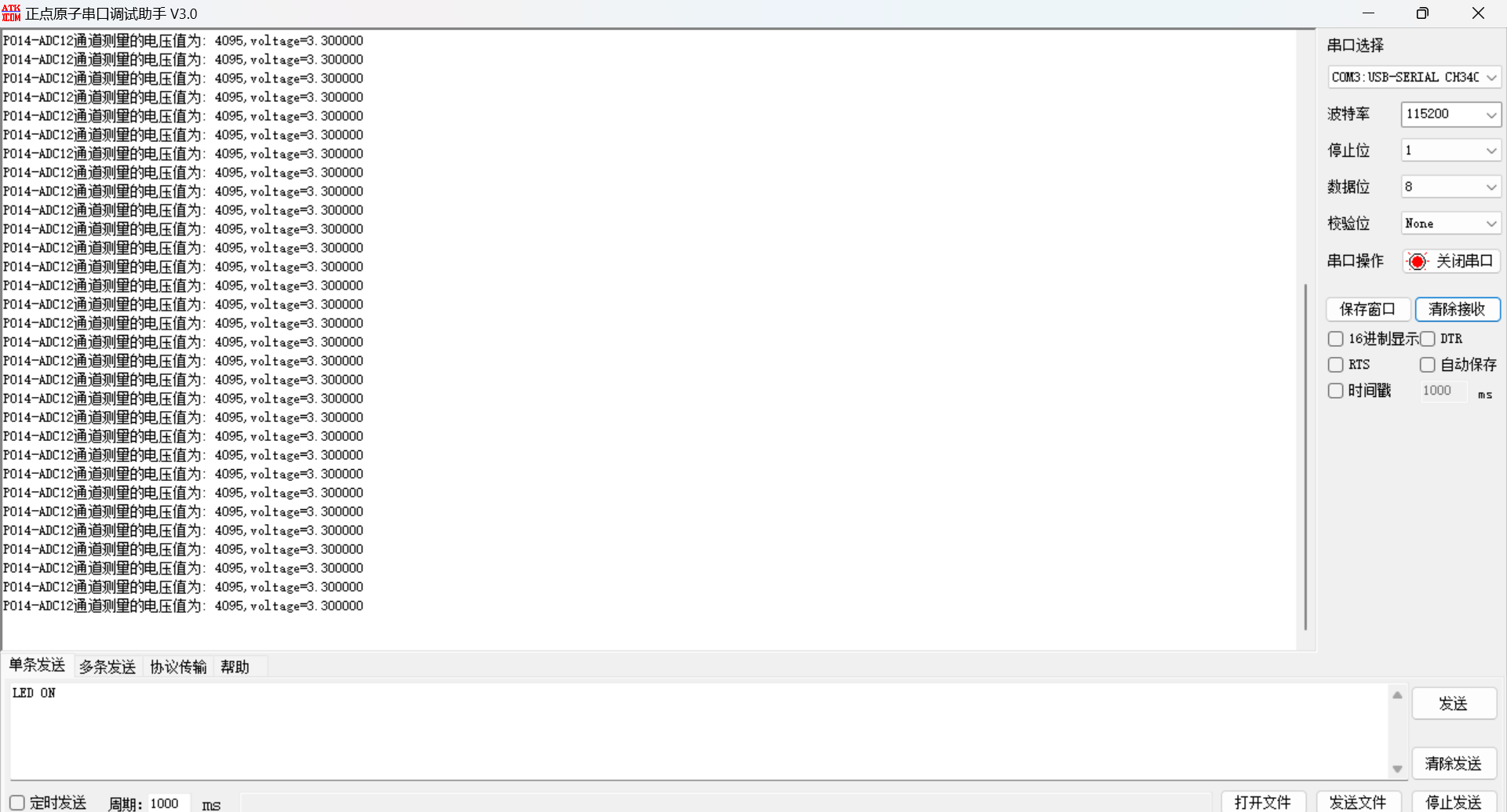
可以看到,测量值是3.30V,非常的准确
详情看视频

 0
0
 /9
/9 



 工商网监
湘ICP备2023018690号
工商网监
湘ICP备2023018690号


 885
885


 淘帖
淘帖 18
18










