很荣幸收到了瑞萨电子RA工作室赠送的RA-Eco-RA4E2开发板,
首先开始点灯操作一波。
1。打开原理图,查看LED引脚
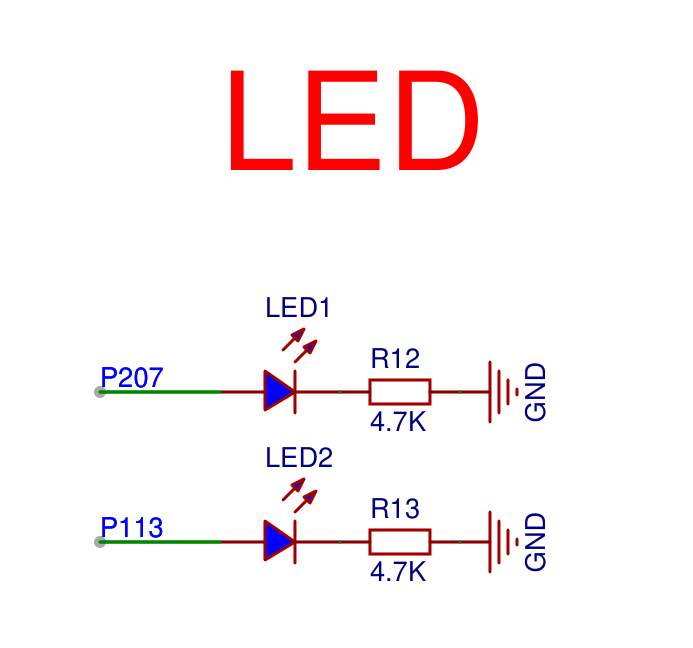
可以看到
LED1 对应P207
LED2 对应P113
2。查看串口引脚
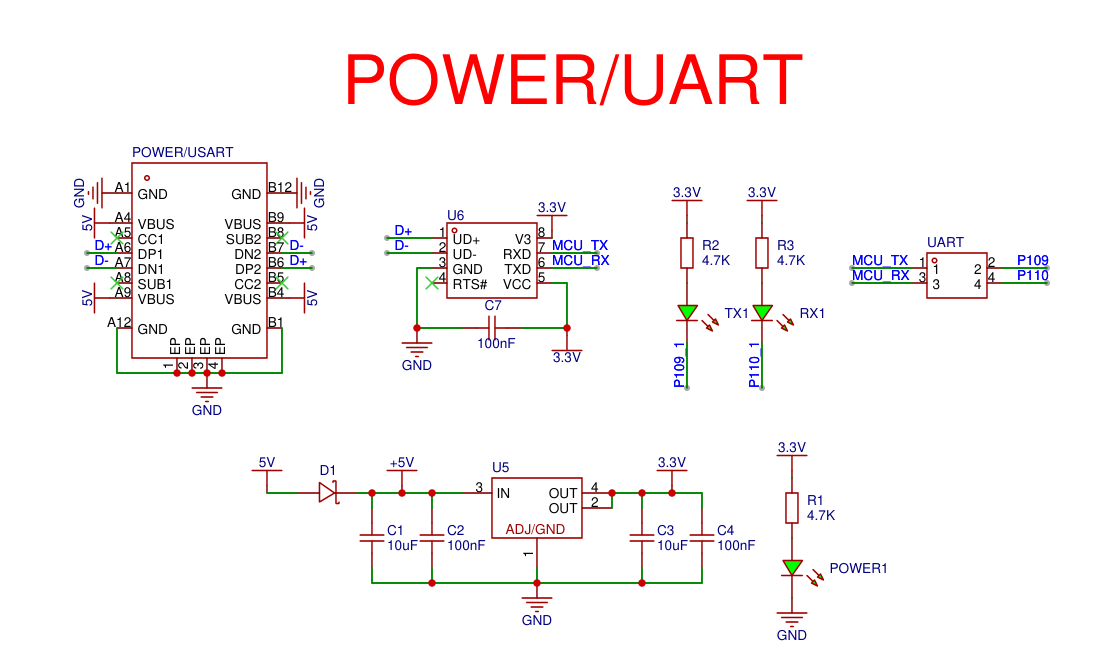
可以看到
RX对应P110
TX对应P109
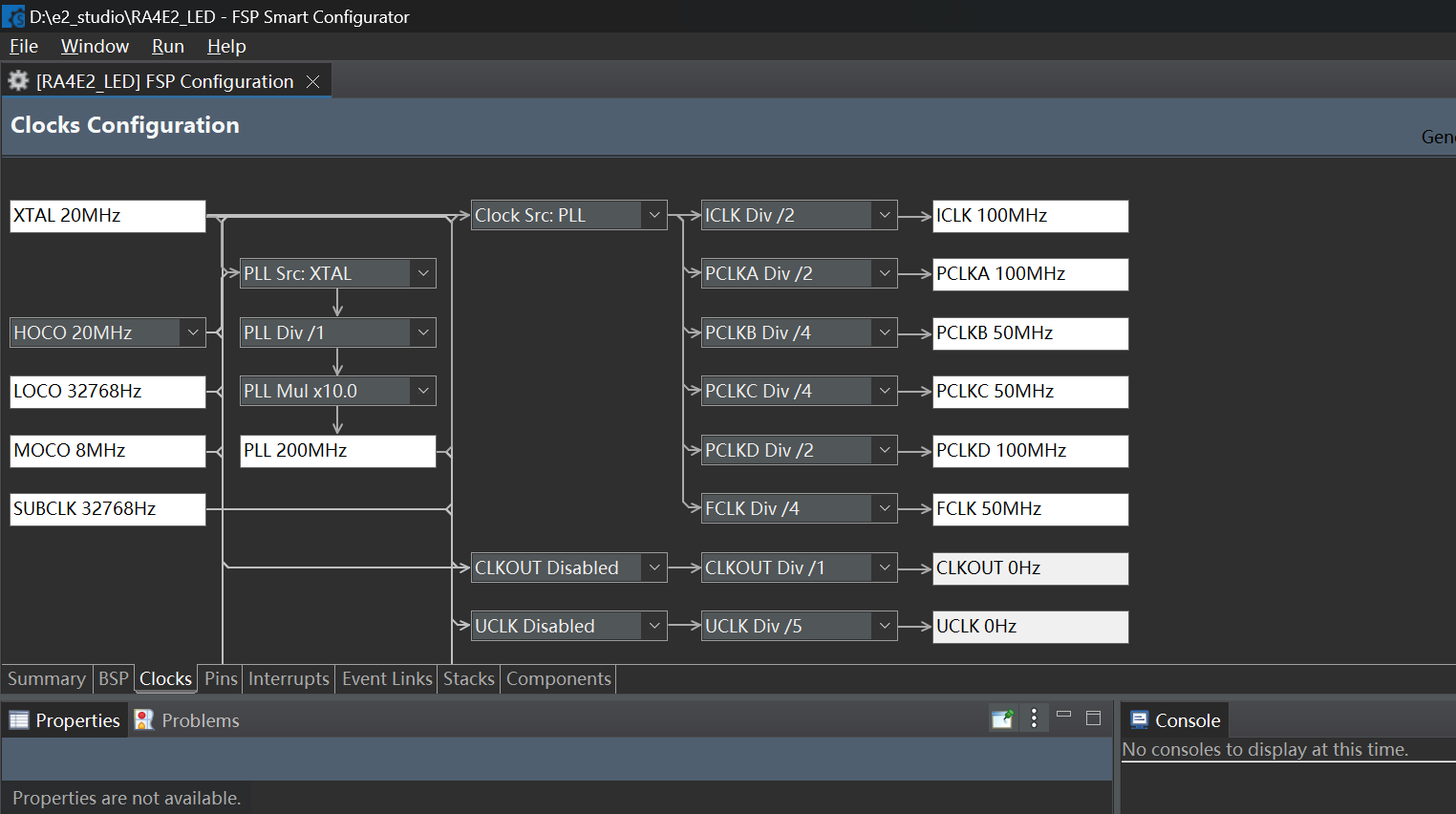
3。打开RA smart配置软件
设置时钟
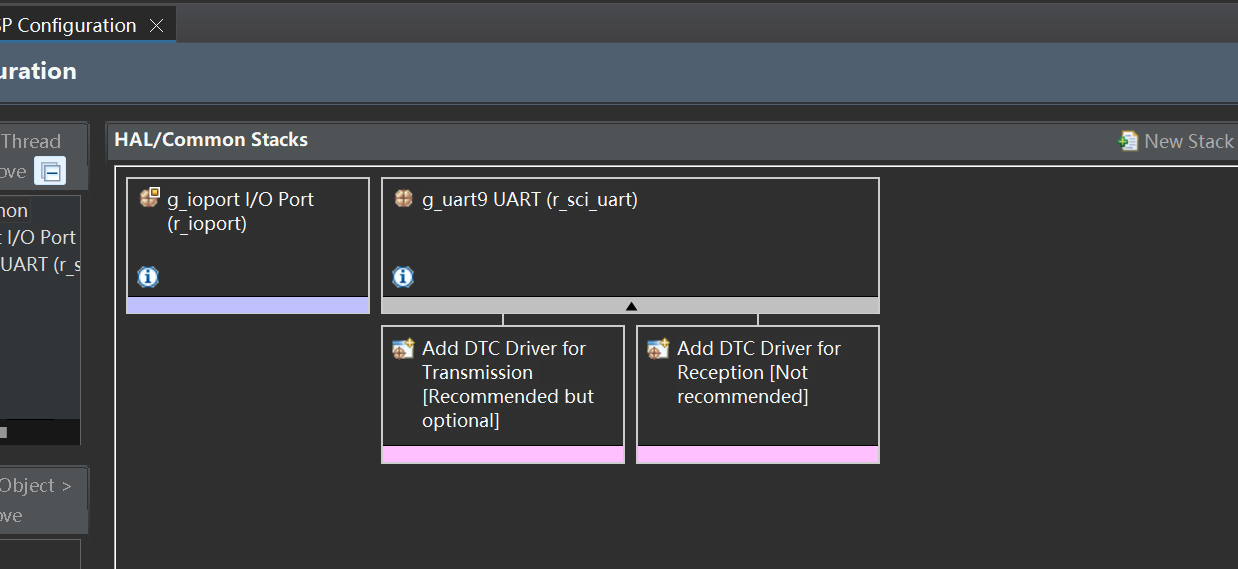
4。设置usart9 串口9
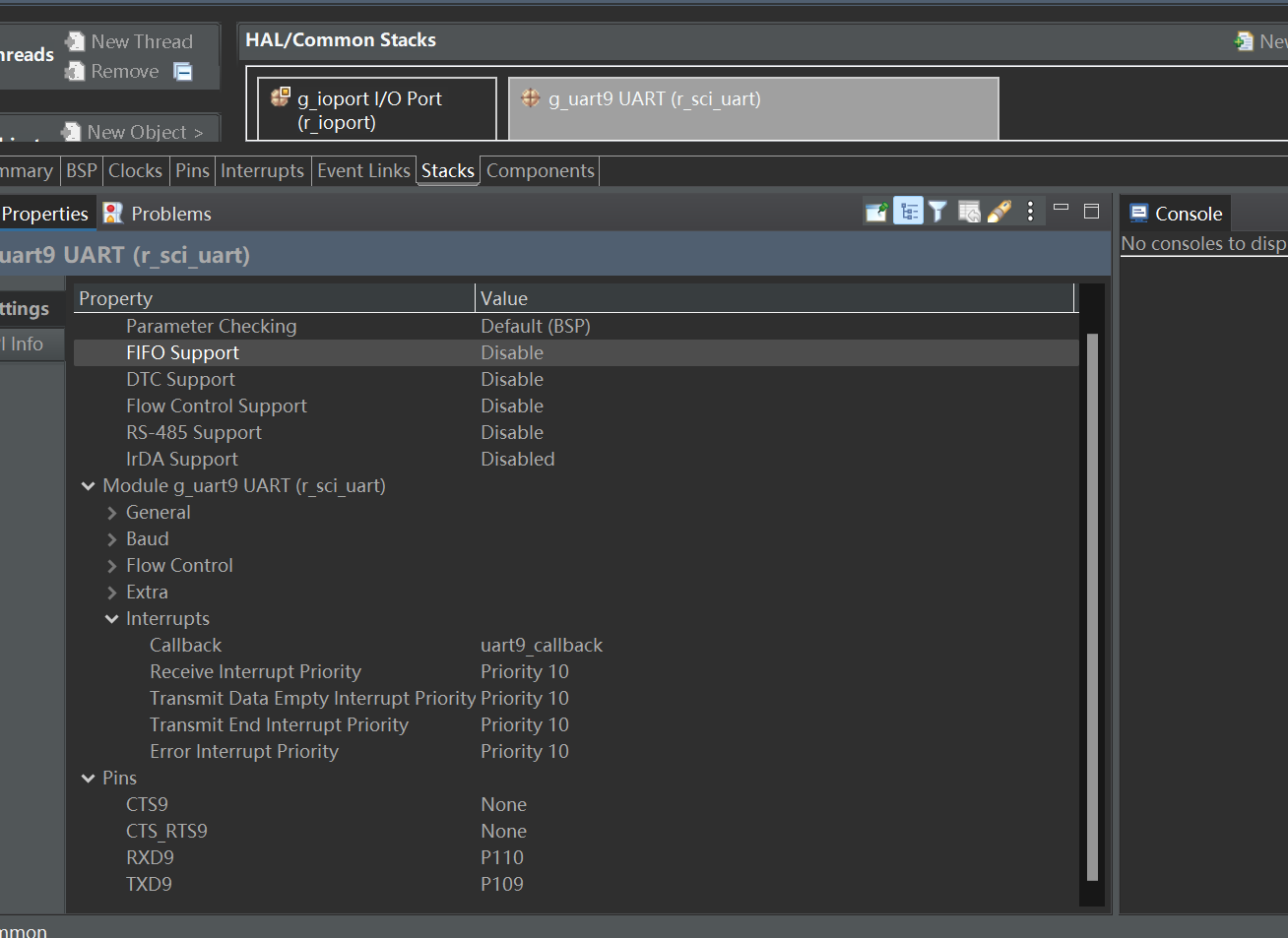
5。生成代码,打开KEIL
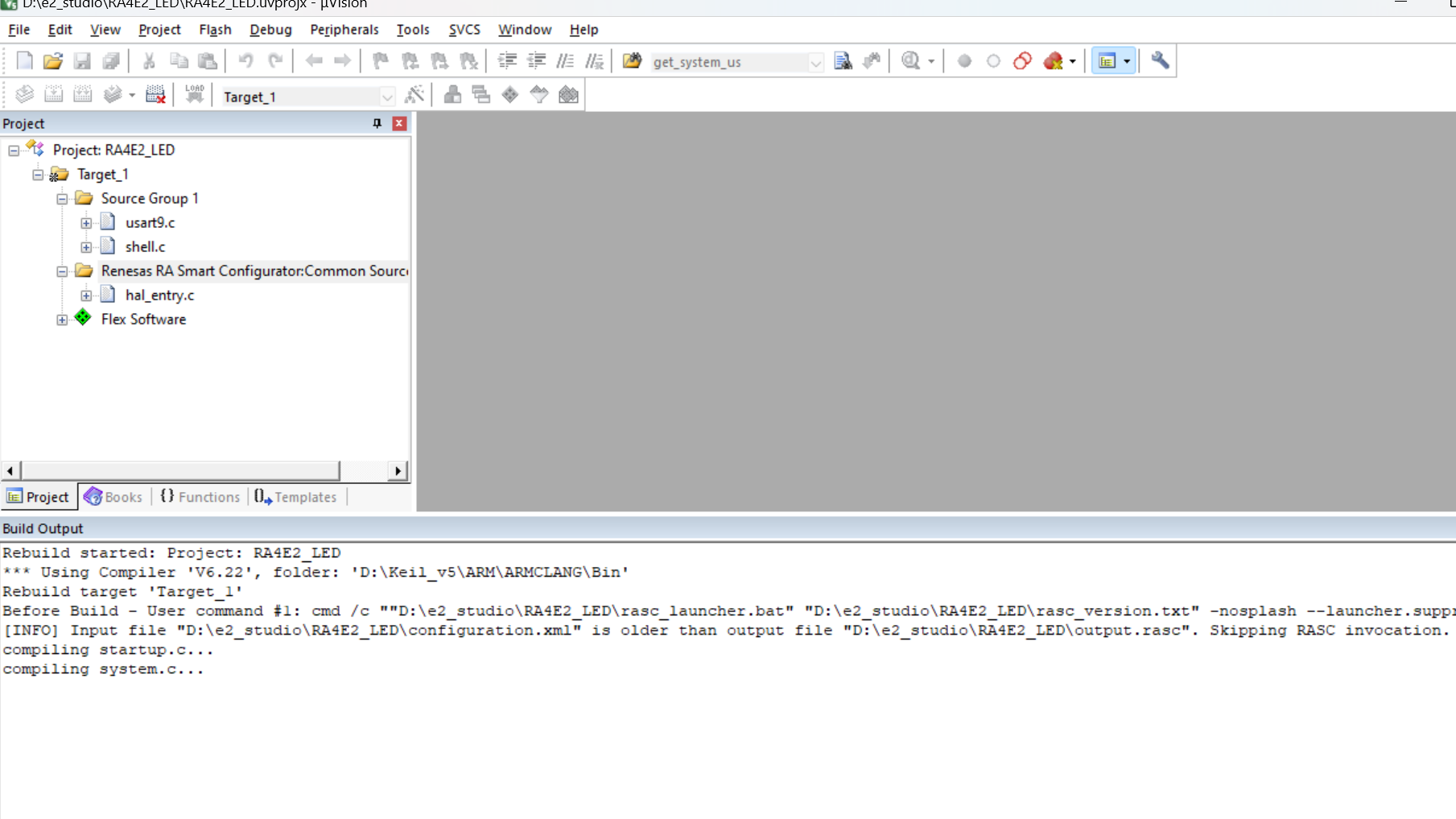
为了实现串口点灯操作,这里我实现了一个串口shell库
#include "shell.h"
#include "usart9.h"
#include <string.h>
#include <stdio.h>
#include <stdint.h>
#define CMD_LEN 64
static char cmd[CMD_LEN];
static uint8_t cmd_index = 0;
void shell_init(void) {
printf("\r\n[Embedded Shell Ready]\r\n> ");
}
void shell_process(void)
{
if(user_uart_wait_receive() == REV_OK)
{
if (strcmp(U1_RxBuff, "LED1 ON") == 0)
{
led1_on();
printf("LED1 点亮\r\n");
}
else if (strcmp(U1_RxBuff, "LED1 OFF") == 0)
{
led1_off();
printf("LED1 熄灭\r\n");
}
else if (strcmp(U1_RxBuff, "STATUS1") == 0)
{
printf(get_led1_status() ? "LED1 is ON\r\n" : "LED1 is OFF\r\n");
}
else if (strcmp(U1_RxBuff, "LED2 ON") == 0)
{
led2_on();
printf("LED2 点亮\r\n");
}
else if (strcmp(U1_RxBuff, "LED2 OFF") == 0)
{
led2_off();
printf("LED2 熄灭\r\n");
}
else if (strcmp(U1_RxBuff, "STATUS2") == 0)
{
printf(get_led2_status() ? "LED2 is ON\r\n" : "LED2 is OFF\r\n");
}
else if (strcmp(U1_RxBuff, "LED ON") == 0)
{
led1_on();led2_on();
printf("LED1 LED2 全部点亮\r\n");
}
else if (strcmp(U1_RxBuff, "LED OFF") == 0)
{
led1_off();led2_off();
printf("LED1 LED2 全部熄灭\r\n");
}
else if (strcmp(U1_RxBuff, "HELP") == 0)
{
printf("命令: LED ON, LED OFF, STATUS, HELP\r\n");
}
else
{
printf("未知命令\r\n");
}
user_uart_clear();
}
HAL_Delay(10);
}
#include "usart9.h"
uint8_t U1_RxBuff[RXBUFFLENGTH];
uint16_t U1_Rxlen = 0;
uint16_t U1_RxlencntPre = 0;
static volatile bool uart_send_complete_flag = false;
void UART9_Init(void)
{
fsp_err_t err = FSP_SUCCESS;
err = R_SCI_UART_Open(&g_uart9_ctrl,&g_uart9_cfg);

assert(err == FSP_SUCCESS);
}
void uart9_Send_Byte(uint8_t ch)
{
/* 发送一个字节数据到UART */
R_SCI_UART_Write(g_uart9.p_ctrl, (uint8_t *)&ch, 1);
while(uart_send_complete_flag == false);
uart_send_complete_flag = false;
}
void uart9_Send_Bytes(uint8_t data, uint32_t len)
{
/ 发送一个字节数据到UART */
R_SCI_UART_Write(g_uart9.p_ctrl, data, len);
while(uart_send_complete_flag == false);
uart_send_complete_flag = false;
}
void uart9_Send_String_Length(uint8_t str,uint32_t strlen)
{
unsigned int k=0;
do
{
uart9_Send_Byte ((str + k));
k++;
} while(k < strlen);
}
void uart9_Send_String(uint8_t str)
{
unsigned int k=0;
do
{
uart9_Send_Byte ((str + k));
k++;
} while(*(str + k)!='\0');
}
void user_uart_clear(void)
{
memset(U1_RxBuff, 0, sizeof(U1_RxBuff));
U1_Rxlen = 0;
}
uint8_t user_uart_wait_receive(void)
{
if(U1_Rxlen == 0)
return REV_WAIT;
if(U1_Rxlen == U1_RxlencntPre)
{
U1_Rxlen = 0;
return REV_OK;
}
U1_RxlencntPre = U1_Rxlen;
return REV_WAIT;
}
void uart9_callback (uart_callback_args_t * p_args)
{
if(p_args->event == UART_EVENT_TX_COMPLETE)
{
uart_send_complete_flag = true;
}
if(p_args->event == UART_EVENT_RX_CHAR)
{
if(U1_Rxlen >= sizeof(U1_RxBuff)) U1_Rxlen = 0;
U1_RxBuff[U1_Rxlen++] = (uint8_t)p_args->data;
}
}
void uart_send(const char *s)
{
R_SCI_UART_Write(&g_uart9_ctrl, (uint8_t *)s, strlen(s));
while(uart_send_complete_flag == false);
uart_send_complete_flag = false;
}
void uart_write(char c)
{
R_SCI_UART_Write(&g_uart9_ctrl, (uint8_t *)&c, 1);
while(uart_send_complete_flag == false);
uart_send_complete_flag = false;
}
fsp_err_t uart_read(char c)
{
return R_SCI_UART_Read (&g_uart9_ctrl, (uint8_t) c, 1);
}
#define LED1_lighting_off R_IOPORT_PinWrite(&g_ioport_ctrl,LED1,BSP_IO_LEVEL_LOW)
#define LED1_lighting_up R_IOPORT_PinWrite(&g_ioport_ctrl,LED1,BSP_IO_LEVEL_HIGH)
#define LED2_lighting_off R_IOPORT_PinWrite(&g_ioport_ctrl,LED2,BSP_IO_LEVEL_LOW)
#define LED2_lighting_up R_IOPORT_PinWrite(&g_ioport_ctrl,LED2,BSP_IO_LEVEL_HIGH)
static int led_state1 = 0;
static int led_state2 = 0;
void led1_on(void)
{
LED1_lighting_up;
led_state1 = 1;
}
void led1_off(void)
{
LED1_lighting_off;
led_state1 = 0;
}
void led2_on(void)
{
LED2_lighting_up;
led_state2 = 1;
}
void led2_off(void)
{
LED2_lighting_off;
led_state2 = 0;
}
int get_led1_status(void)
{
return led_state1;
}
int get_led2_status(void)
{
return led_state2;
}
#if 1
/* 重定向 printf 输出 */
#if defined GNUC && !defined clang
int _write(int fd, char *pBuffer, int size); //防止编译警告
int _write(int fd, char *pBuffer, int size)
{
(void)fd;
R_SCI_UART_Write(&g_uart9_ctrl, (uint8_t *)pBuffer, (uint32_t)size);
while(uart_send_complete_flag == false);
uart_send_complete_flag = false;
return size;
}
#else
int fputc(int ch, FILE *f)
{
(void)f;
R_SCI_UART_Write(&g_uart9_ctrl, (uint8_t *)&ch, 1);
while(uart_send_complete_flag == false);
uart_send_complete_flag = false;
return ch;
}
#endif
#endif
volatile uint32_t g_tick_count = 0;
volatile uint32_t g_tfime_ms = 0;
void hal_systick_init(void)
{
SysTick_Config(SystemCoreClock / TICKS_PER_SECONDS);
}
void SysTick_Handler(void)
{
g_tick_count += 1;
g_tfime_ms++;
}
uint32_t hal_systick_get(void)
{
return g_tick_count;
}
void HAL_Delay(uint32_t Delay)
{
#define HAL_MAX_DELAY 0xFFFFFFFFU
uint32_t tickstart = hal_systick_get();
uint32_t wait = Delay;
/* Add a freq to guarantee minimum wait */
if (wait < HAL_MAX_DELAY)
{
wait++;
}
while ((hal_systick_get() - tickstart) < wait)
{
}
}
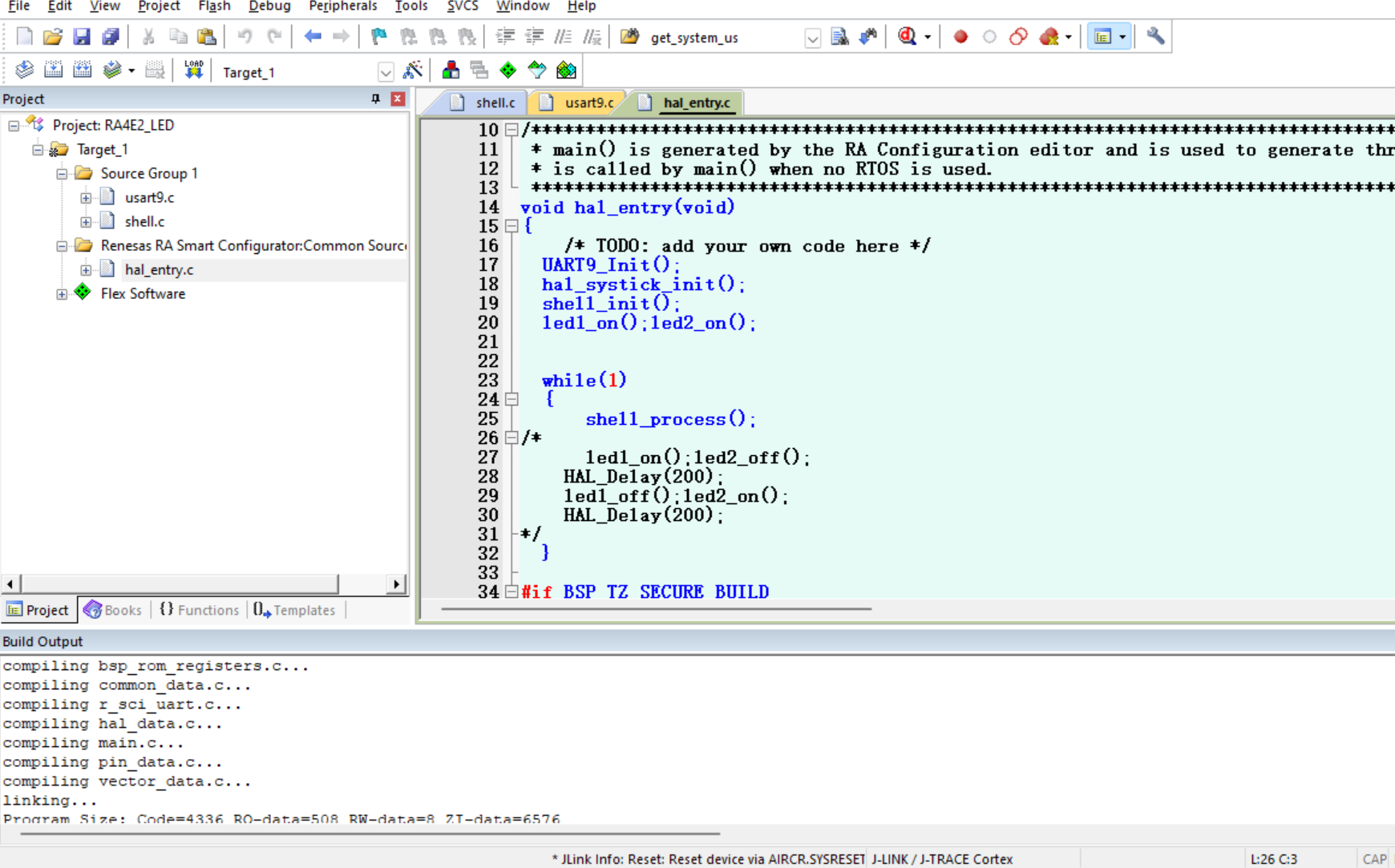
主函数如下
#include "hal_data.h"
#include "usart9.h"
#include "shell.h"
FSP_CPP_HEADER
void R_BSP_WarmStart(bsp_warm_start_event_t event);
FSP_CPP_FOOTER
/*******************************************************************************************************************//**
-
main() is generated by the RA Configuration editor and is used to generate threads if an RTOS is used. This function
-
is called by main() when no RTOS is used.
*********************************************************************************************************************/
void hal_entry(void)
{
/ TODO: add your own code here */
UART9_Init();
hal_systick_init();
shell_init();
led1_on();led2_on();
while(1)
{
shell_process();
/*
led1_on();led2_off();
HAL_Delay(200);
led1_off();led2_on();
HAL_Delay(200);
*/
}
#if BSP_TZ_SECURE_BUILD
/* Enter non-secure code */
R_BSP_NonSecureEnter();
#endif
}
/*******************************************************************************************************************//**
-
This function is called at various points during the startup process. This implementation uses the event that is
-
called right before main() to set up the pins.
-
@param[in] event Where at in the start up process the code is currently at
**********************************************************************************************************************/
void R_BSP_WarmStart (bsp_warm_start_event_t event)
{
if (BSP_WARM_START_RESET == event)
{
#if BSP_FEATURE_FLASH_LP_VERSION != 0
R_FACI_LP->DFLCTL = 1U;
#endif
}
if (BSP_WARM_START_POST_C == event)
{
R_IOPORT_Open(&IOPORT_CFG_CTRL, &IOPORT_CFG_NAME);
#if BSP_CFG_SDRAM_ENABLED
R_BSP_SdramInit(true);
#endif
}
}
#if BSP_TZ_SECURE_BUILD
FSP_CPP_HEADER
BSP_CMSE_NONSECURE_ENTRY void template_nonsecure_callable ();
/* Trustzone Secure Projects require at least one nonsecure callable function in order to build (Remove this if it is not required to build). */
BSP_CMSE_NONSECURE_ENTRY void template_nonsecure_callable ()
{
}
FSP_CPP_FOOTER
#endif
烧录代码
打开串口助手
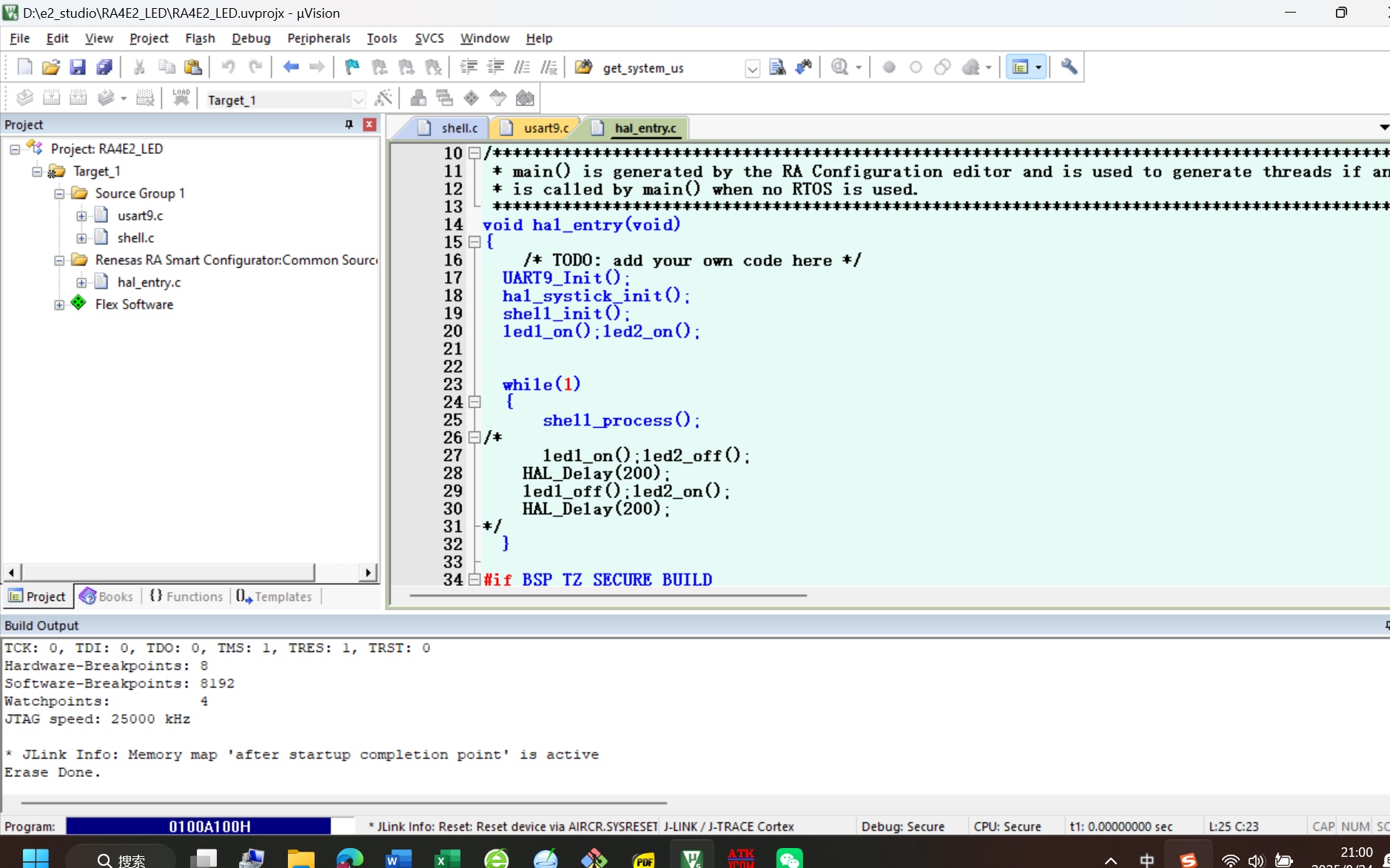
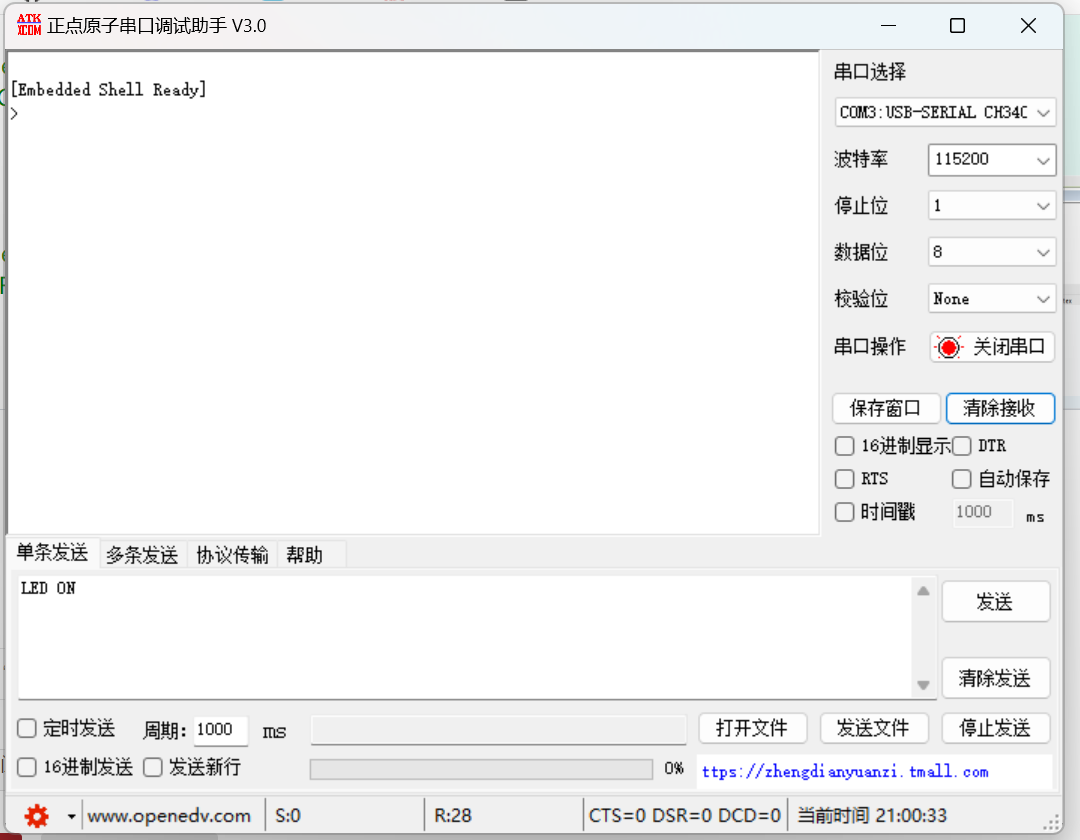
串口shell准备完毕
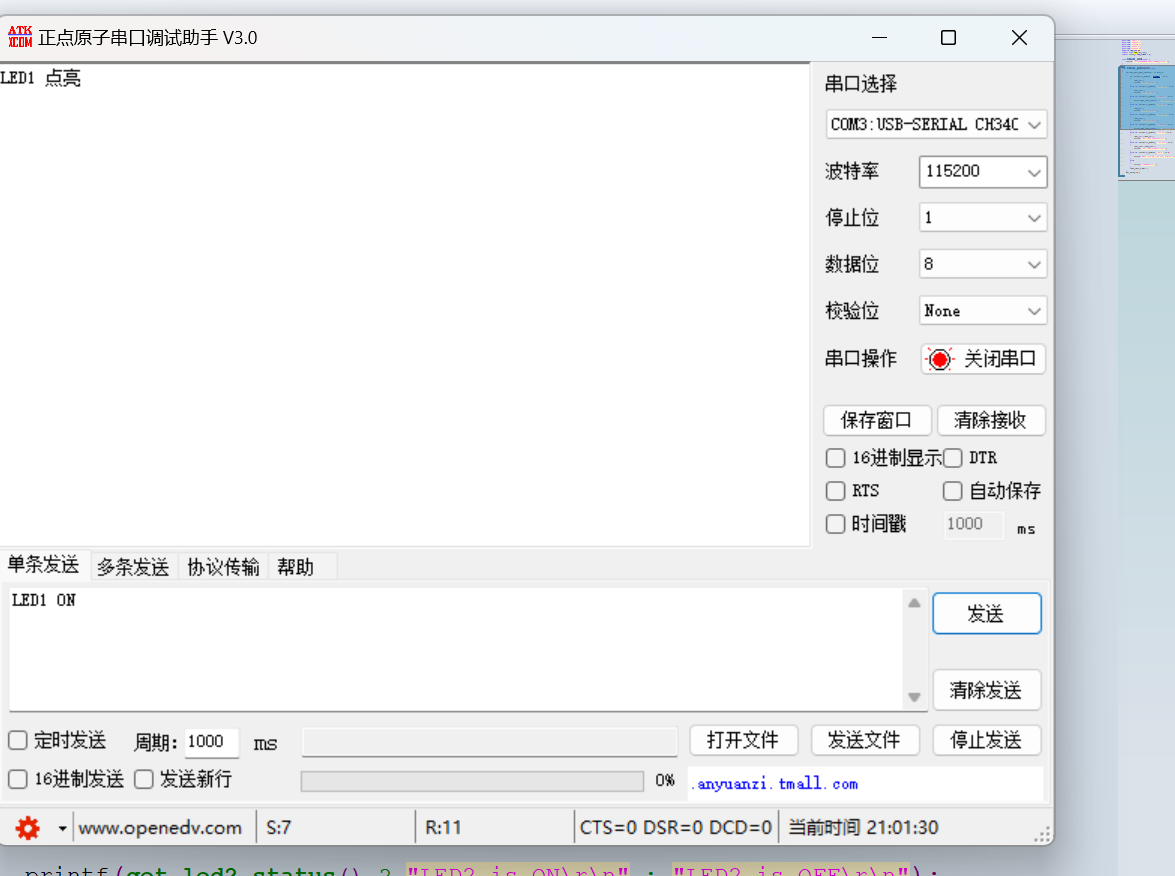
根据功能代码
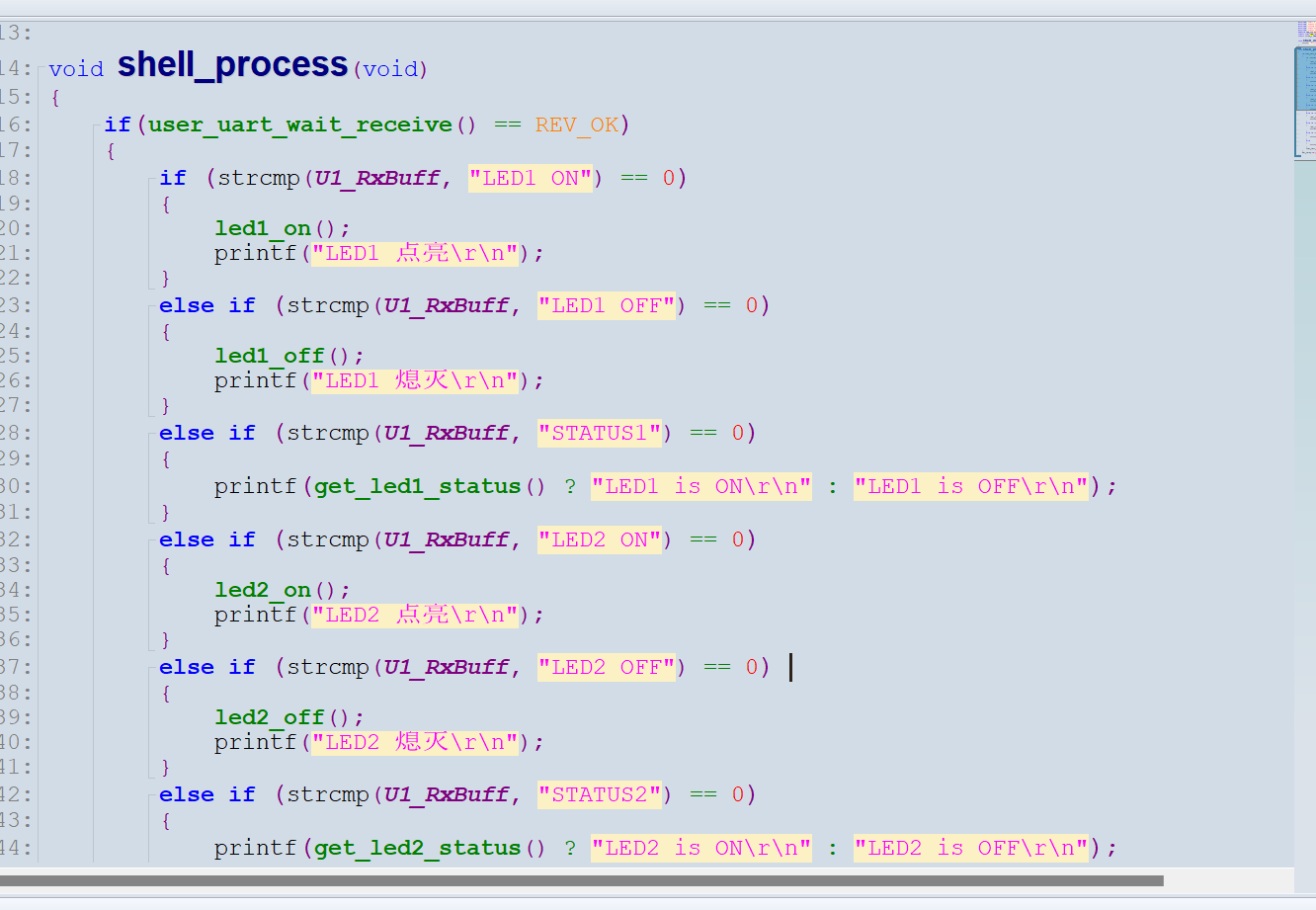
1.点亮LED1
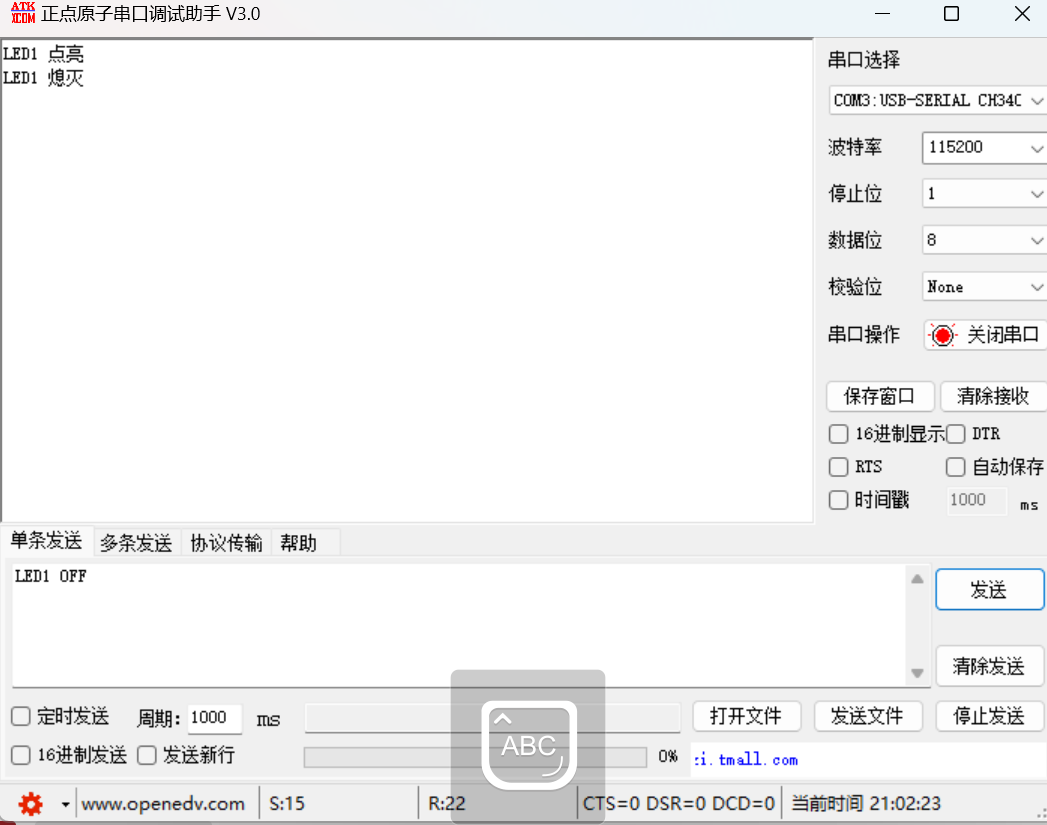
2.熄灭LED1
3.点亮LED2
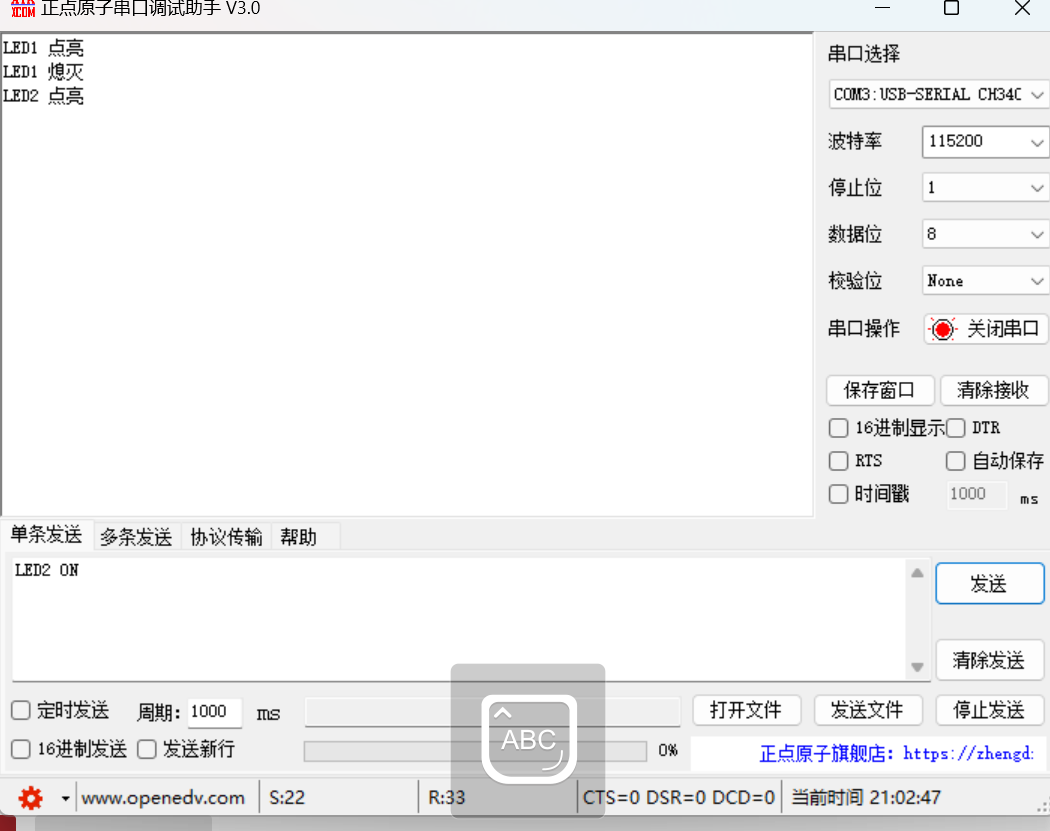
4.熄灭LED2
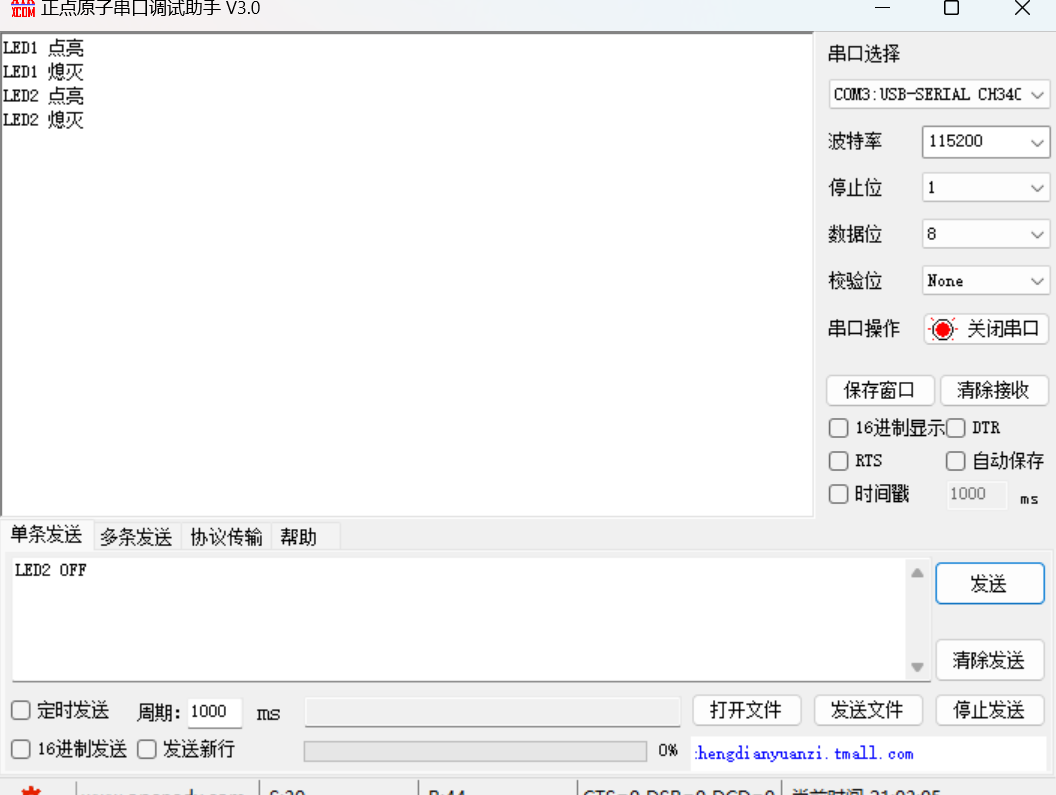
5.点亮LED1 LED2
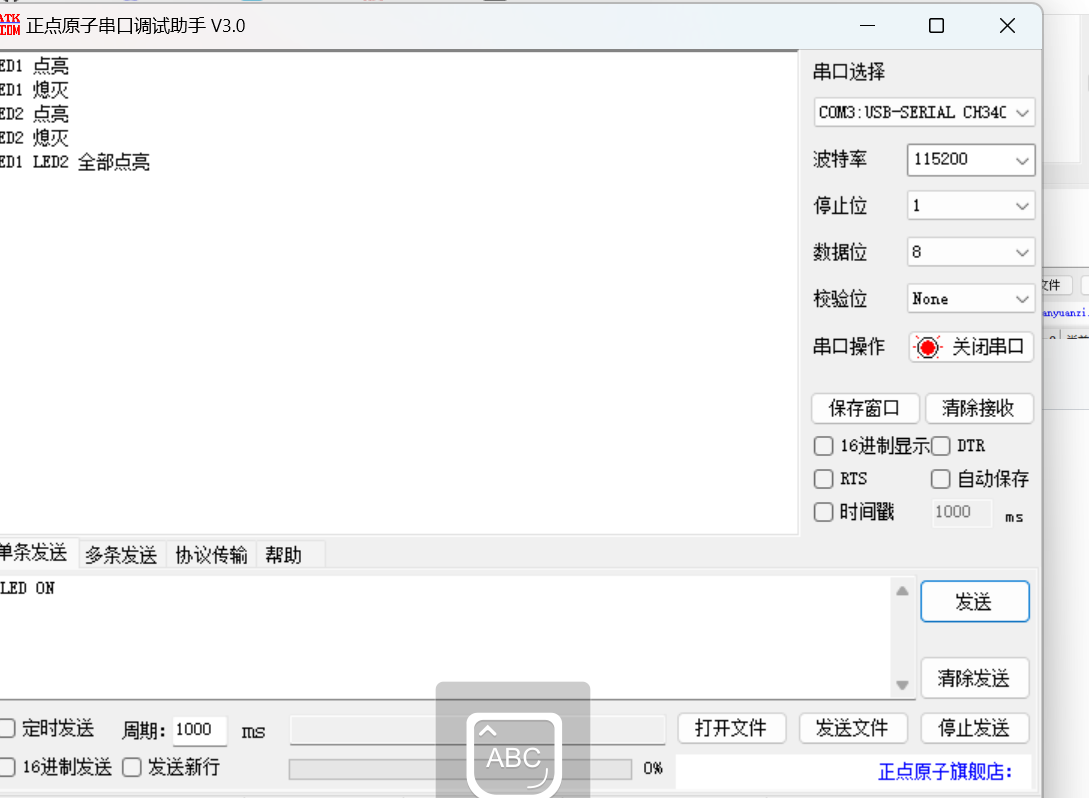
6.熄灭LED1 LED2
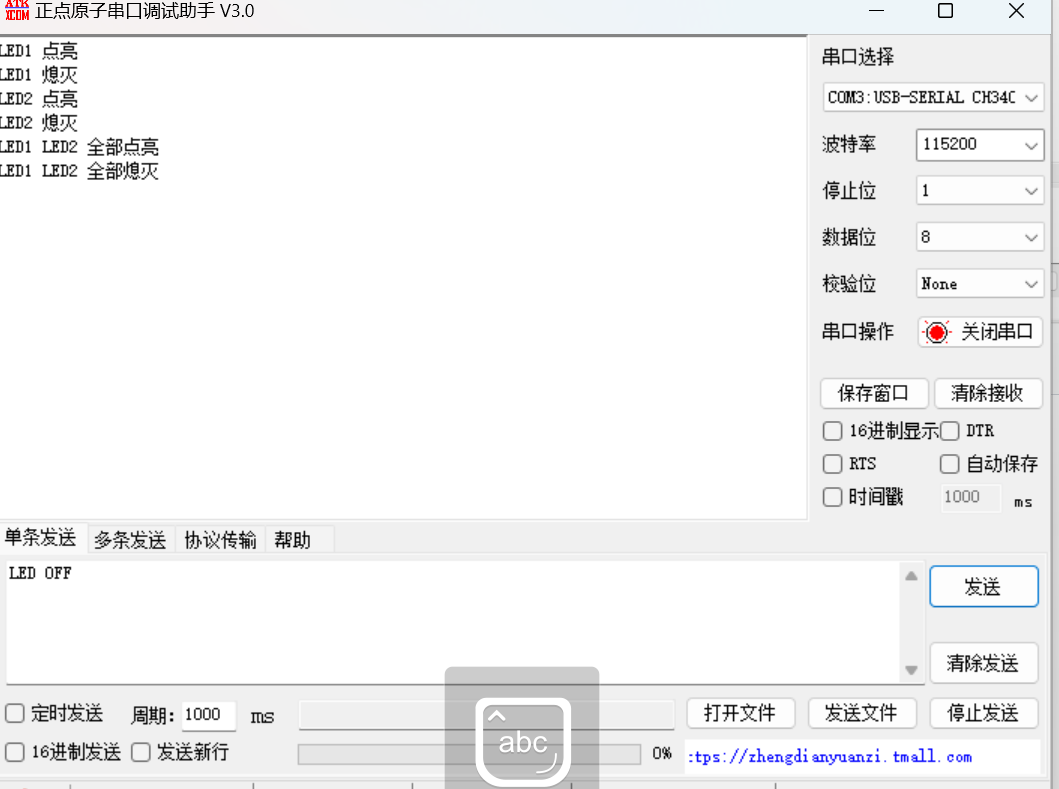
详情见视屏

 电子发烧友论坛
 0
0
 /9
/9 



 工商网监
湘ICP备2023018690号
工商网监
湘ICP备2023018690号


 938
938


 淘帖
淘帖










