随着万物互联时代的火热,伴随着云服务器的兴起,物联网技术得到了空前的发展,就连新能源汽车上也早已经实现了车联网连接物联网云服务器的技术。智慧城市、智慧园区、工业物联网等领域早已经司空见惯。
互联网使用有线以太网和无线组网进行连接,现在的半导体公司都在大力发展无线物联网技术,其中包括主流的WIFI/BLE/4G/NB-iot/Zigbee/ LoRa技术方案。
刚好我手头上有一个ESP8266无线WIFI模组,可以用它连接家庭WIFI网络访问互联网,通过它集成的TCP/IP协议栈,可以实现MQTT协议,然后就能给云服务器上传数据,同时通过云服务器可以远程发送控制指令来对ESP8266连接的MCU进行控制了。在这里就非常有需要实现AT指令了。
因为ESP8266所有的操作都是基于AT指令来进行命令控制和数据上传的。
1。什么是AT指令?
AT指令是应用于终端设备与PC应用之间的连接与通信的指令。每个AT命令行中只能包含一条AT指令;对于AT指令的发送,除AT两个字符外,最多可以接收1056个字符的长度(包括最后的空字符)。
每个AT命令行中只能包含一条AT指令;对于由终端设备主动向PC端报告的URC指示或者response响应,也要求一行最多有一个,不允许上报的一行中有多条指示或者响应。AT指令以回车作为结尾,响应或上报以回车换行为结尾。
用法
2。ESP8266和AR4E2的连接框图
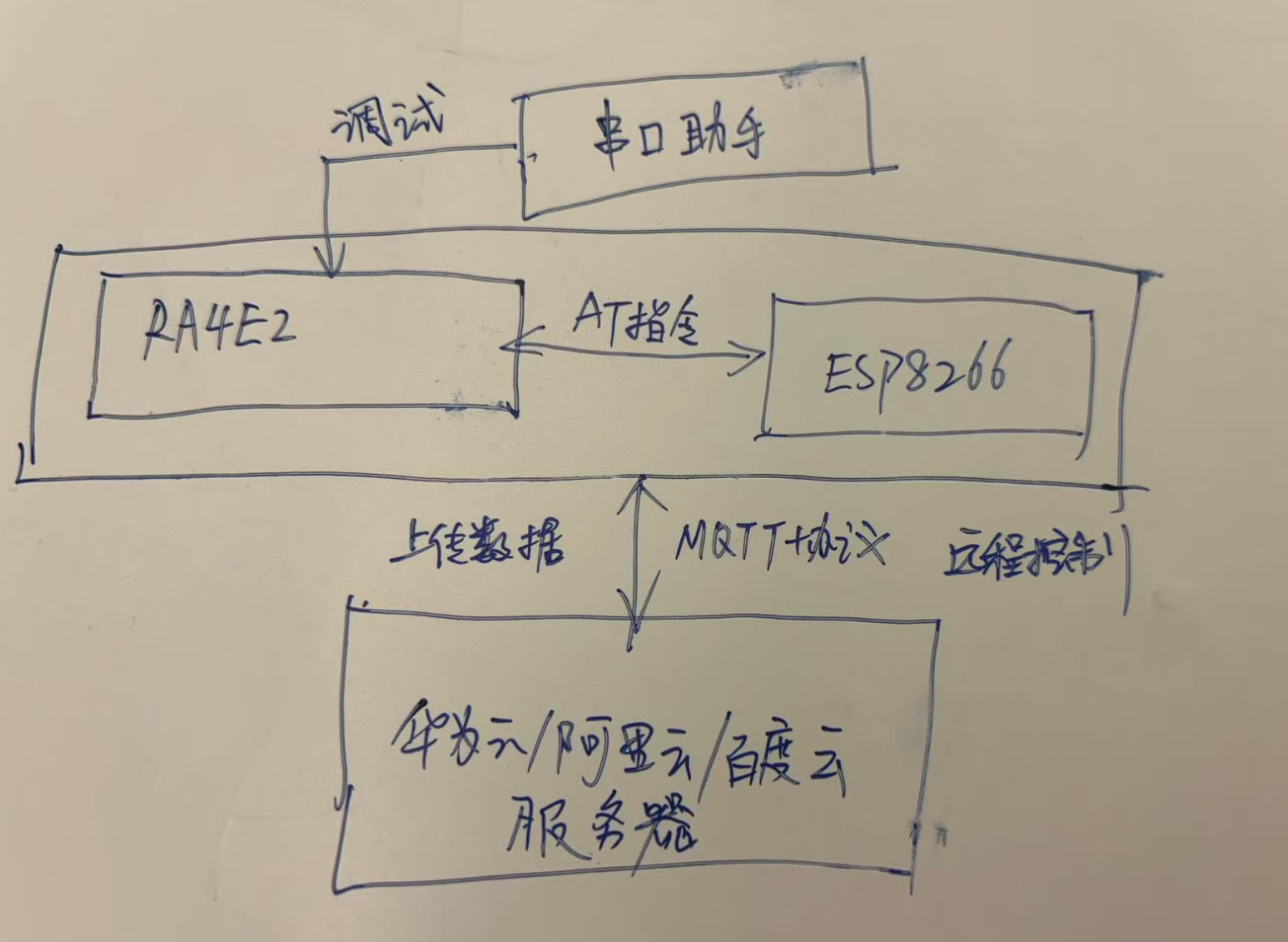
上图结构非常的清晰明了,
1)。首先ESP8266和RA4E2通过一路串口相连,使用AT指令解析指令和数据。
2)。 RA4E2和PC电脑端的串口助手软件通过另一路串口进行连接,主要是用来打印调试log
3)。ESP8266和连接好的RA4E2作为一个完整的模块,通过MQTT协议连接到云端,既可以向云端上传数据,又可以通过云端给它发送指令,来控制RA4E2,甚至可以将RA4E2的firmwar固件通过OTA来进行远程升级RA4E2板子。
3。解析AT指令
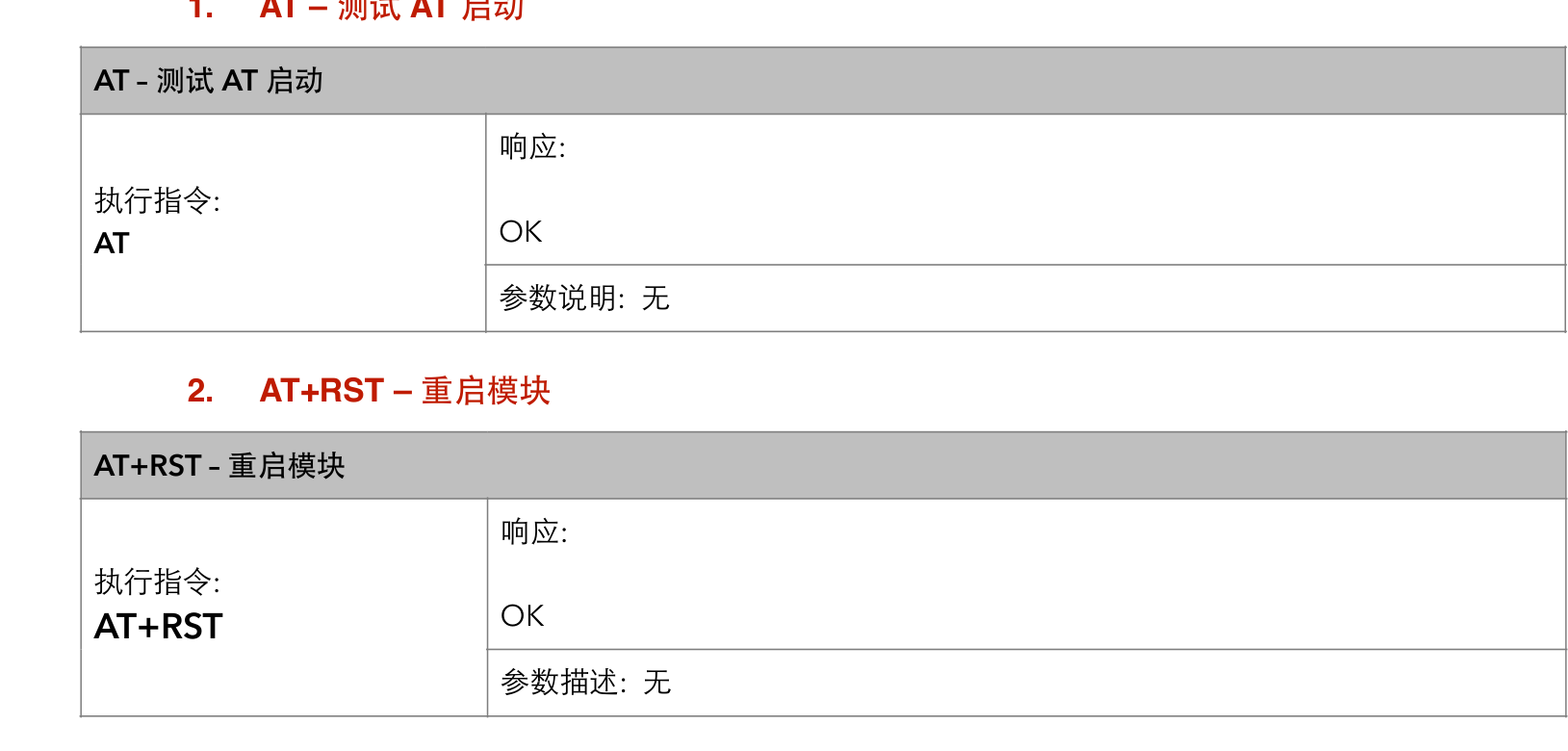
打开ESP8266的AT指令手册。
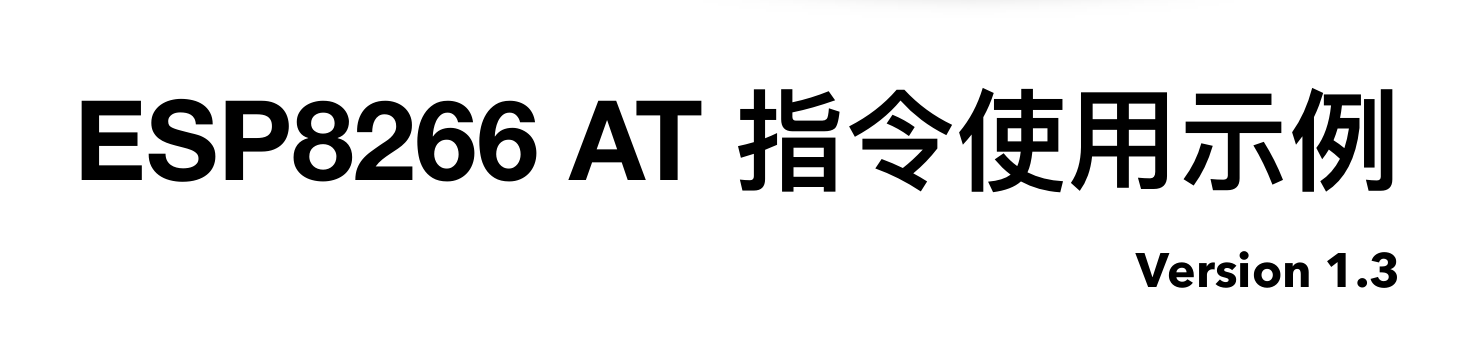
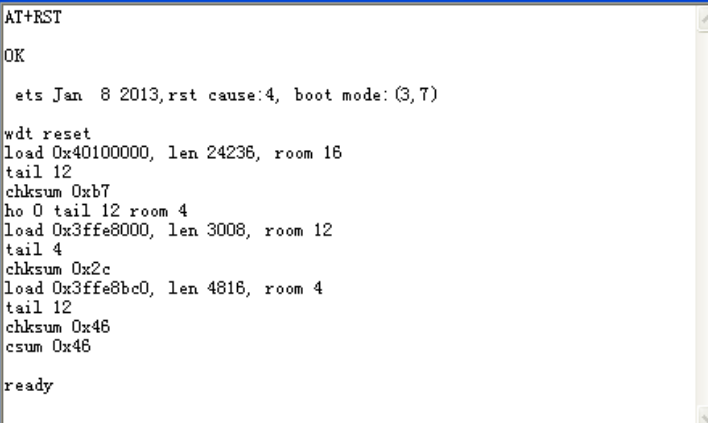
1)上电发送RST重启指令
发送命令 AT+RST(重启模块)

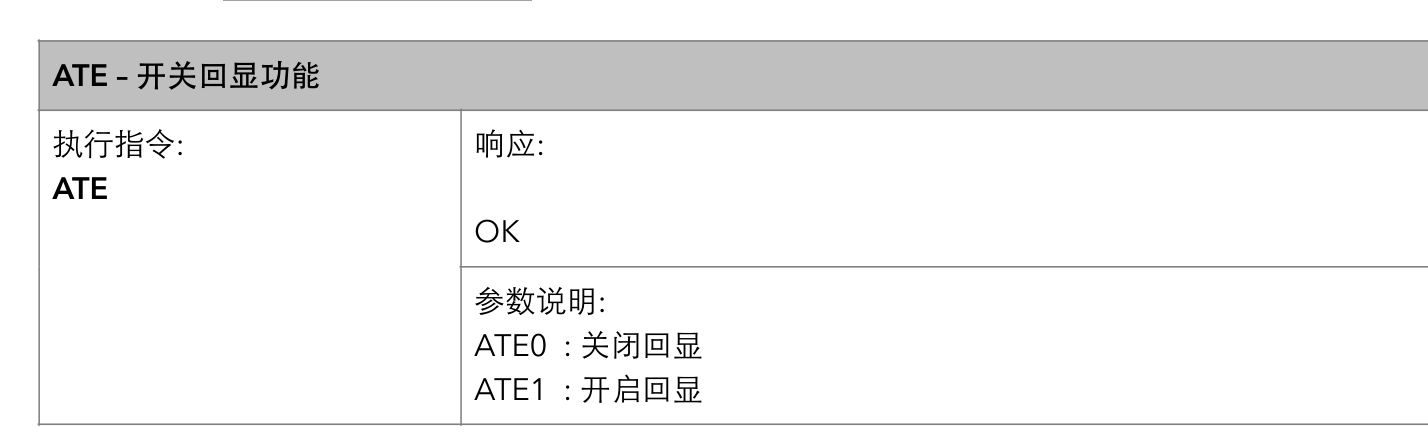
- ATE0 – 开关回显功能

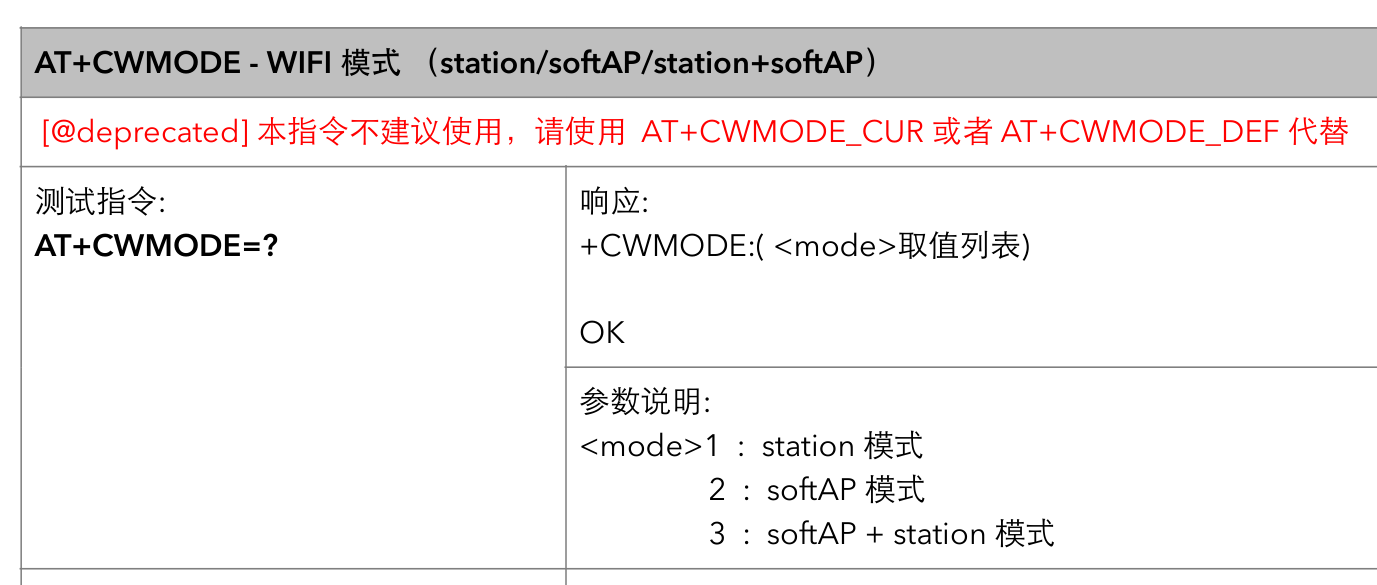
- AT+CWMODE – WiFi 模式

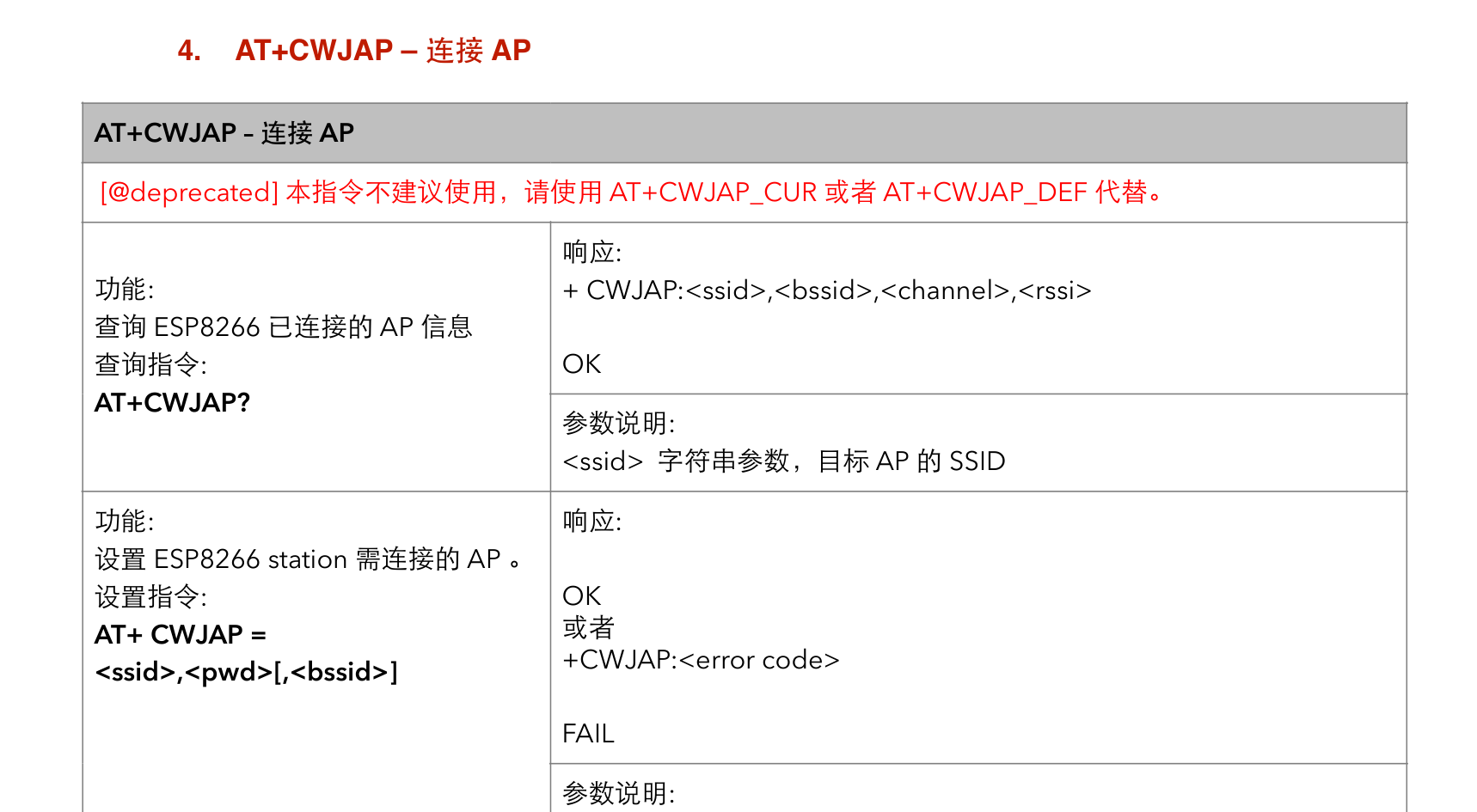
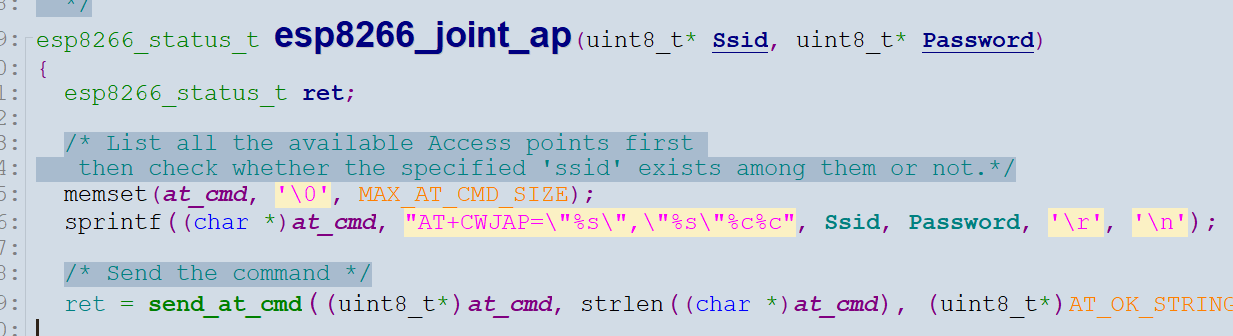
4)AT+CWJAP – 连接WIF网络

5)AT+MQTTUSERCFG:设置MQTT用户属性
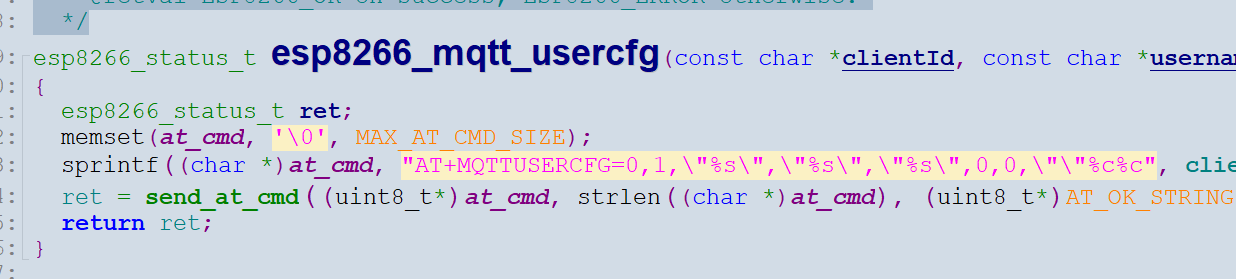

6)AT+MQTTCONN:连接MQTT Broker
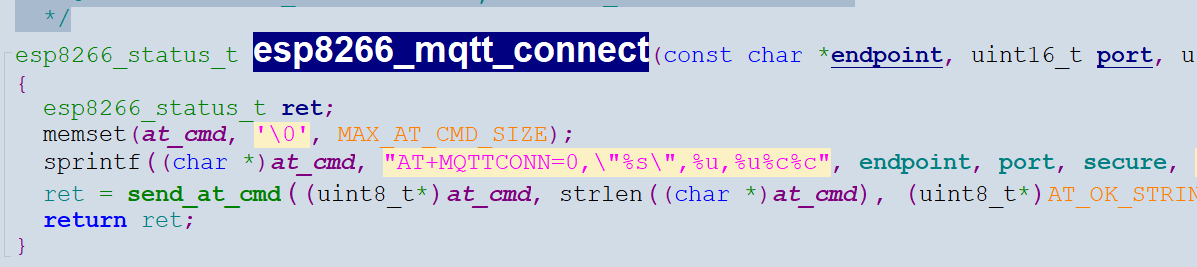

7)AT+MQTTSUB:订阅MQTT Topic


8)AT+MQTTPUB:发布MQTT消息(字符串)
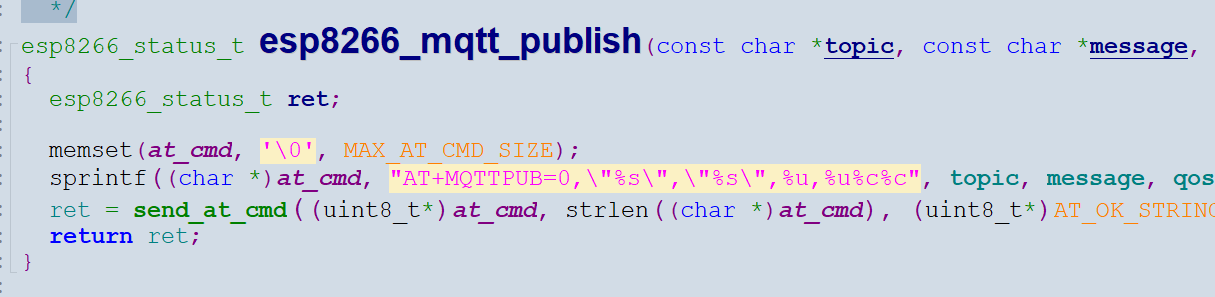
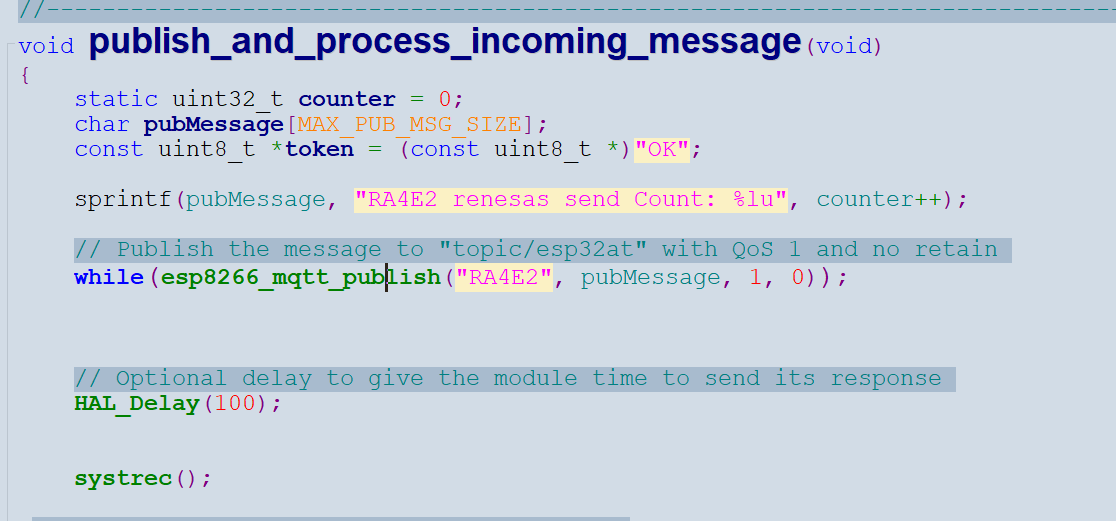
通过上面的指令,就可以连接到MQTT服务器了。
解析AT指令比较简单,直接通过循环队列来实现,当发送完对应的AT指令后,就通过串口中断将数据接收到循环队列。然后进行判断
int32_t esp8266_io_recv(uint8_t* buffer, uint32_t length)
{
uint32_t read_data = 0;
while (length--)
{
    uint32_t tick_start = HAL_GetTick();
    do
    {
        if (wifi_rx_buffer.head != wifi_rx_buffer.tail)
        {
            *buffer++ = wifi_rx_buffer.data[wifi_rx_buffer.head++];
            read_data++;

            if (wifi_rx_buffer.head >= RING_BUFFER_SIZE)
            {
                wifi_rx_buffer.head = 0;
            }
            break;
        }
    } while ((HAL_GetTick() - tick_start) < DEFAULT_TIME_OUT);
}

return read_data;
}
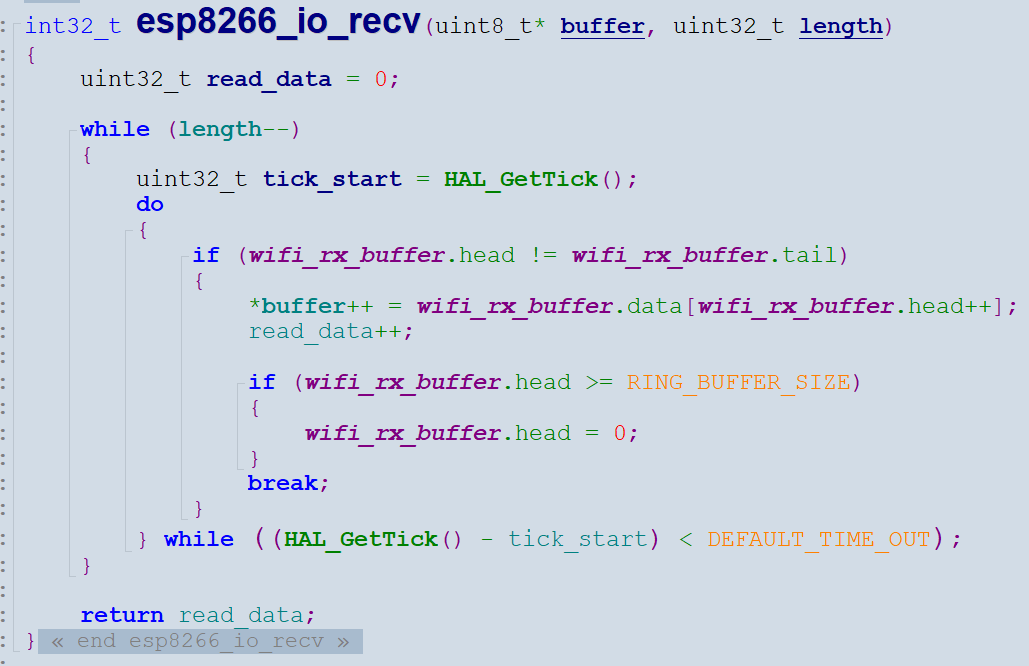
这样就不会遗漏数据了,即使数据量巨大,也没问题。

这是AT指令的判断函数
核心代码如下:
#include "hal_data.h"
#include "Systick.h"
#include "usart0.h"
#include "usart9.h"
#include "usart_ring.h"
#include "esp8266.h"
#include "esp8266_io.h"
#include <stdio.h>
#include "app.h"
FSP_CPP_HEADER
void R_BSP_WarmStart(bsp_warm_start_event_t event);
FSP_CPP_FOOTER
/*******************************************************************************************************************//**
-
main() is generated by the RA Configuration editor and is used to generate threads if an RTOS is used. This function
-
is called by main() when no RTOS is used.
*********************************************************************************************************************/
void hal_entry(void)
{
esp8266_status_t status;
/ TODO: add your own code here */
hal_systick_init();
UART0_Init();UART9_Init();
esp8266_Init();
/* Subscribe to a topic */
while(esp8266_mqtt_subscribe("iotled", 1));
//HAL_Delay(200);
printf("esp8266 Subscribe to a topic\r\n");
while (1)
{
publish_and_process_incoming_message();
}
#if BSP_TZ_SECURE_BUILD
/* Enter non-secure code */
R_BSP_NonSecureEnter();
#endif
}
/**
- [url=home.php?mod=space&uid=2666770]@Brief[/url] This function is executed in case of error occurrence.
- @retval None
/
void Error_Handler(void)
{
/ USER CODE BEGIN Error_Handler_Debug /
/ User can add his own implementation to report the HAL error return state /
__disable_irq();
while (1)
{
}
/ USER CODE END Error_Handler_Debug */
}
/*******************************************************************************************************************//**
-
This function is called at various points during the startup process. This implementation uses the event that is
-
called right before main() to set up the pins.
-
@param[in] event Where at in the start up process the code is currently at
**********************************************************************************************************************/
void R_BSP_WarmStart (bsp_warm_start_event_t event)
{
if (BSP_WARM_START_RESET == event)
{
#if BSP_FEATURE_FLASH_LP_VERSION != 0
R_FACI_LP->DFLCTL = 1U;
#endif
}
if (BSP_WARM_START_POST_C == event)
{
R_IOPORT_Open(&IOPORT_CFG_CTRL, &IOPORT_CFG_NAME);
#if BSP_CFG_SDRAM_ENABLED
R_BSP_SdramInit(true);
#endif
}
}
#if BSP_TZ_SECURE_BUILD
FSP_CPP_HEADER
BSP_CMSE_NONSECURE_ENTRY void template_nonsecure_callable ();
/* Trustzone Secure Projects require at least one nonsecure callable function in order to build (Remove this if it is not required to build). */
BSP_CMSE_NONSECURE_ENTRY void template_nonsecure_callable ()
{
}
FSP_CPP_FOOTER
#endif
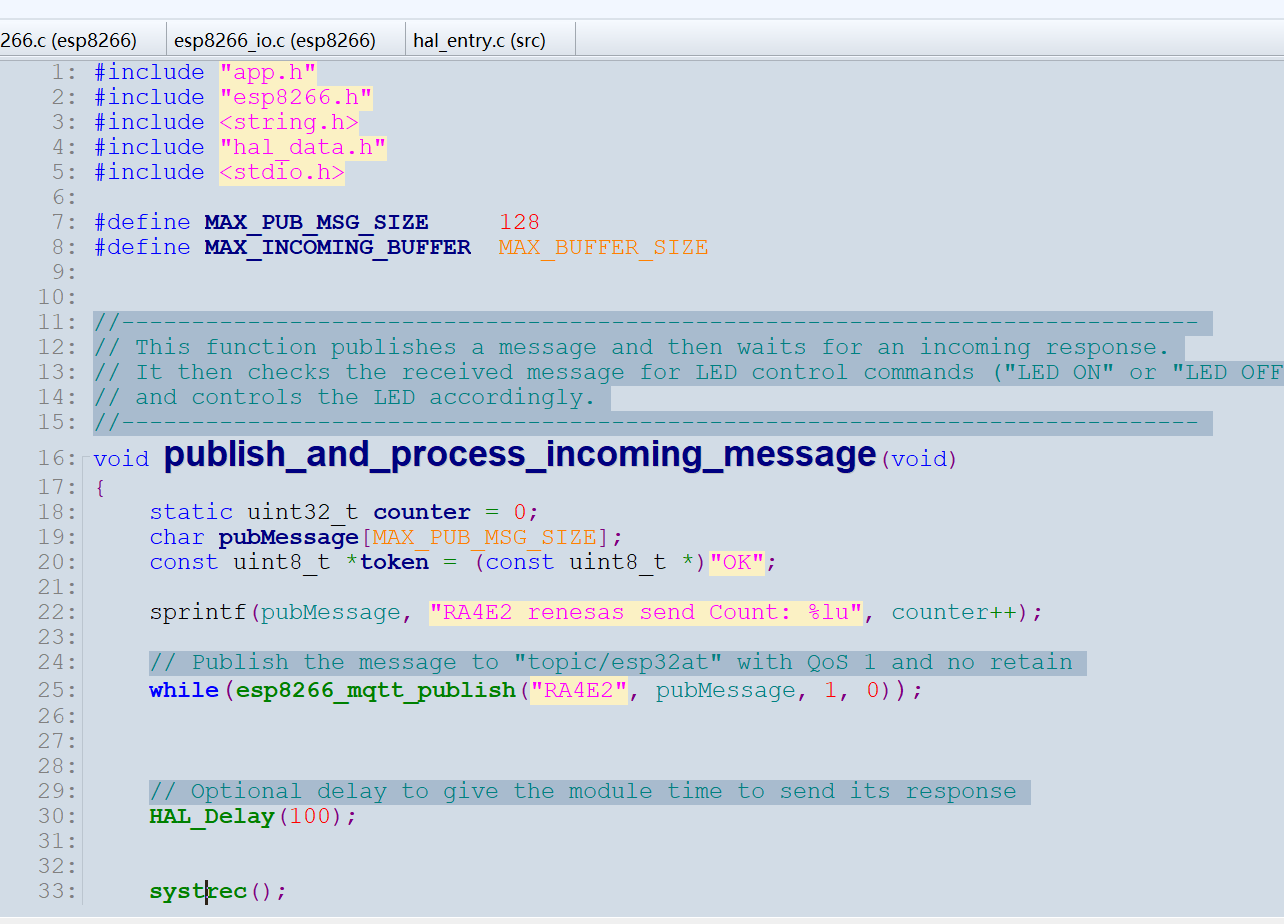

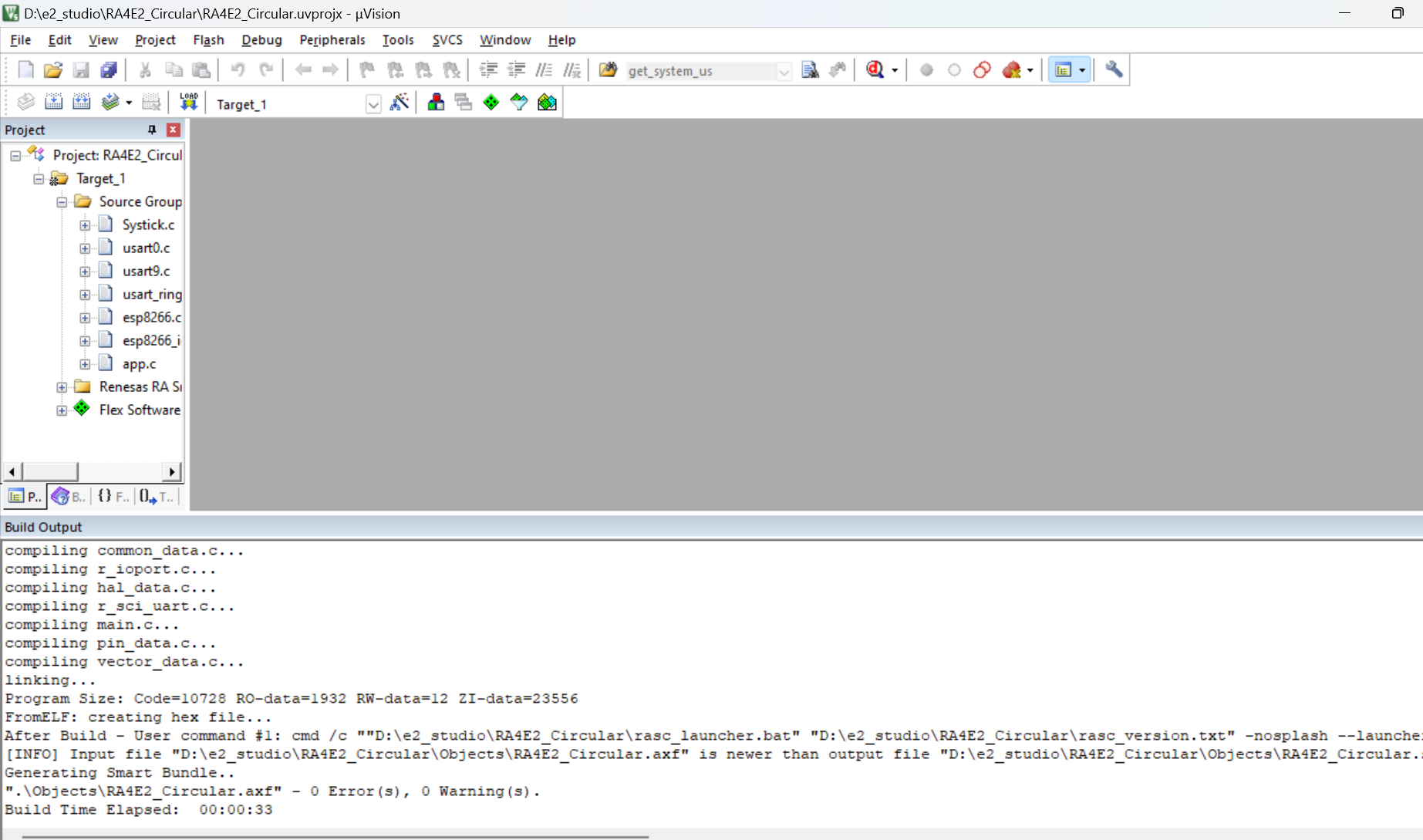
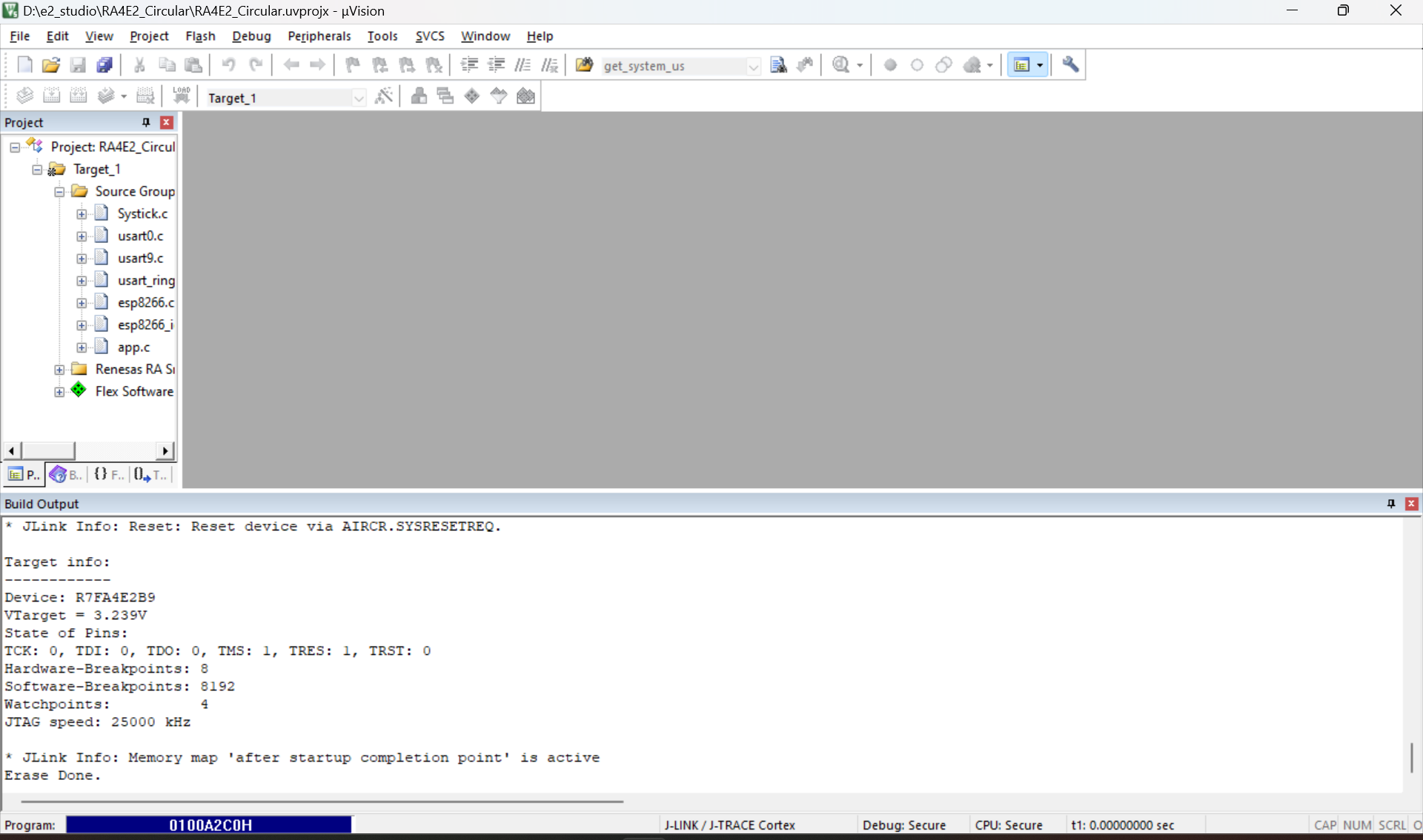
编译代码,烧录到板子
打开MQTT.fx软件,可以看到通过RA4E2将数据上传到了MQTT服务器代理上面
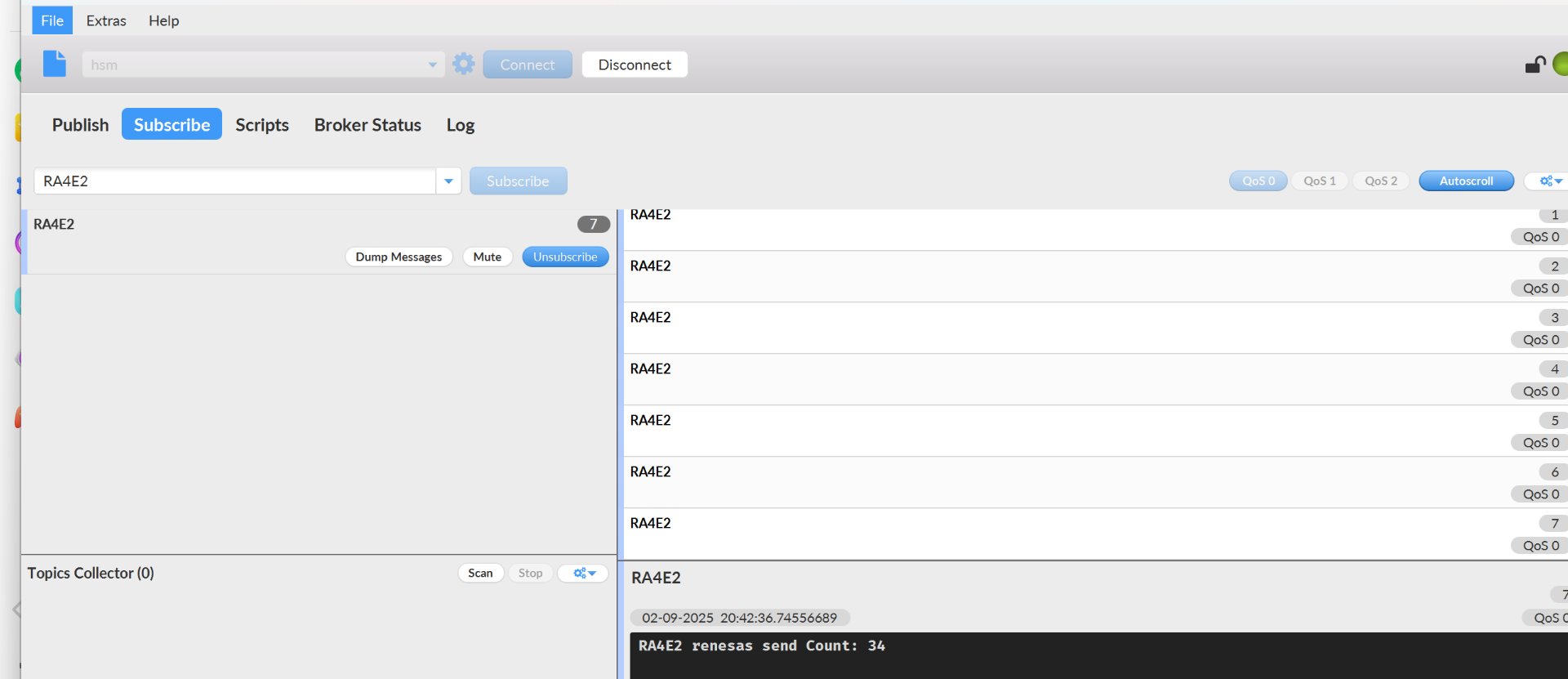
对应这里的代码

同时的通过iotled来进行点灯控制


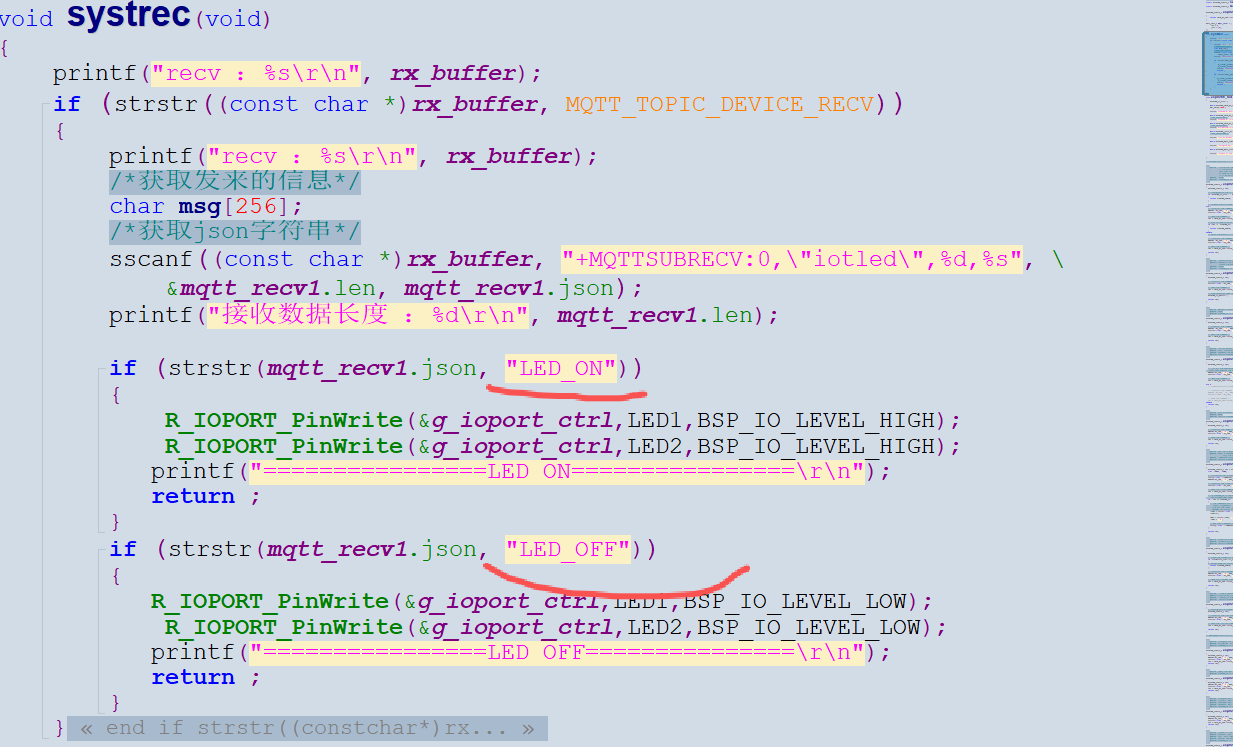
这里通过代码里的LED_ON和LED_OFF来实现开关LED控制操作。
详情见视频
我一般会使用手机来代替MQTT.fx软件,更加的方便和便利,一机在手就能查看RA4E2发送的数据,同时可以通过手机远程控制RA4E2上的灯。不像电脑那么笨重和不方便,你不可以把电脑放在裤子口袋里。
见底部视频

 电子发烧友论坛
 0
0
 /9
/9 



 工商网监
湘ICP备2023018690号
工商网监
湘ICP备2023018690号


 1022
1022


 淘帖
淘帖










