
感谢 发烧友学院以及RA生态工作室 为我和孩子 提供此产品
## RA4E2开发板 。
收到了
## RA4E2开发板 。
中通速递仅包含开发板 带USB-com接口开发板,支持J-link和串口更新程序,特别简洁好看,功能实用。集成USB接口调试功能模块,但是因为该芯片支持J-link 、串行烧录,所以烧录调试还是非常方便。
RA4E2开发板是一款功能强大且集成度高的低功耗通用微控制器开发板,以R7FA4E2B93CFM为主控芯片,适合进行各类嵌入式系统开发。本文将从开发板基本信息、硬件资源、软件开发环境搭建等方面生成大纲,为开发者提供全面的参考。
RA生态社区:https://ramcu.cn/
FSP Webpage: www.renesas.com/ra/fsp
FSP GitHub: https://github.com/renesas/fsp
Renesas
Flash Programmer: https://ramcu.cn/search?skey=Renesas%20Flash
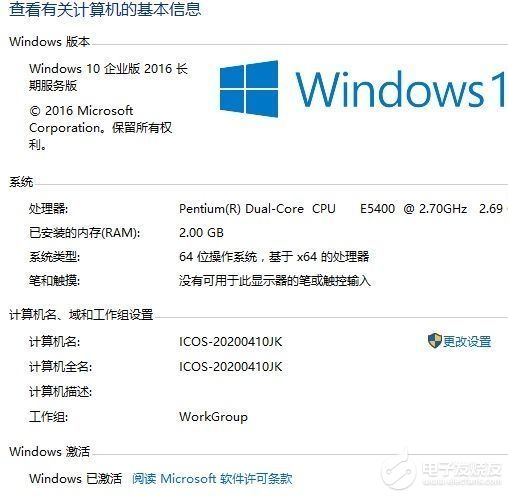
准备操作系统(win10)
 开发板软件(mdk5)
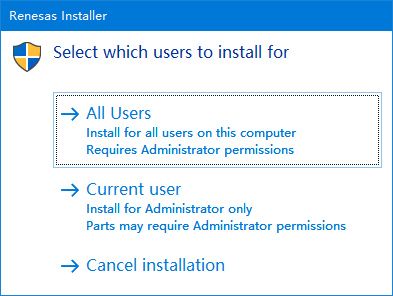
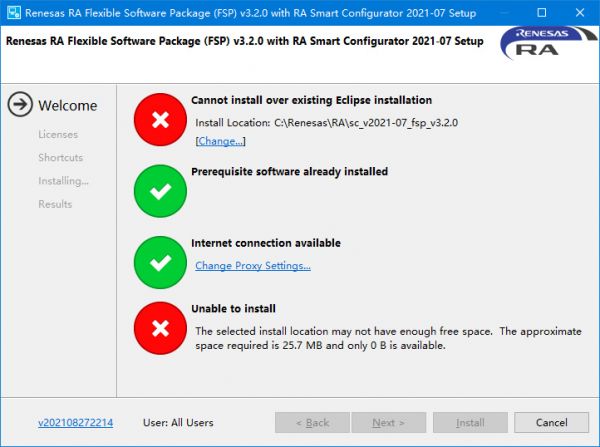
 * 使用在Github上的FSP 发布页面,可以下载到RASC FSP工具的安装包和mdk5芯片支持包
 * Renesas 软件在mdk5中导入芯片PackRenesas.RA_DFP.5.9.0.pack。
复位按键与自定义按键**![按键]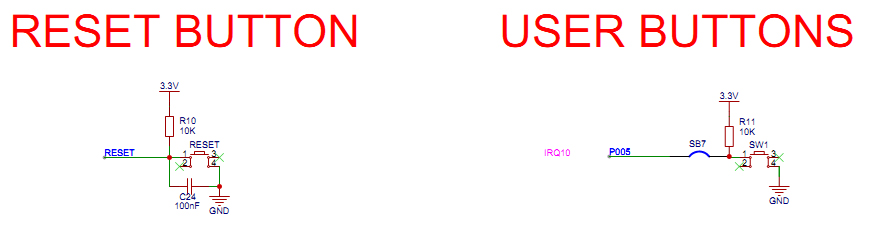
LED电路**![LED]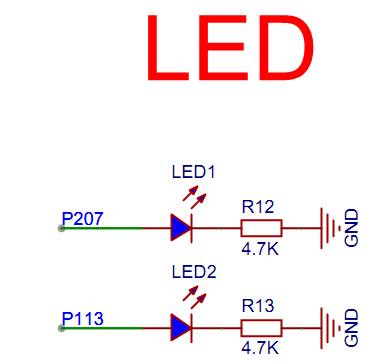
时钟电路**![时钟]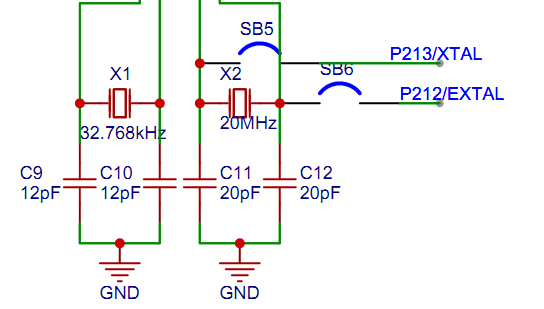
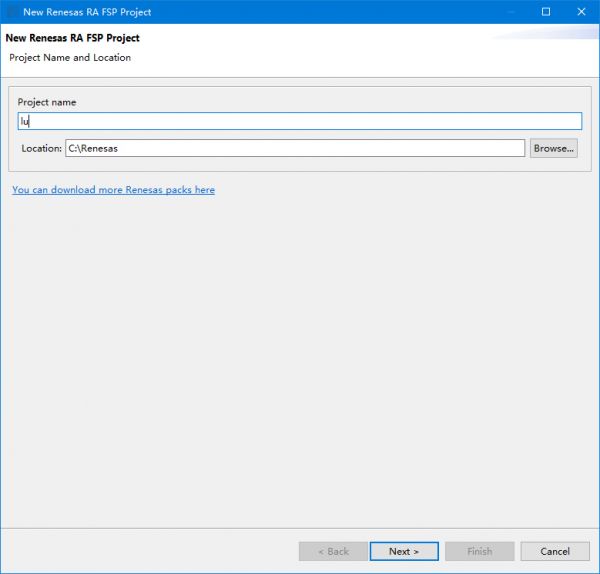
工程最后在Summary中,可以看到工程生成选项,点击以后就可以mdk工程打开MDK工程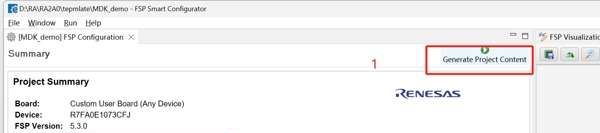
创建了就完成了MDK工程的创建MDK工程的创建打开MDK工程在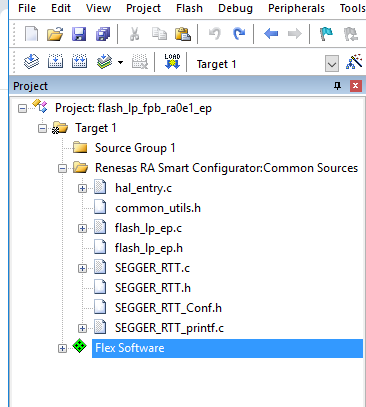 在hal_entry.c中加入自己代码。
bsp_io_level_t p_port_value_port_005;
void hal_entry(void)
{R_BSP_SoftwareDelay(500, BSP_DELAY_UNITS_MILLISECONDS); // NOLINTR_IOPORT_PinWrite(&g_ioport_ctrl, BSP_IO_PORT_02_PIN_07, BSP_IO_LEVEL_HIGH);R_IOPORT_PinWrite(&g_ioport_ctrl, BSP_IO_PORT_01_PIN_13, BSP_IO_LEVEL_HIGH);R_BSP_SoftwareDelay(500, BSP_DELAY_UNITS_MILLISECONDS); // NOLINTR_IOPORT_PinWrite(&g_ioport_ctrl, BSP_IO_PORT_02_PIN_07, BSP_IO_LEVEL_LOW);R_IOPORT_PinWrite(&g_ioport_ctrl, BSP_IO_PORT_01_PIN_13, BSP_IO_LEVEL_LOW);
/* TODO: add your own code here */
while(1){
R_IOPORT_PinRead(&g_ioport_ctrl, BSP_IO_PORT_00_PIN_05, &p_port_value_port_005);     if(p_port_value_port_005)     {         R_IOPORT_PinWrite(&g_ioport_ctrl, BSP_IO_PORT_02_PIN_07, BSP_IO_LEVEL_LOW);         R_IOPORT_PinWrite(&g_ioport_ctrl, BSP_IO_PORT_01_PIN_13, BSP_IO_LEVEL_LOW);     }     else     {         R_IOPORT_PinWrite(&g_ioport_ctrl, BSP_IO_PORT_02_PIN_07, BSP_IO_LEVEL_HIGH);         R_IOPORT_PinWrite(&g_ioport_ctrl, BSP_IO_PORT_01_PIN_13, BSP_IO_LEVEL_HIGH);
  }
}
}
*** 编译,
Program Size: Code=1740 RO-data=272 RW-data=0 ZI-data=1496
FromELF: creating hex file...
After Build - User command #1: cmd /c ""E:\lst\ra4l1\ra4-e2-64\FSP_Project_CM33\rasc_launcher.bat" "E:\lst\ra4l1\ra4-e2-64\FSP_Project_CM33\rasc_version.txt" -nosplash --launcher.suppressErrors --gensmartbundle --compiler ARMv6 --devicefamily ra "E:\lst\ra4l1\ra4-e2-64\FSP_Project_CM33\configuration.xml" "E:\lst\ra4l1\ra4-e2-64\FSP_Project_CM33\Objects\FSP_Project.axf" 2> "%TEMP%\rasc_stderr.out""
[INFO] Output file "E:\lst\ra4l1\ra4-e2-64\FSP_Project_CM33\Objects\FSP_Project.sbd" does not exist. Proceeding with RASC invocation...
Generating Smart Bundle..
".\Objects\FSP_Project.axf" - 0 Error(s), 44 Warning(s).
Build Time Elapsed:  00:00:43
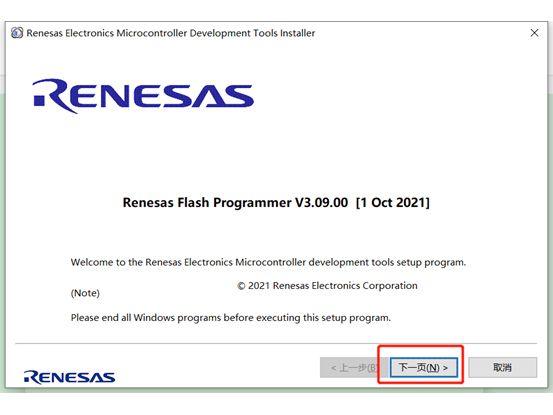
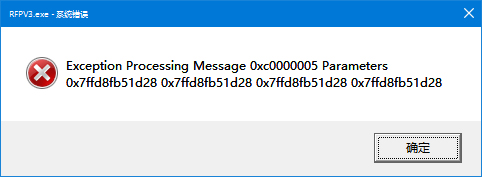 出错
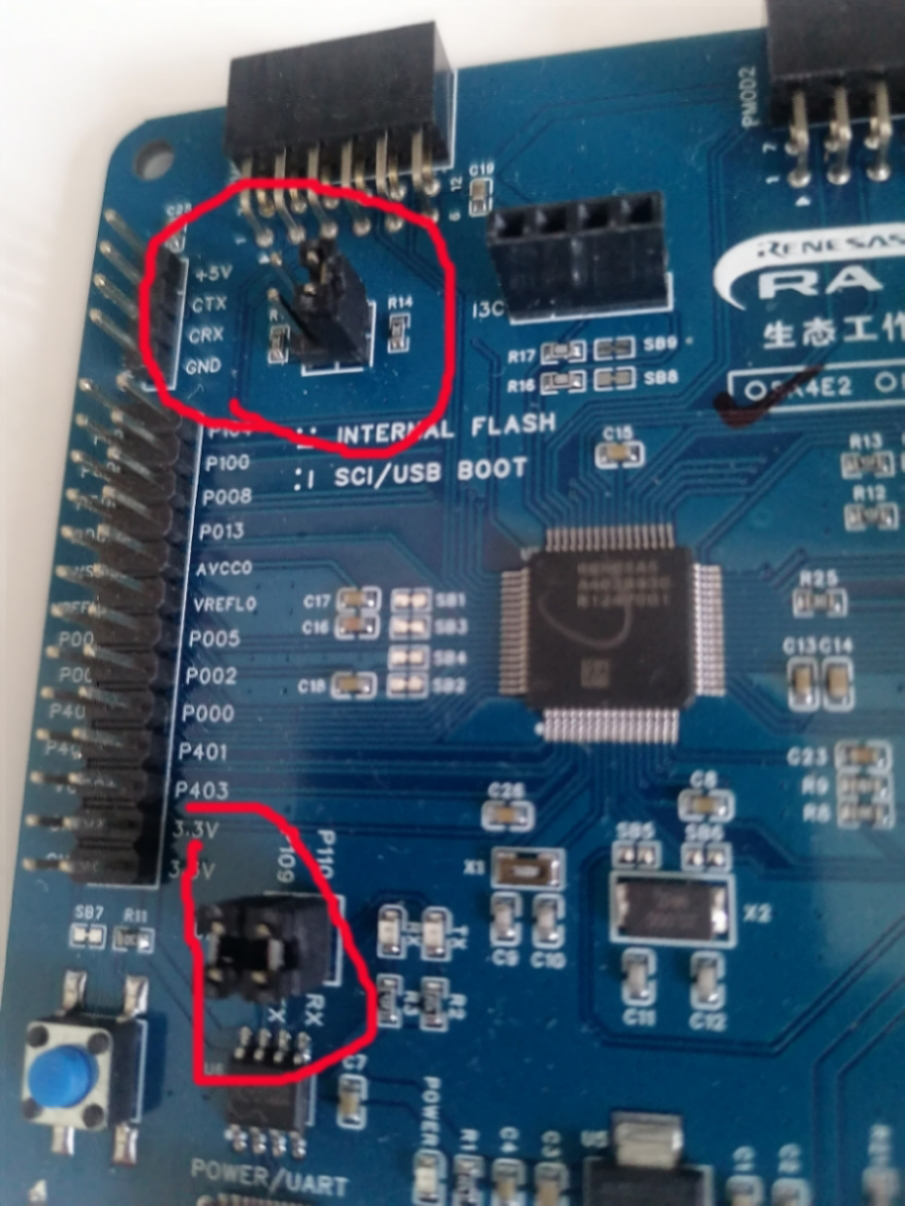
出错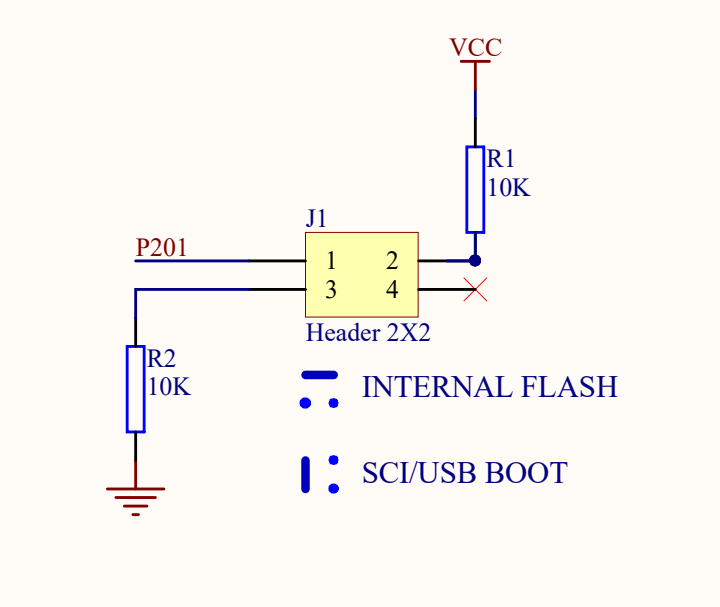 配置成sci boot模式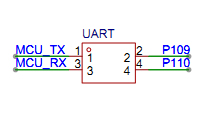
*找到编译后hex文件\FSP_Project_CM33\Objects\FSP_Project.hex并copy到Renesas Flash软件安后目录
用type-c usb 连接线连接开发板和电脑,在设备管理器找到com口号为com5
在Renesas Flash软件安后目录打开命令窗口,每次发送命令前最好按一下复位。运行各命令。
命令rfp-cli -d RA -lp 查看可以用com口
Renesas Flash Programmer CLI V1.12
Module Version: V3.19.00.000

[Port]
COM5
COM6
COM7
命令 rfp-cli -d RA -port COM5 -ls查看可以用速度
Renesas Flash Programmer CLI V1.12
Module Version: V3.19.00.000

Connecting the tool (COM port)
Tool: COM5
Interface: 2 wire UART

Connecting the target device

Disconnecting the tool[Speed]
9600
115200
命令 rfp-cli -d RA -port COM5 -sig查看目标信息
Renesas Flash Programmer CLI V1.12
Module Version: V3.19.00.000

Connecting the tool (COM port)
Tool: COM5
Interface: 2 wire UART

Connecting the target device
Speed: 115,200 bps
Connected to R7FA4E2B93CFM

Signature:
    Device: R7FA4E2B93CFM
    Boot Firmware Version: V7.0.0
    Device Unique ID: 4E4B2D5C5B634B533539393742037771
    Device Code: 05

Memory Info:
    00000000 - 0000FFFF: Code Flash 1 (Block Size: 8 KB)
    00010000 - 0001FFFF: Code Flash 1 (Block Size: 32 KB)
    08000000 - 08000FFF: Data Flash 1 (Block Size: 64)
    0100A100 - 0100A2FF: Config Area 1 (Block Size: 512)


Disconnecting the tool

Operation successful
命令rfp-cli -d RA -port COM5 -file FSP_Project.hex -p 烧录
Renesas Flash Programmer CLI V1.12
Module Version: V3.19.00.000
Load: "E:\Renesas Electronics\Programming Tools\Renesas Flash Programmer V3.19\FSP_Project.hex" (Size=6729, CRC=204C8CA6)

Connecting the tool (COM port)
Tool: COM5
Interface: 2 wire UART

Connecting the target device
Speed: 115,200 bps
Connected to R7FA4E2B93CFM

Erasing the target device
  [Code Flash 1]       00000000 - 00001FFF
Writing data to the target device
  [Code Flash 1]       00000000 - 000007FF
  [Config Area 1]      0100A100 - 0100A17F
  [Config Area 1]      0100A200 - 0100A2FF


Disconnecting the tool

Operation successful
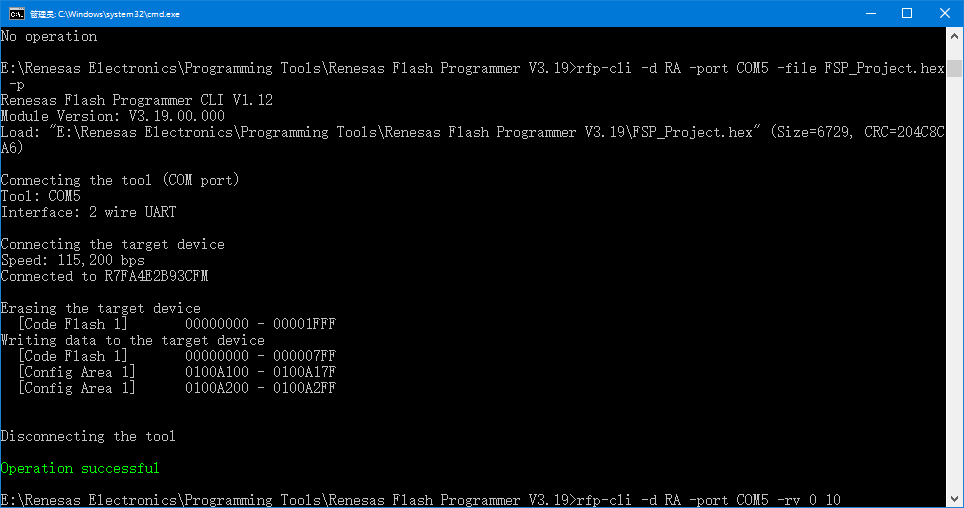
命令rfp-cli -d RA -port COM5 -rv 0 10 读取目标地址 数量数据
Renesas Flash Programmer CLI V1.12
Module Version: V3.19.00.000

Connecting the tool (COM port)
Tool: COM5
Interface: 2 wire UART

Connecting the target device
Speed: 115,200 bps
Connected to R7FA4E2B93CFM

Reading data from the device
  [Code Flash 1]       00000000 - 00000009

Address  | 00 01 02 03 04 05 06 07 08 09 0A 0B 0C 0D 0E 0F
---------+------------------------------------------------
00000000 | 78 04 00 20 95 02 00 00 8D 00


Disconnecting the tool

Operation successful
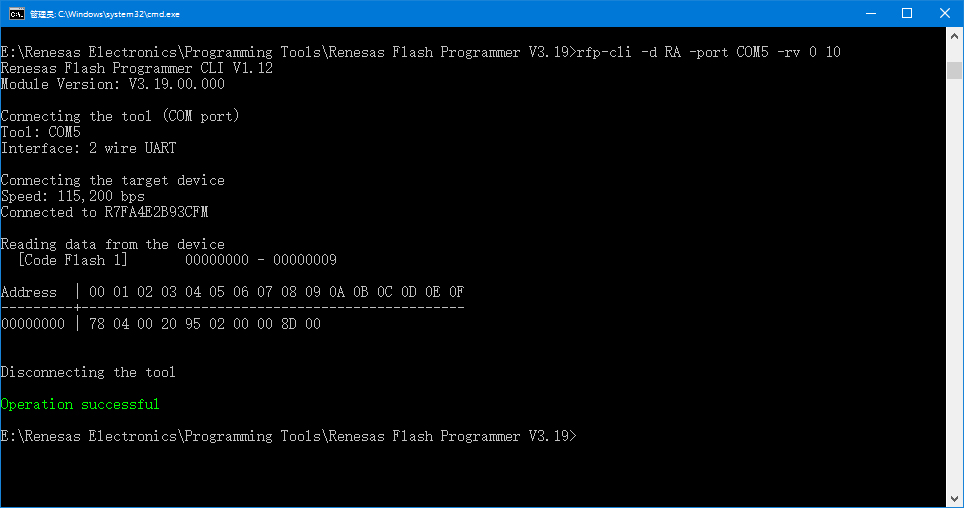
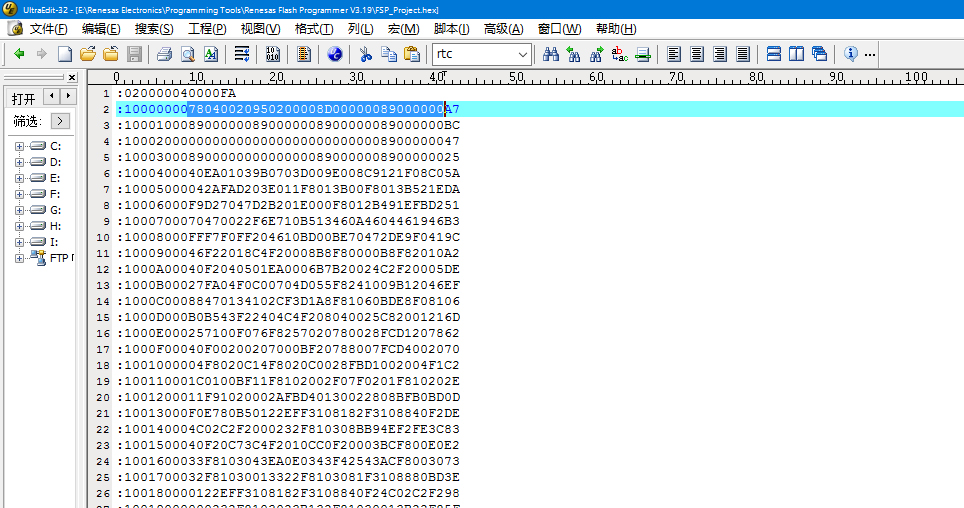
烧录数据正确,成功
MODE CONFIG*配置成flash模式,运行成功, 开箱+环境搭建 结束
更多回帖


