你好@eml,
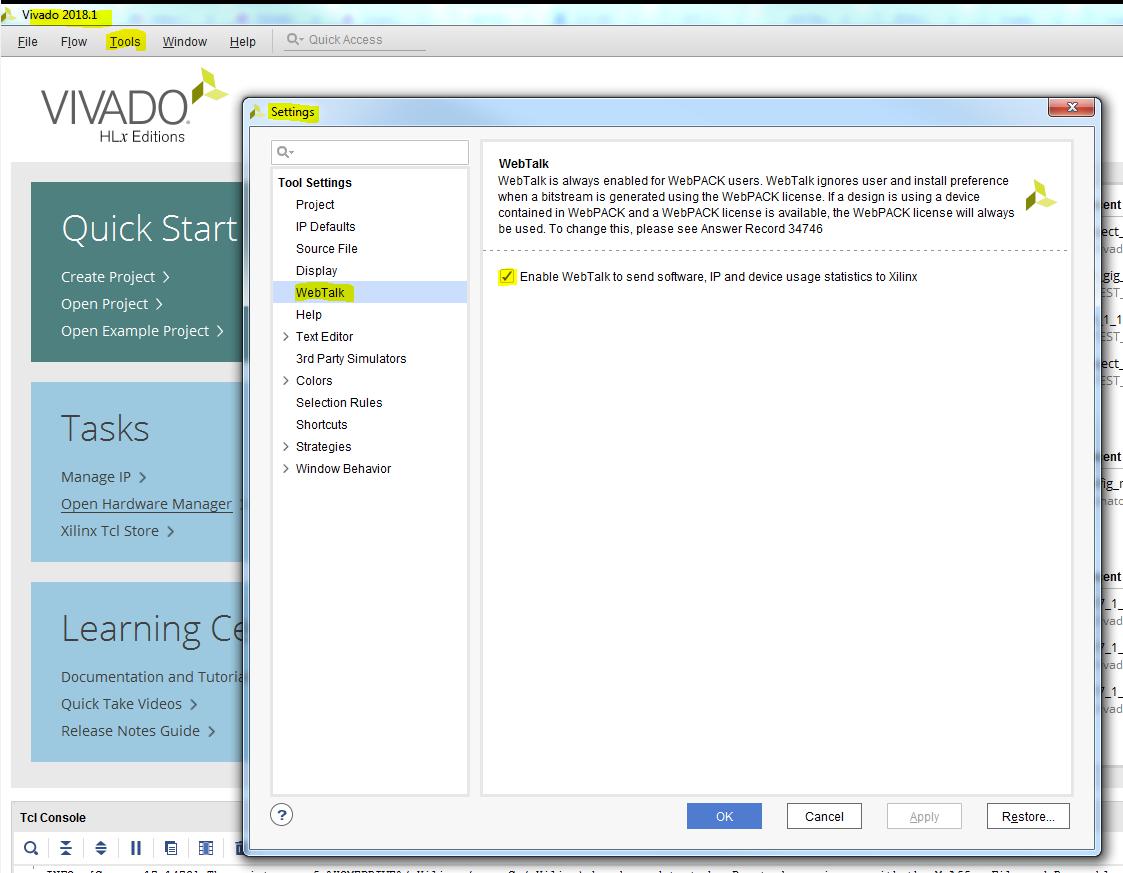
Vivado通常会产生这样的信息:“使用没有完整Vivado许可证的WebPACK部分时,必须使用WebTalk数据。要查看为您的设计收集的特定WebTalk数据,请打开usage_statistics_webtalk.html或usage_statistics_webtalk.xml文件。
实施目录。“
因此,如果您的目标是WebPACK设备并且实际上没有完整许可证,则无论您的情况如何,都会为Vivado WebPACK工具打开数据传输,因为这些设置将被忽略(请参阅
下表)。
由于这是一个免费软件,因此它在这种环境中的工作方式,因为它是营销设定的条款和条件的一部分。
“如果禁用WebTalk,则不会发送任何数据,除非使用WebPACK许可证生成一点
流”。
以下是与WebTalk相关的一些信息,可在此处找到:
https://www.xilinx.com/products/design-tools/webtalk.html
本页的其中一点是这一点:
WebTalk是否始终为WebPACK许可证启用?
是。
WebTalk根据用于比特流生成的许可证决定数据传输,并且始终为免费的ISE和Vivado WebPACK工具打开数据传输。
但请注意,WebTalk不会干扰或阻止未连接到互联网的计算机上的设计编译。
另外,请检查第5点:
这是Webtalk的“真值表”,可以:
设计流程
ISE / Vivado设计套件许可
WebTalk安装首选项
WebTalk用户首选项
WebTalk数据传输到Xilinx
比特流
的WebPack
忽视
忽视
是的(发送)
任何版本
启用
启用
是的(发送)
启用
残
不(不发送)
残
忽视
不(不发送)
希望这可以帮助。
亲切的问候,Anatoli Curran,Xilinx技术支持-----------------------------------------
--------------------------------不要忘记回复,工作,并接受解决方案.----
--------------------------------------------------
-------------------
以上来自于谷歌翻译
以下为原文
Hello @eml,
Vivado normally produces an INFO with something like this:
"WebTalk data collection is mandatory when using a WebPACK part without a full Vivado license. To see the specific WebTalk data collected for your design, open the usage_statistics_webtalk.html or usage_statistics_webtalk.xml file in the implementation directory."
So, if you are targeting a WebPACK device and don’t actually have a full license, the data transmission is always turned on for the Vivado WebPACK tools, no matter what setting you have in your case, as these would be ignored (see the table below). As this is a free software, that is how it works in this environment, as it is a part of terms and conditions that are set by marketing.
“No data is sent if you disable WebTalk, except for the use of the WebPACK license to generate a bit
stream”.
Here is some info in relation to WebTalk that can be found here:
https://www.xilinx.com/products/design-tools/webtalk.html
One of the points on this page is this one:
Is WebTalk always enabled for WebPACK license?
Yes. WebTalk makes decisions on data transmission based on the license used for bitstream generation, and data transmission is always turned on for the free ISE and Vivado WebPACK tools. However, please note that WebTalk will not interfere with or prevent design compilation on a machine that is not connected to the internet.
Also, please check point #5:
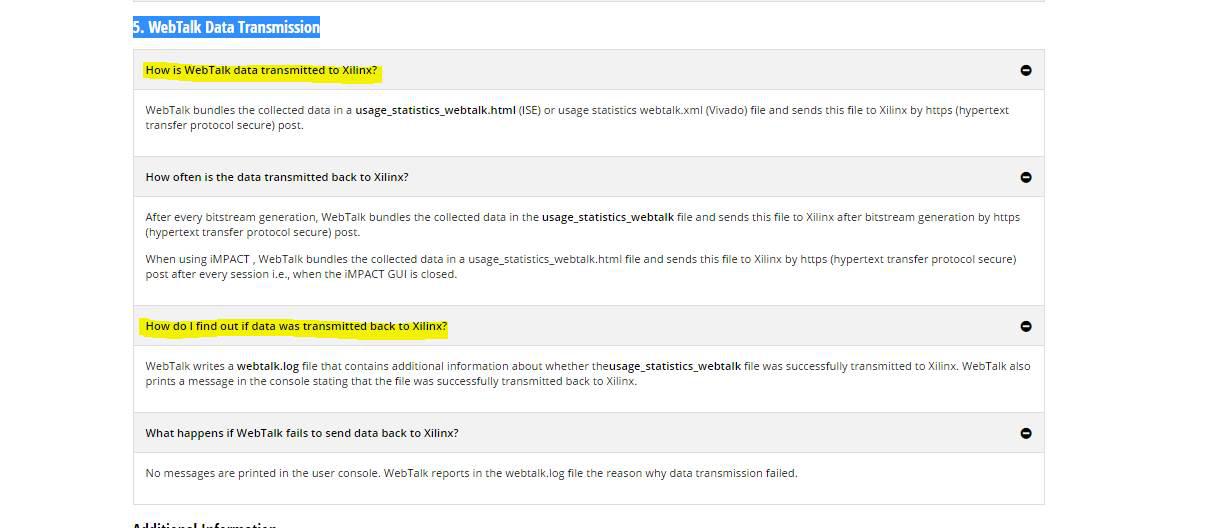
Here is a “truth table” of Webtalk enabling:
Design Flow
| ISE/Vivado Design Suite License
| WebTalk Install Preference
| WebTalk User Preference
| WebTalk data transmission to Xilinx
|
Bitstream
| WebPack
| Ignored
| Ignored
| Yes (Send)
|
| Any Edition
| Enabled
| Enabled
| Yes (Send)
|
|
| Enabled
| Disabled
| No (Do not send)
|
|
| Disabled
| Ignored
| No (Do not send)
|
Hope this helps.
Kind Regards,
Anatoli Curran,
Xilinx Technical Support
-------------------------------------------------------------------------
Don’t forget to reply, kudo, and accept as solution.
-------------------------------------------------------------------------
你好@eml,
Vivado通常会产生这样的信息:“使用没有完整Vivado许可证的WebPACK部分时,必须使用WebTalk数据。要查看为您的设计收集的特定WebTalk数据,请打开usage_statistics_webtalk.html或usage_statistics_webtalk.xml文件。
实施目录。“
因此,如果您的目标是WebPACK设备并且实际上没有完整许可证,则无论您的情况如何,都会为Vivado WebPACK工具打开数据传输,因为这些设置将被忽略(请参阅
下表)。
由于这是一个免费软件,因此它在这种环境中的工作方式,因为它是营销设定的条款和条件的一部分。
“如果禁用WebTalk,则不会发送任何数据,除非使用WebPACK许可证生成一点
流”。
以下是与WebTalk相关的一些信息,可在此处找到:
https://www.xilinx.com/products/design-tools/webtalk.html
本页的其中一点是这一点:
WebTalk是否始终为WebPACK许可证启用?
是。
WebTalk根据用于比特流生成的许可证决定数据传输,并且始终为免费的ISE和Vivado WebPACK工具打开数据传输。
但请注意,WebTalk不会干扰或阻止未连接到互联网的计算机上的设计编译。
另外,请检查第5点:
这是Webtalk的“真值表”,可以:
设计流程
ISE / Vivado设计套件许可
WebTalk安装首选项
WebTalk用户首选项
WebTalk数据传输到Xilinx
比特流
的WebPack
忽视
忽视
是的(发送)
任何版本
启用
启用
是的(发送)
启用
残
不(不发送)
残
忽视
不(不发送)
希望这可以帮助。
亲切的问候,Anatoli Curran,Xilinx技术支持-----------------------------------------
--------------------------------不要忘记回复,工作,并接受解决方案.----
--------------------------------------------------
-------------------
以上来自于谷歌翻译
以下为原文
Hello @eml,
Vivado normally produces an INFO with something like this:
"WebTalk data collection is mandatory when using a WebPACK part without a full Vivado license. To see the specific WebTalk data collected for your design, open the usage_statistics_webtalk.html or usage_statistics_webtalk.xml file in the implementation directory."
So, if you are targeting a WebPACK device and don’t actually have a full license, the data transmission is always turned on for the Vivado WebPACK tools, no matter what setting you have in your case, as these would be ignored (see the table below). As this is a free software, that is how it works in this environment, as it is a part of terms and conditions that are set by marketing.
“No data is sent if you disable WebTalk, except for the use of the WebPACK license to generate a bit
stream”.
Here is some info in relation to WebTalk that can be found here:
https://www.xilinx.com/products/design-tools/webtalk.html
One of the points on this page is this one:
Is WebTalk always enabled for WebPACK license?
Yes. WebTalk makes decisions on data transmission based on the license used for bitstream generation, and data transmission is always turned on for the free ISE and Vivado WebPACK tools. However, please note that WebTalk will not interfere with or prevent design compilation on a machine that is not connected to the internet.
Also, please check point #5:
Here is a “truth table” of Webtalk enabling:
Design Flow
| ISE/Vivado Design Suite License
| WebTalk Install Preference
| WebTalk User Preference
| WebTalk data transmission to Xilinx
|
Bitstream
| WebPack
| Ignored
| Ignored
| Yes (Send)
|
| Any Edition
| Enabled
| Enabled
| Yes (Send)
|
|
| Enabled
| Disabled
| No (Do not send)
|
|
| Disabled
| Ignored
| No (Do not send)
|
Hope this helps.
Kind Regards,
Anatoli Curran,
Xilinx Technical Support
-------------------------------------------------------------------------
Don’t forget to reply, kudo, and accept as solution.
-------------------------------------------------------------------------

 举报
举报