万年历是使用电子时钟来实现年月日时分秒功能的
本期测评就来讲解使用瑞萨RA2L1内部RTC来实现万年历功能
最后通过串口助手将时间打印出来显示效果
话不多说了,直接上干货吧!
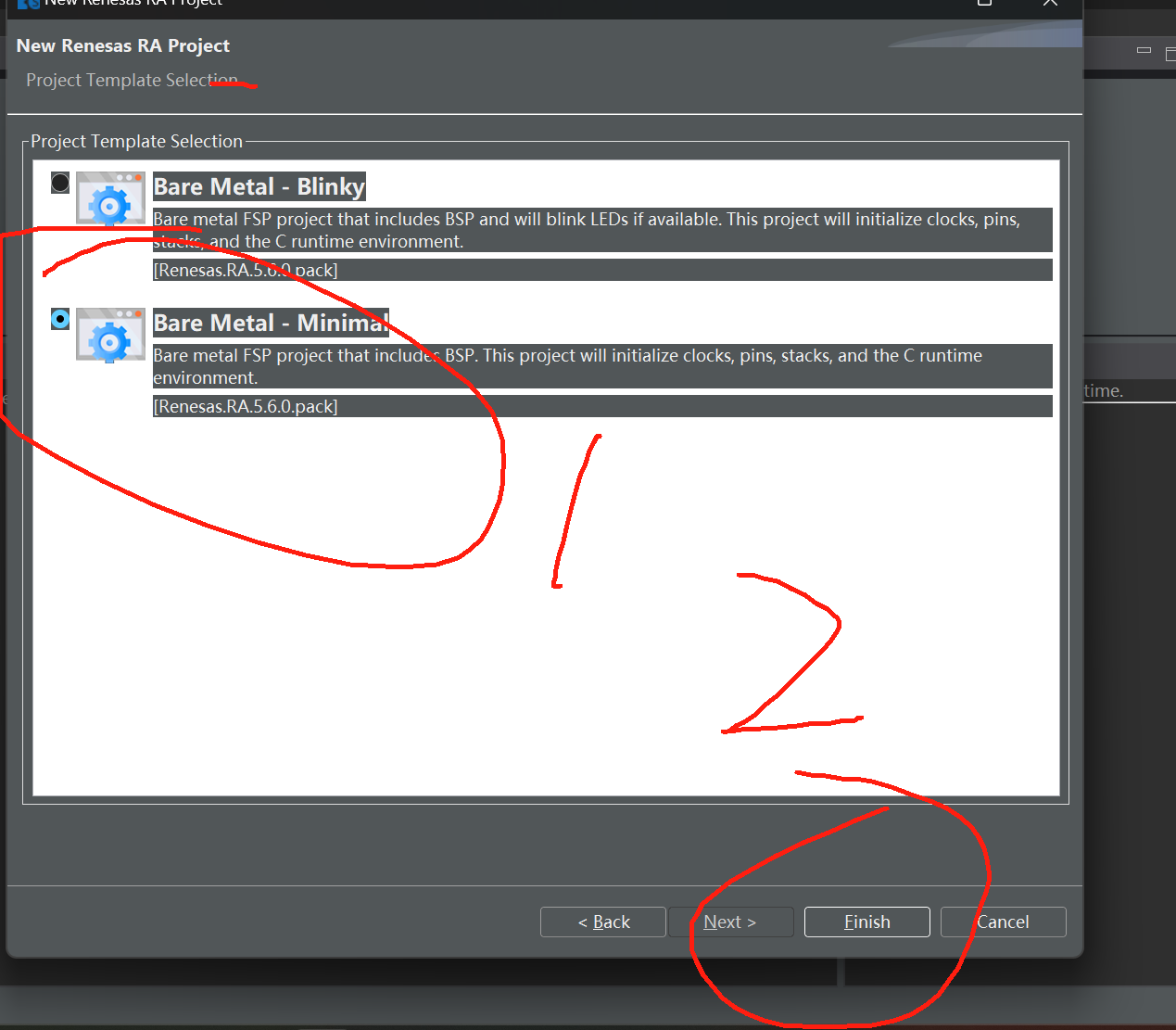
(1)打开瑞萨
IDE
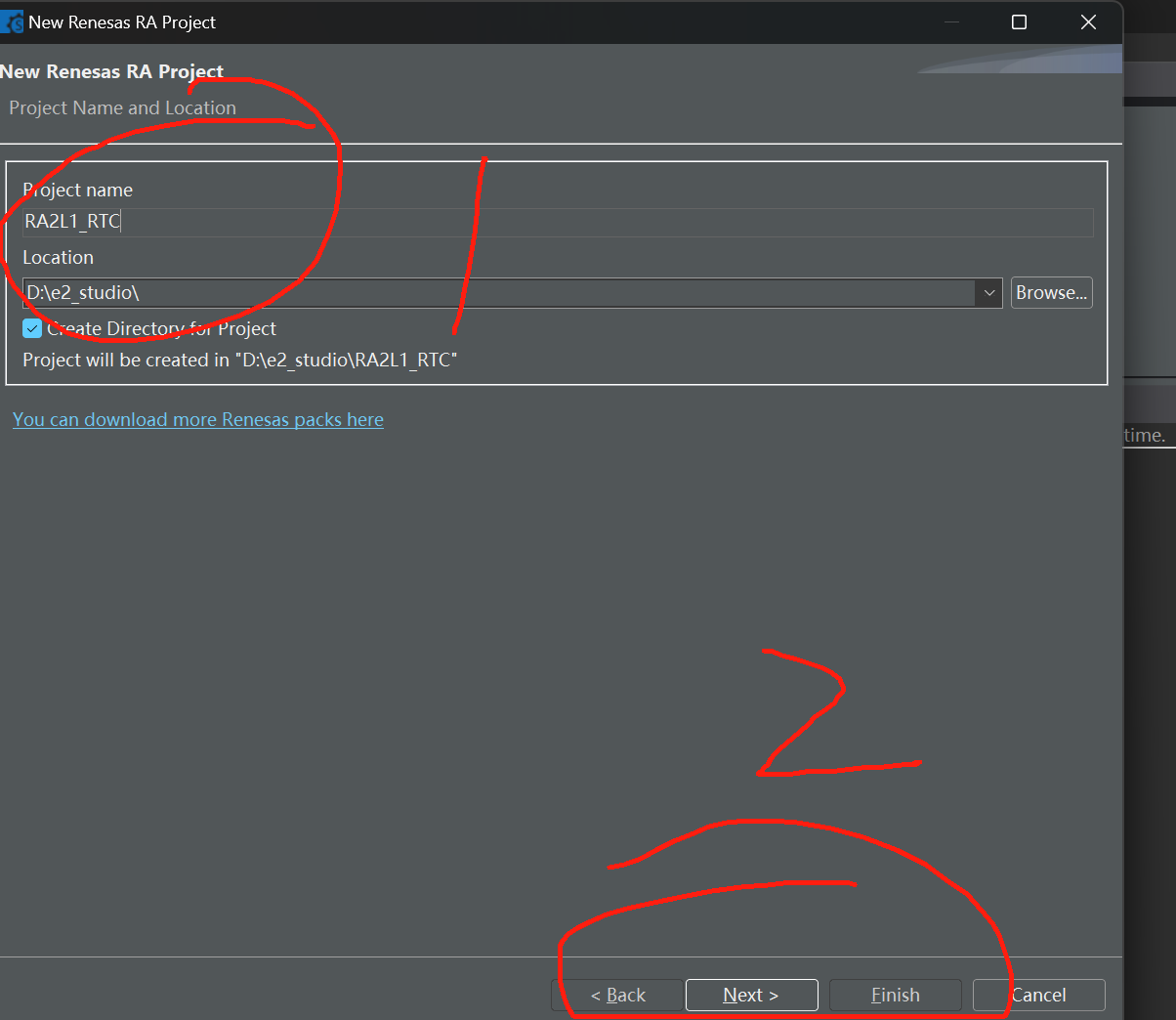
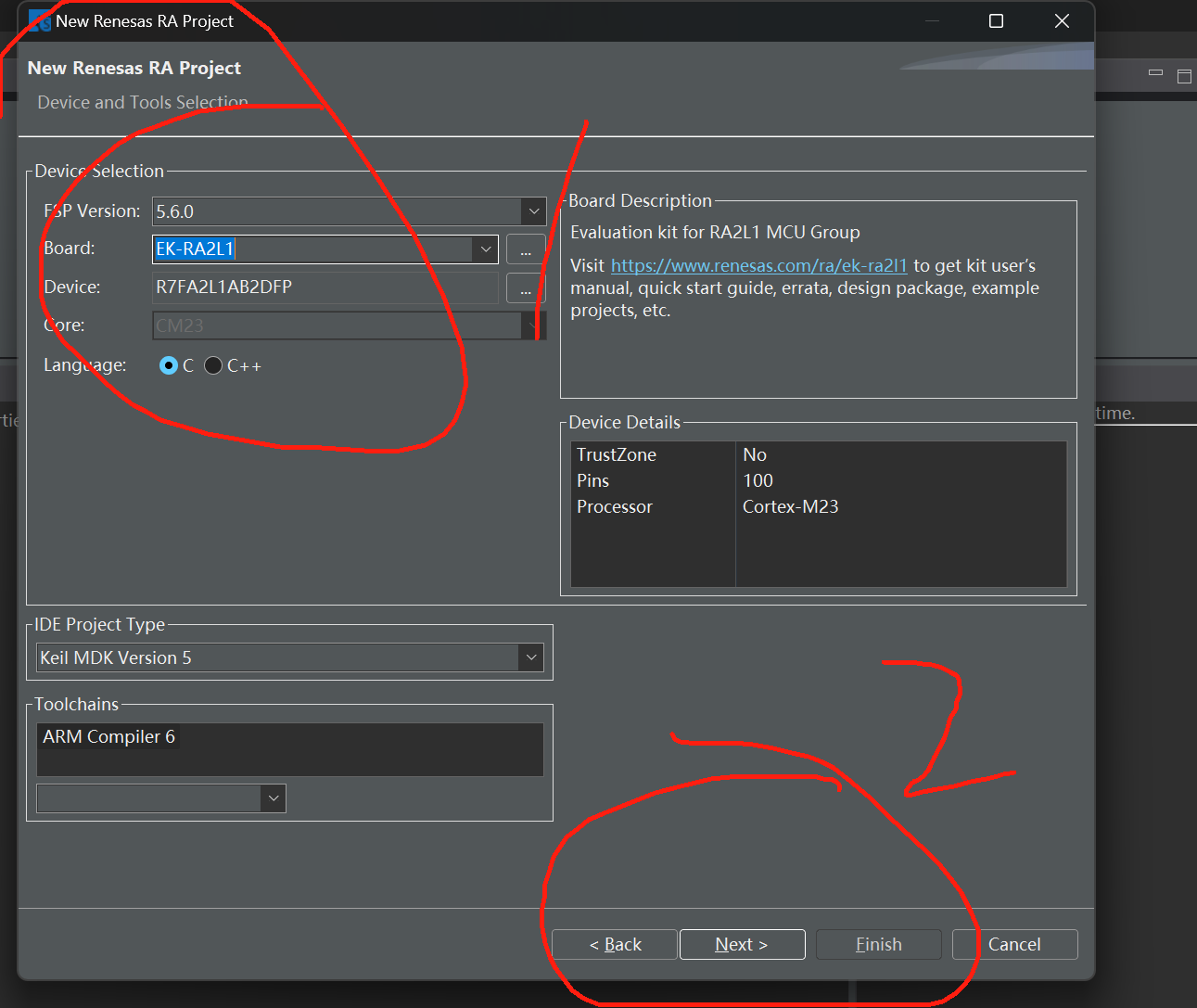
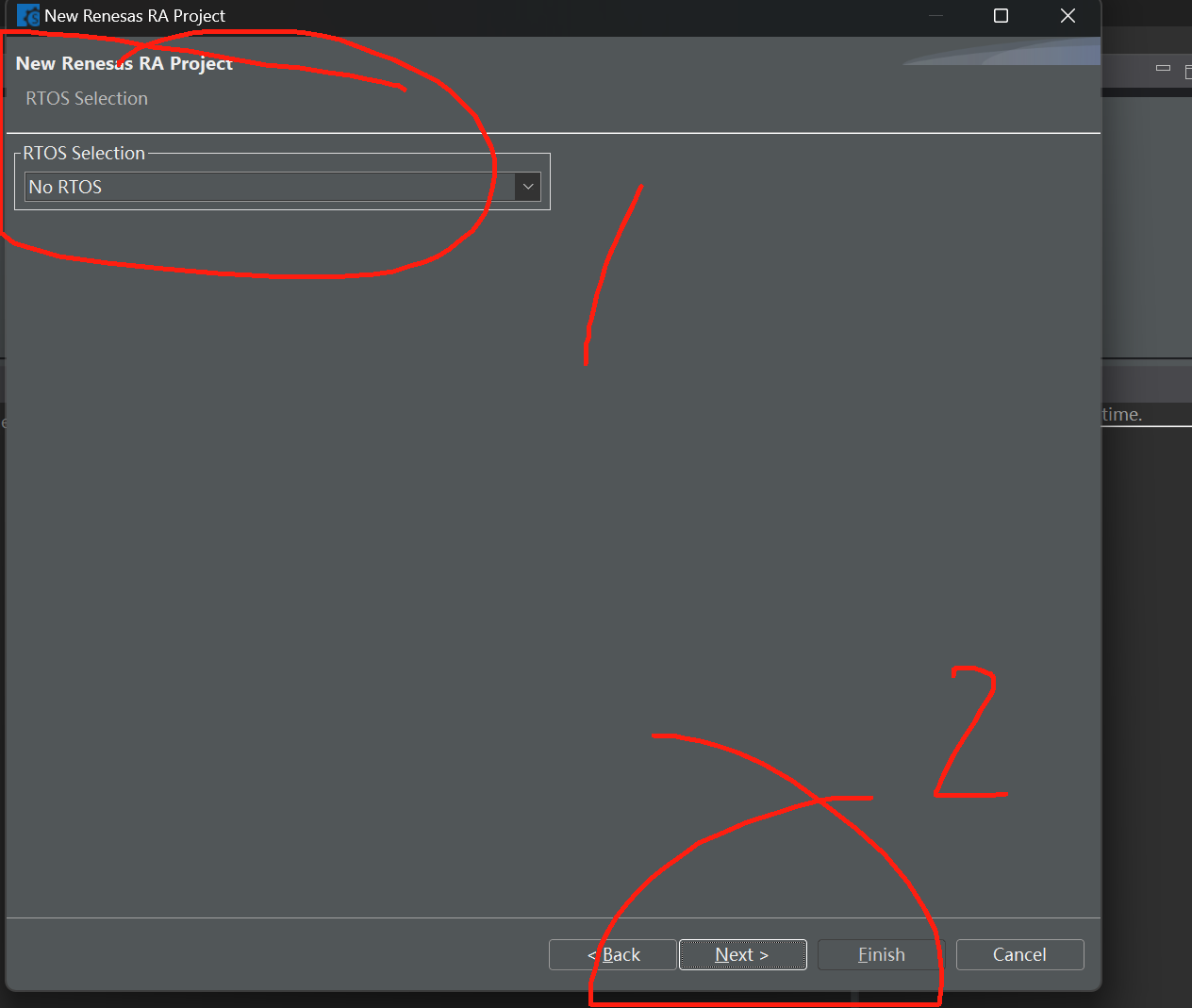
跟着我一步一步走
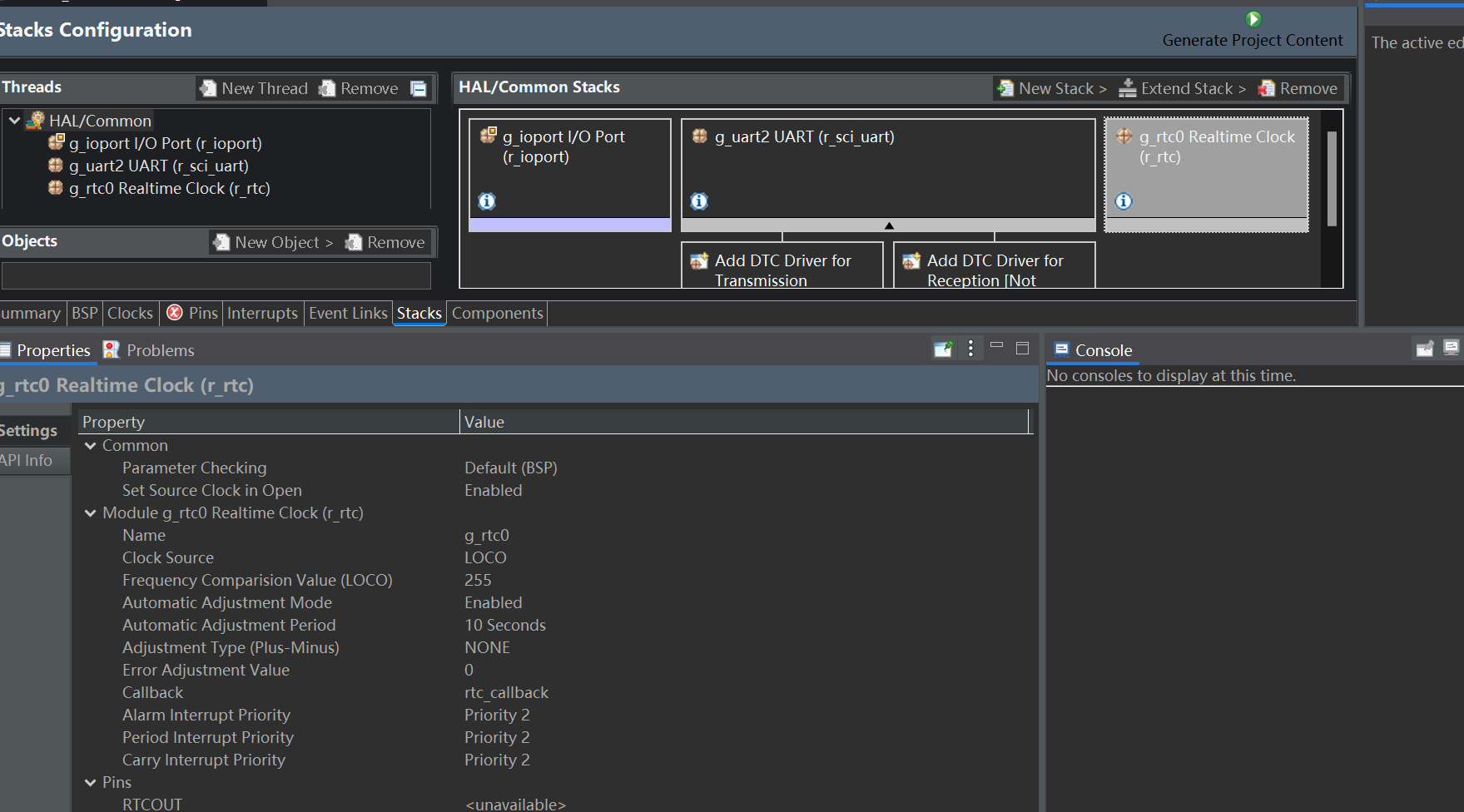
添加串口和RTC
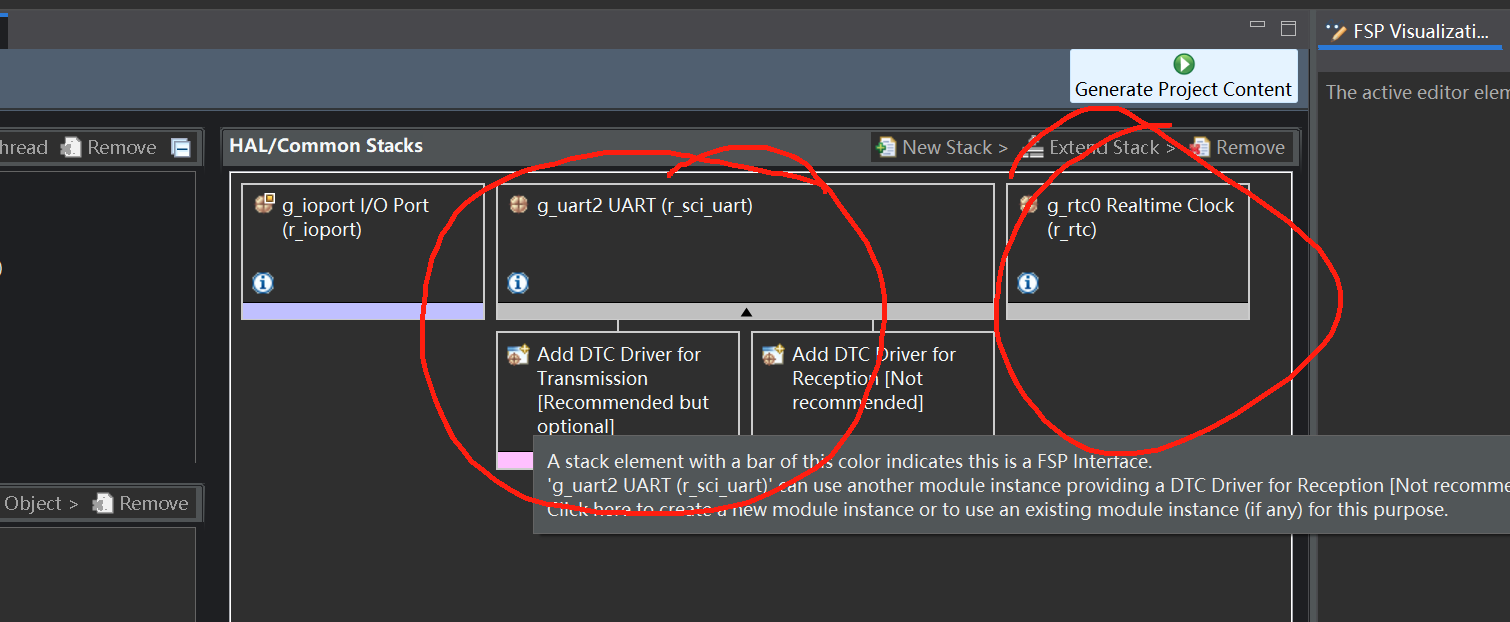
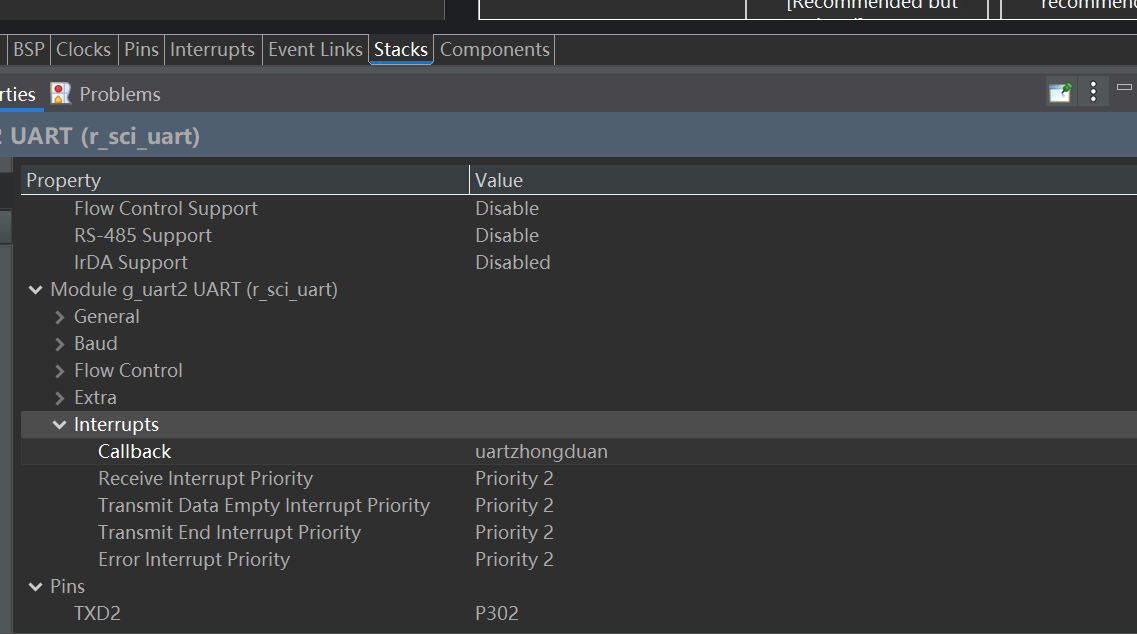
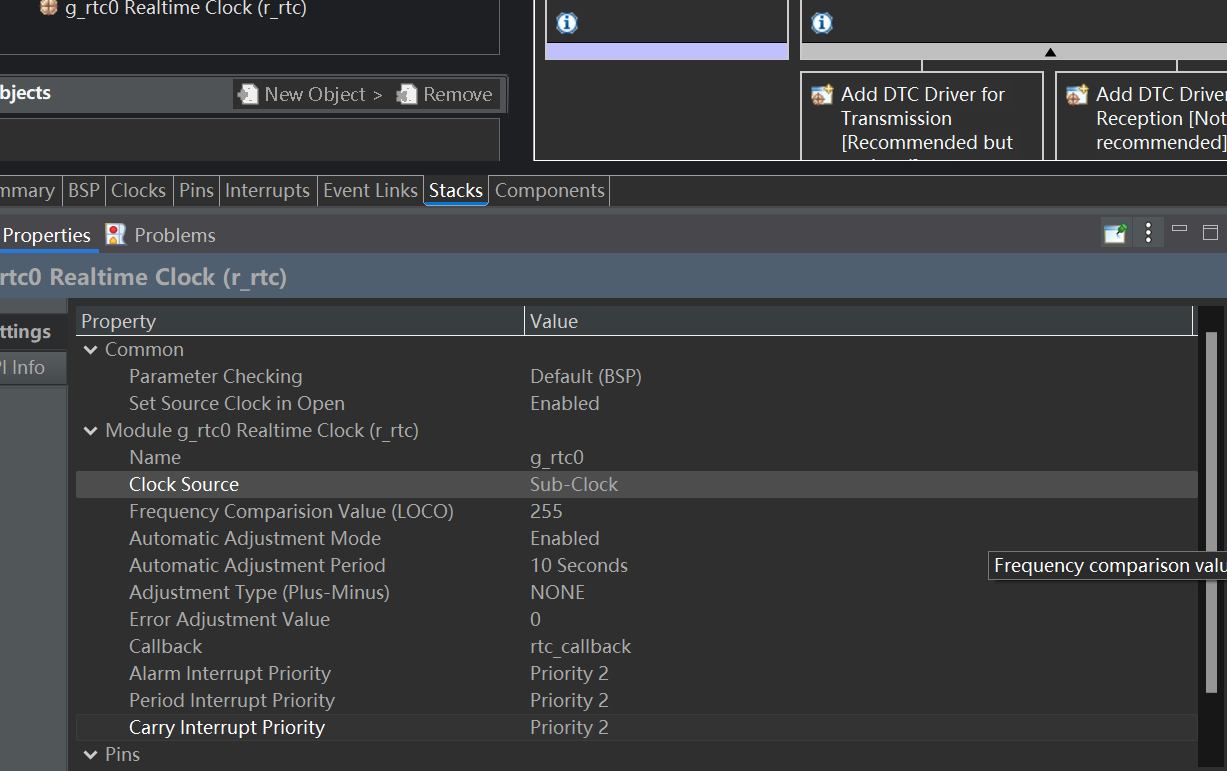
生成代码
打开KEIL
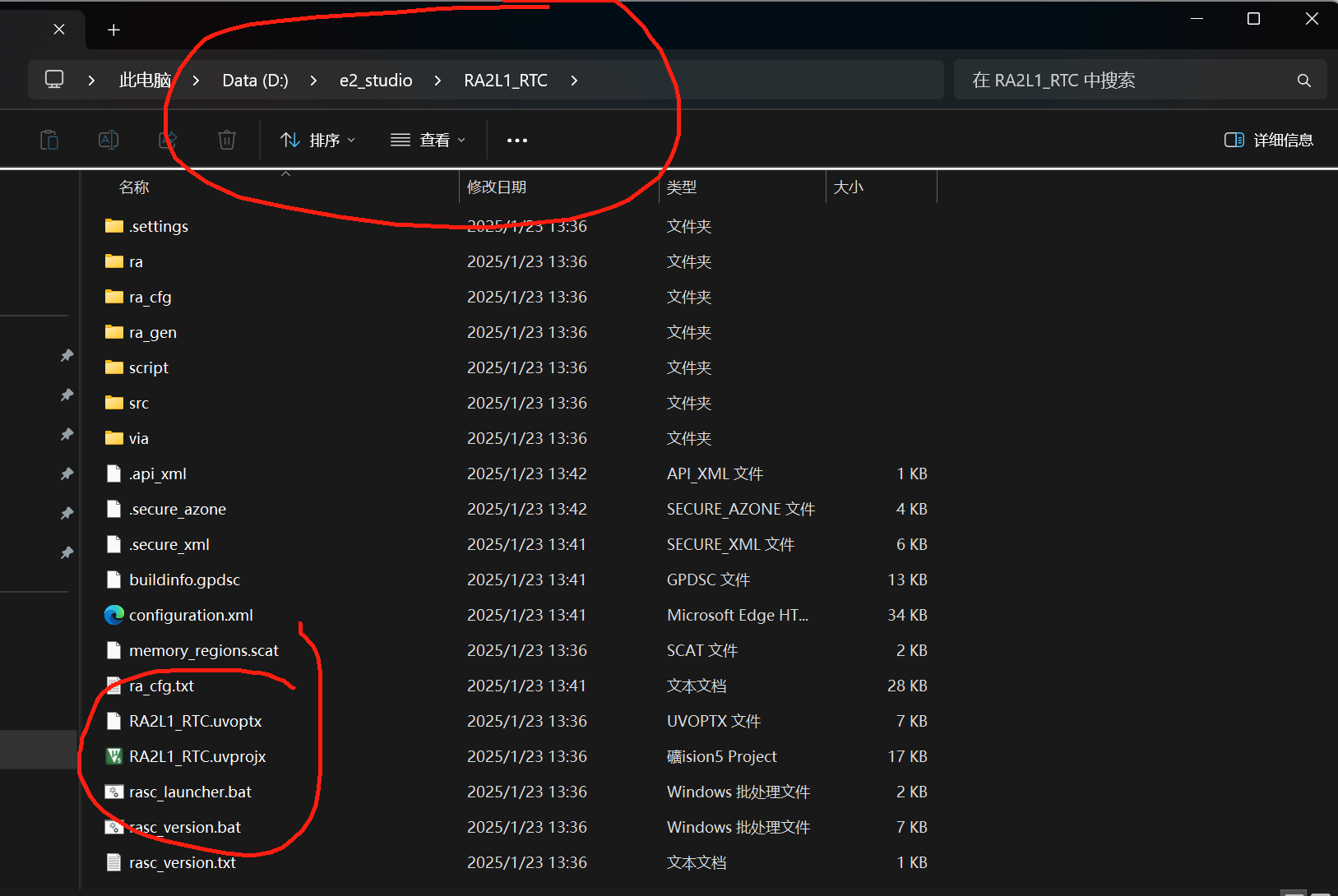
配置好KEIL
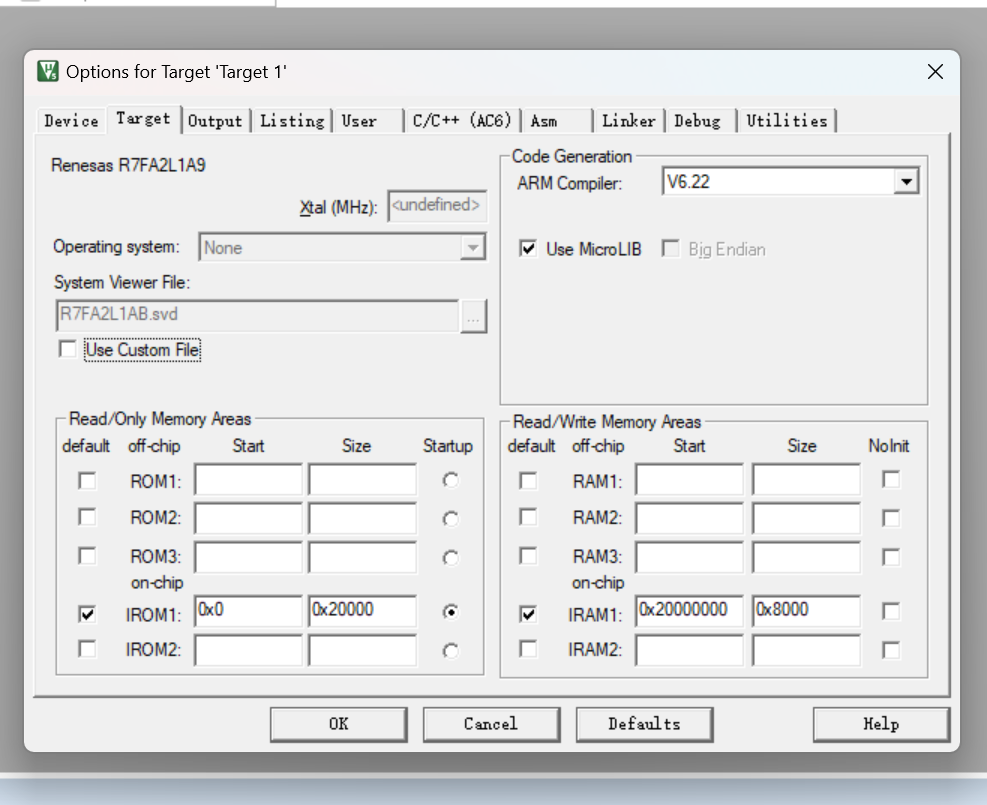
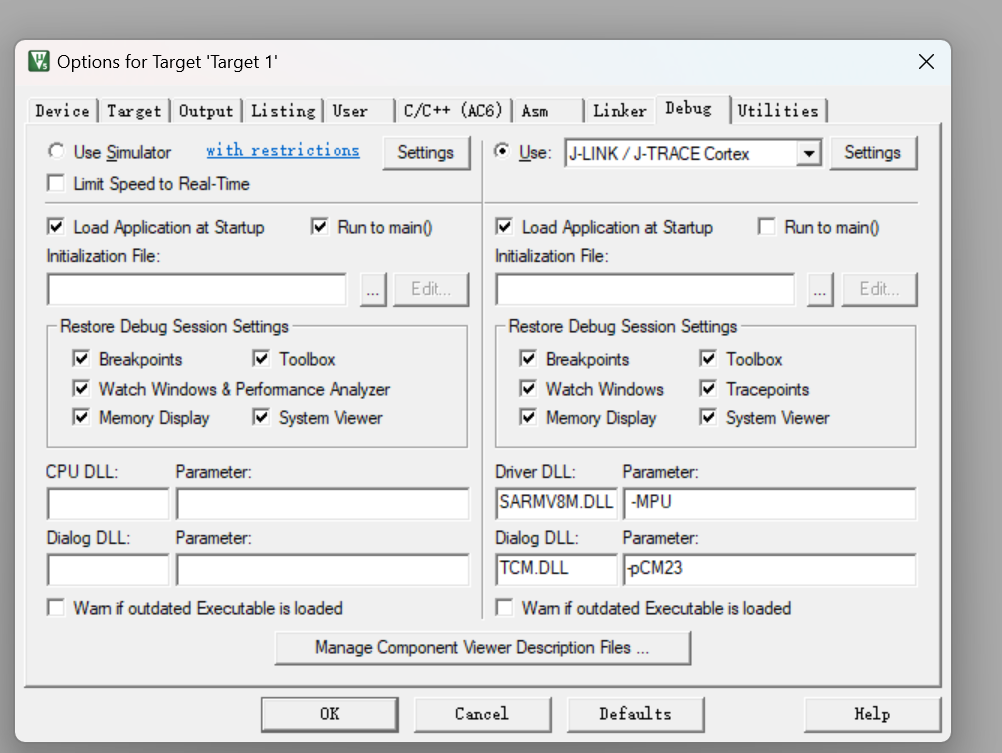
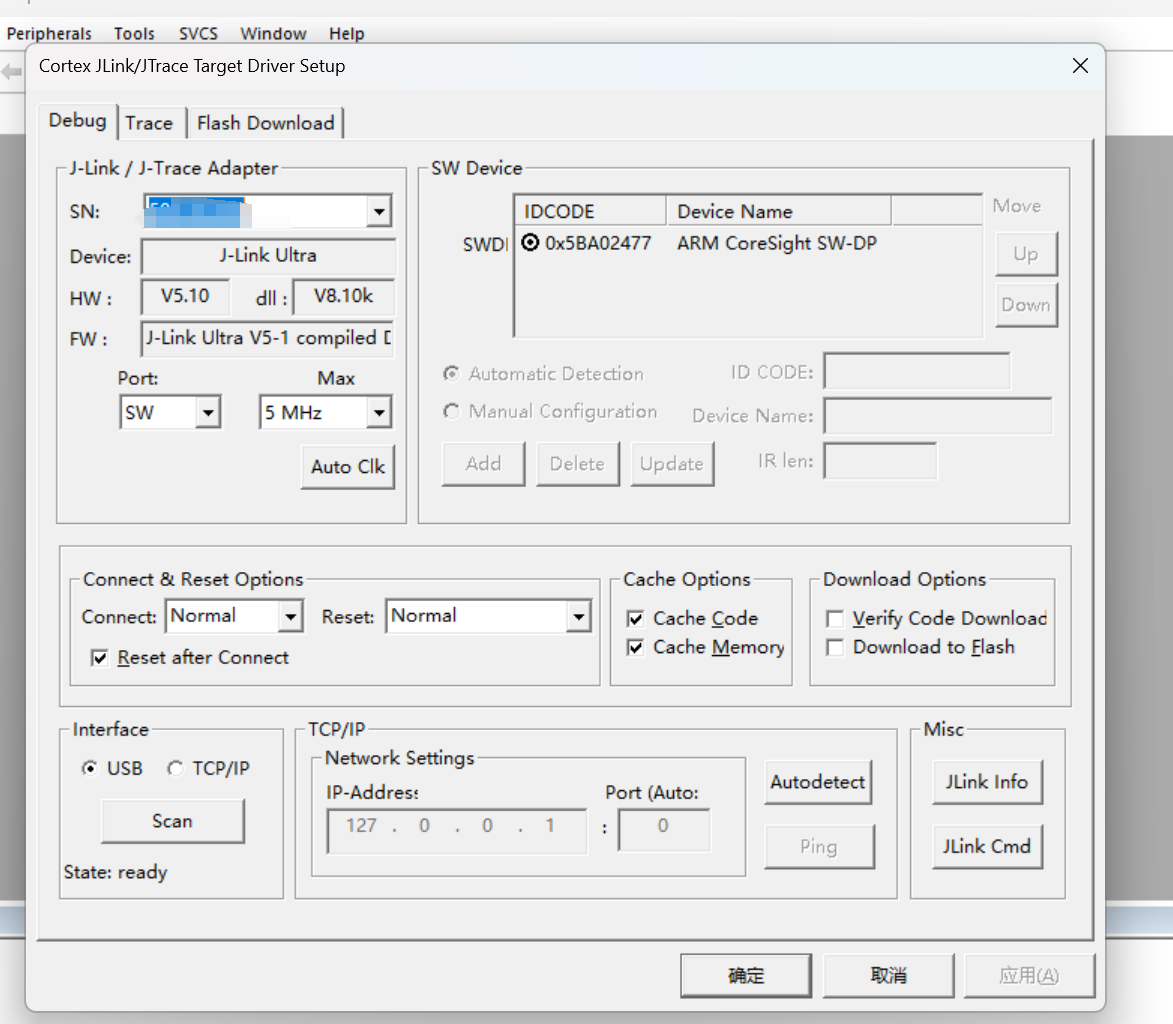
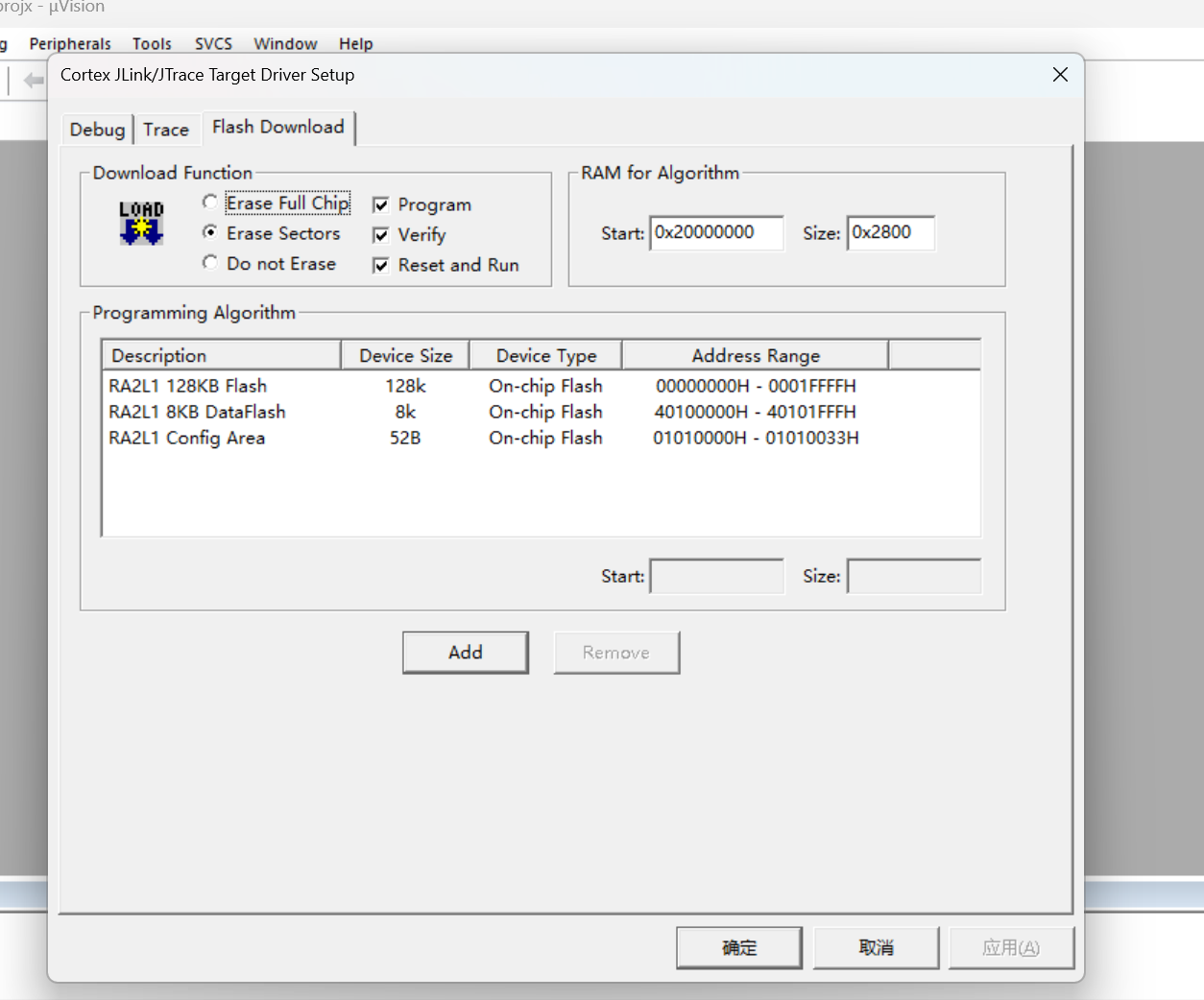
好了
(3)设置RTC
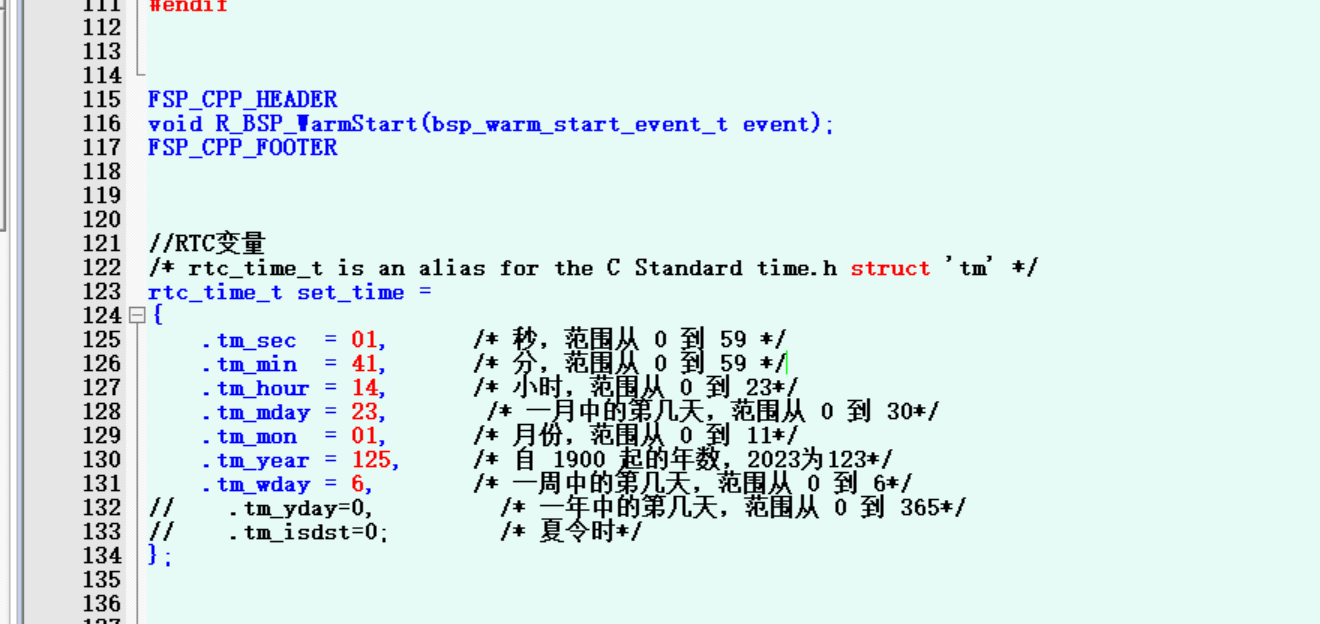
//RTC变量
/* rtc_time_t is an alias for the C Standard time.h struct 'tm' */
rtc_time_t set_time =
{
.tm_sec = 01, /* 秒,范围从 0 到 59 */
.tm_min = 41, /* 分,范围从 0 到 59 */
.tm_hour = 14, /* 小时,范围从 0 到 23*/
.tm_mday = 23, /* 一月中的第几天,范围从 0 到 30*/
.tm_mon = 01, /* 月份,范围从 0 到 11*/
.tm_year = 125, /* 自 1900 起的年数,2023为123*/
.tm_wday = 6, /* 一周中的第几天,范围从 0 到 6*/
// .tm_yday=0, /* 一年中的第几天,范围从 0 到 365*/
// .tm_isdst=0; /* 夏令时*/
};
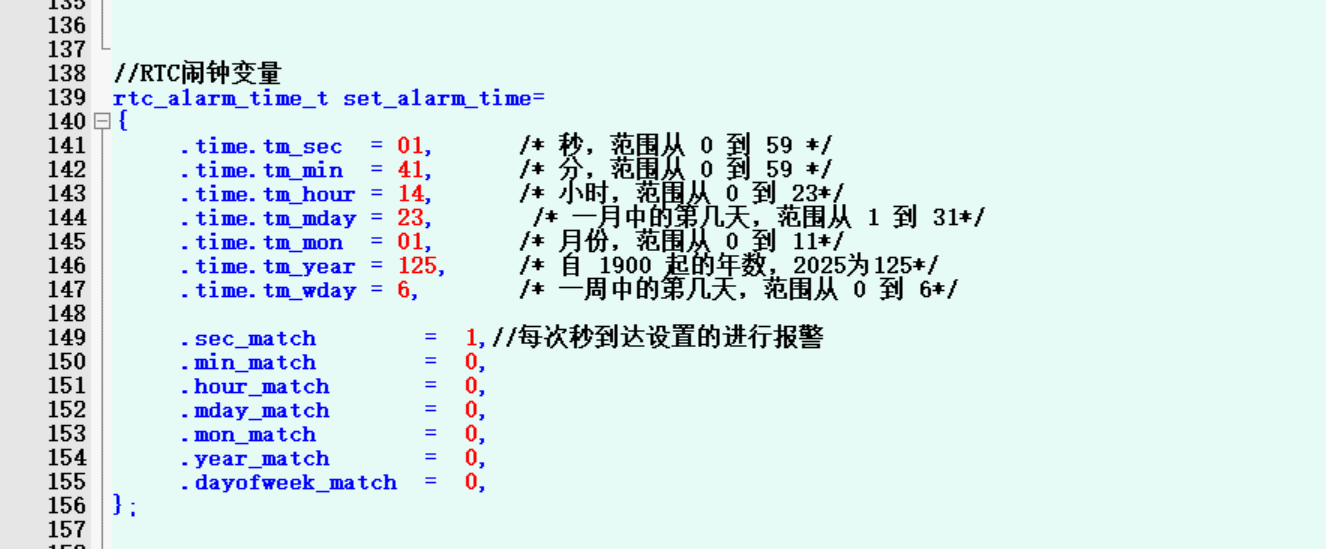
//RTC闹钟变量
rtc_alarm_time_t set_alarm_time=
{
.time.tm_sec = 01, /* 秒,范围从 0 到 59 */
.time.tm_min = 41, /* 分,范围从 0 到 59 */
.time.tm_hour = 14, /* 小时,范围从 0 到 23*/
.time.tm_mday = 23, /* 一月中的第几天,范围从 1 到 31*/
.time.tm_mon = 01, /* 月份,范围从 0 到 11*/
.time.tm_year = 125, /* 自 1900 起的年数,2025为125*/
.time.tm_wday = 6, /* 一周中的第几天,范围从 0 到 6*/
.sec_match = 1,
.min_match = 0,
.hour_match = 0,
.mday_match = 0,
.mon_match = 0,
.year_match = 0,
.dayofweek_match = 0,
};
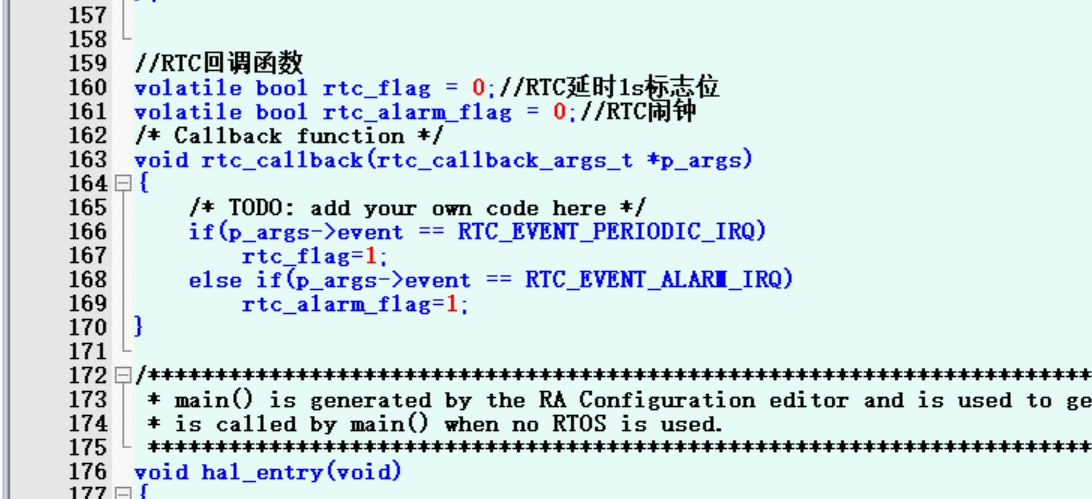
//RTC回调函数
volatile bool rtc_flag = 0;//RTC延时1s标志位
volatile bool rtc_alarm_flag = 0;//RTC闹钟
/* Callback function */
void rtc_callback(rtc_callback_args_t *p_args)
{
/* TODO: add your own code here */
if(p_args->event == RTC_EVENT_PERIODIC_IRQ)
rtc_flag=1;
else if(p_args->event == RTC_EVENT_ALARM_IRQ)
rtc_alarm_flag=1;
}
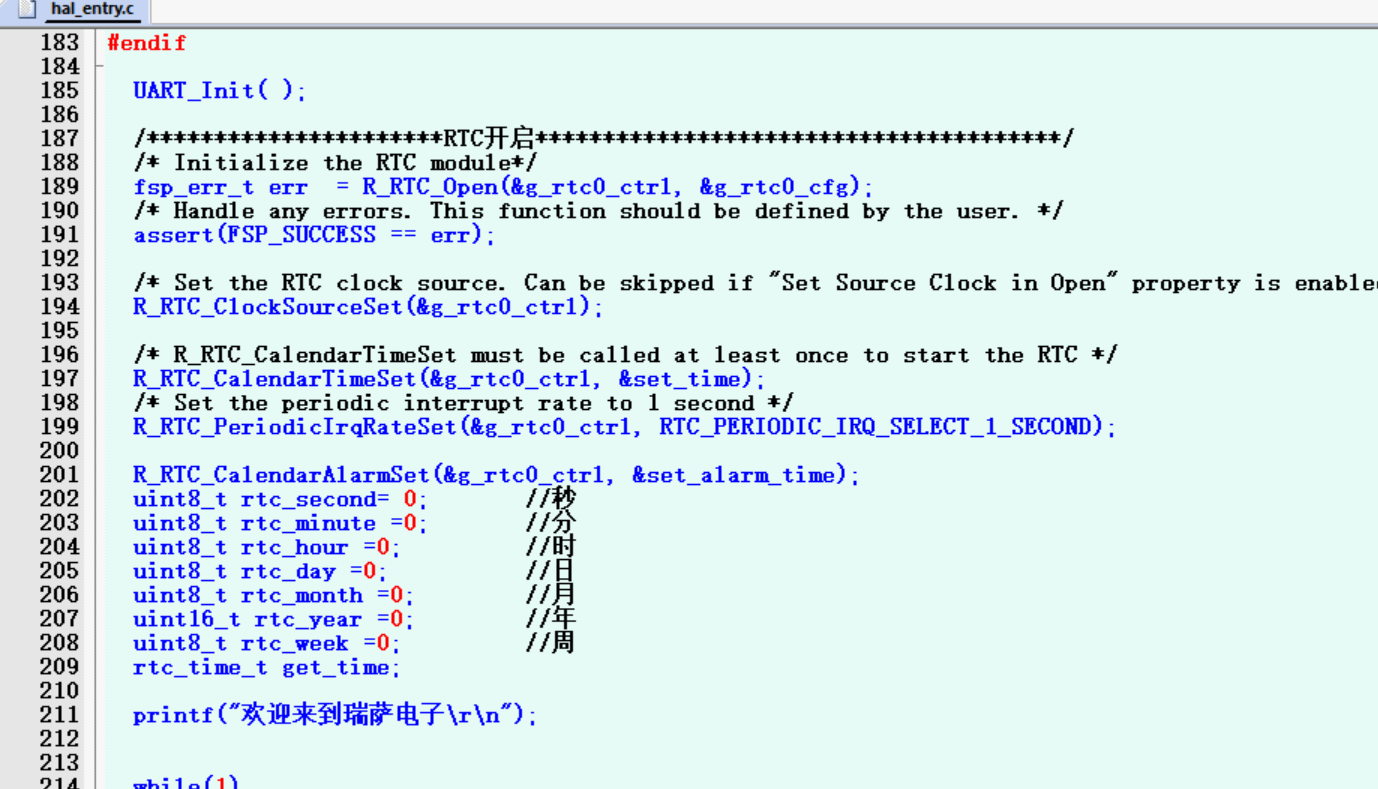
进入void hal_entry(void)主函数,实现RTC功能
UART_Init( );

/**********************RTC开启***************************************/
/* Initialize the RTC module*/
fsp_err_t err = R_RTC_Open(&g_rtc0_ctrl, &g_rtc0_cfg);
/* Handle any errors. This function should be defined by the user. */
assert(FSP_SUCCESS == err);
/* Set the RTC clock source. Can be skipped if "Set Source Clock in Open" property is enabled. */
R_RTC_ClockSourceSet(&g_rtc0_ctrl);
/* R_RTC_CalendarTimeSet must be called at least once to start the RTC */
R_RTC_CalendarTimeSet(&g_rtc0_ctrl, &set_time);
/* Set the periodic interrupt rate to 1 second */
R_RTC_PeriodicIrqRateSet(&g_rtc0_ctrl, RTC_PERIODIC_IRQ_SELECT_1_SECOND);
R_RTC_CalendarAlarmSet(&g_rtc0_ctrl, &set_alarm_time);
uint8_t rtc_second= 0; //秒
uint8_t rtc_minute =0; //分
uint8_t rtc_hour =0; //时
uint8_t rtc_day =0; //日
uint8_t rtc_month =0; //月
uint16_t rtc_year =0; //年
uint8_t rtc_week =0; //周
rtc_time_t get_time;
printf("欢迎来到瑞萨电子\\r\\n");
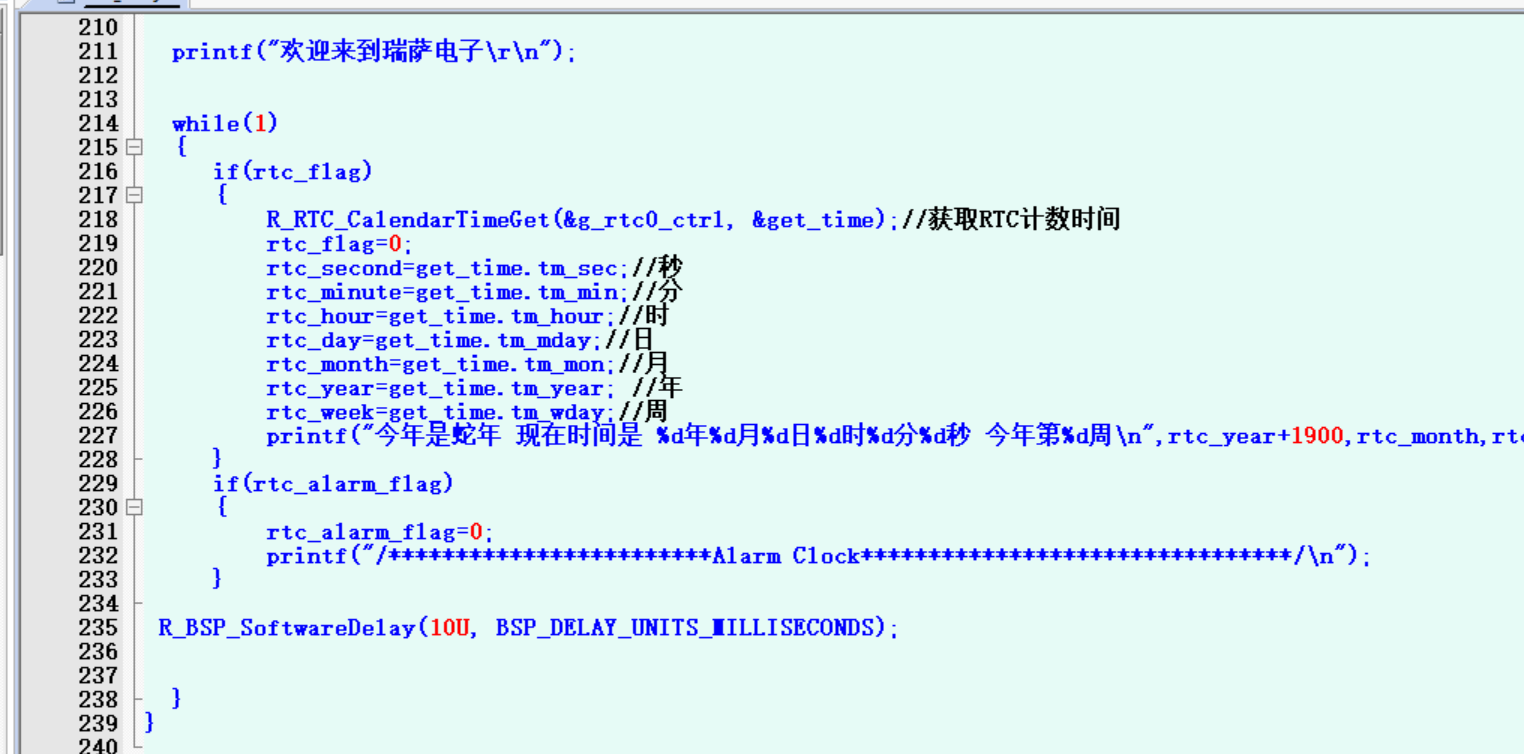
while(1)
{
if(rtc_flag)
{
R_RTC_CalendarTimeGet(&g_rtc0_ctrl, &get_time);//获取RTC计数时间
rtc_flag=0;
rtc_second=get_time.tm_sec;//秒
rtc_minute=get_time.tm_min;//分
rtc_hour=get_time.tm_hour;//时
rtc_day=get_time.tm_mday;//日
rtc_month=get_time.tm_mon;//月
rtc_year=get_time.tm_year; //年
rtc_week=get_time.tm_wday;//周
printf("今年是蛇年 现在时间是 %d年%d月%d日%d时%d分%d秒 今年第%d周\n",rtc_year+1900,rtc_month,rtc_day,rtc_hour,rtc_minute,rtc_second,rtc_week);
}
if(rtc_alarm_flag)
{
rtc_alarm_flag=0;
printf("/Alarm Clock********/\n");
}
R_BSP_SoftwareDelay(10U, BSP_DELAY_UNITS_MILLISECONDS);
}
烧录板子,打开串口助手,观察时间
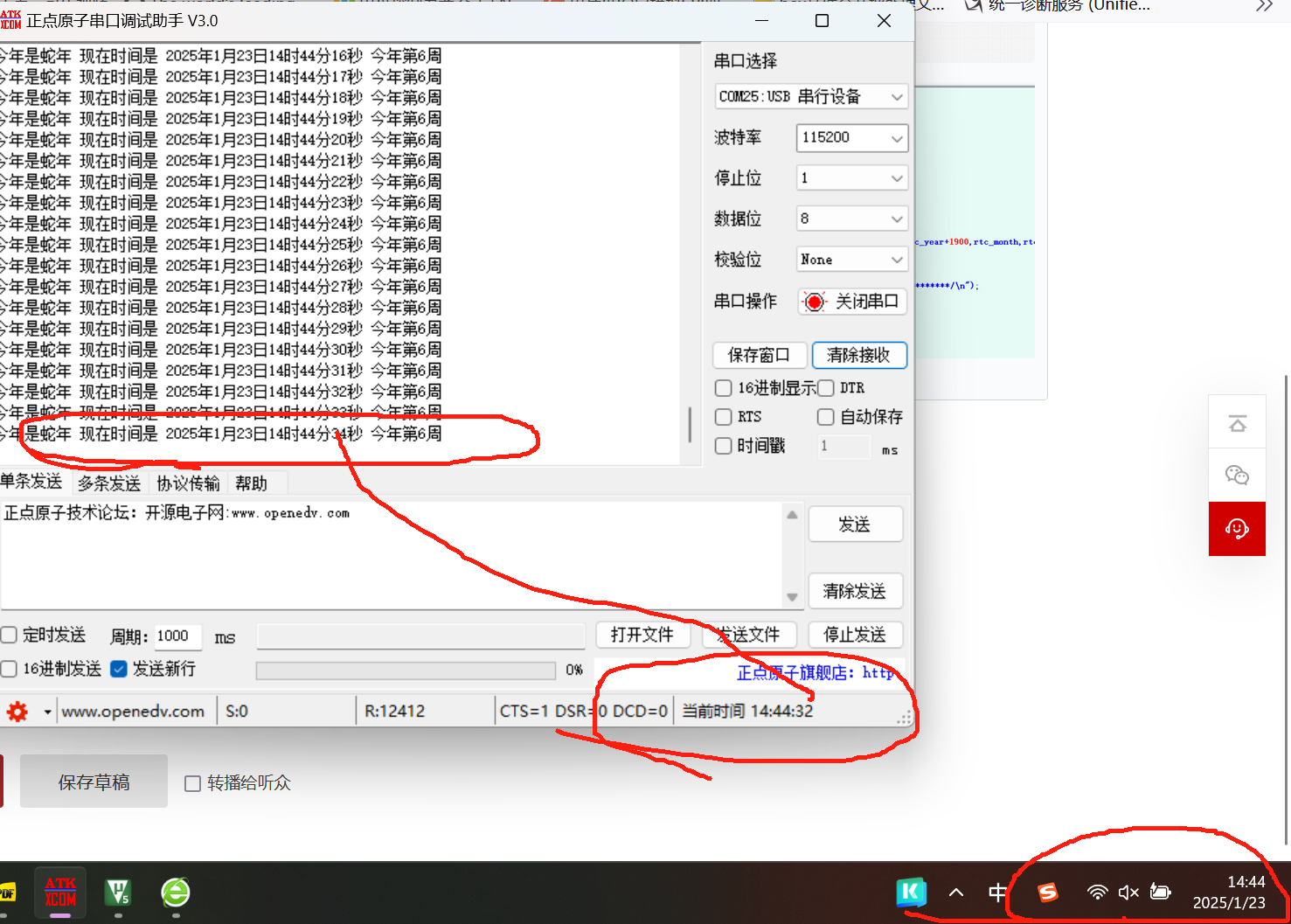
可以看到时间非常准备,误差2s,可以手动调整实现0误差
详细细节看视屏
谢谢观赏!!!!!!!!!!

 电子发烧友论坛
 0
0
 /9
/9 



 工商网监
湘ICP备2023018690号
工商网监
湘ICP备2023018690号


 1576
1576


 淘帖
淘帖 12
12










