
板子非常漂亮哦。
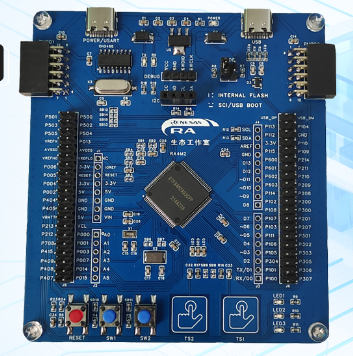
资源也很丰富:
1个复位按键
2个用户按键
2个触摸按键
3个LED
2个PMOD接口
板载USB转TTL模块,可用于串口通信和烧录
板载SWD接口,方便用户调试与下载
支持 TrustZone 的 100MHz Arm Cortex-M33
安全芯片的功能
512kB 闪存、64kB SRAM(支持奇偶校验)以及 64kB ECC SRAM
8KB 数据闪存,提供与 EEPROM 类似的数据存储功能
1kB 休眠用 SRAM
100 引脚封装
电容式触摸传感单元 (CTSU)
全速 USB 2.0,支持主机模式和设备模式
CAN 2.0B
四线 SPI
SCI(UART、简单 SPI、简单 I2C)
独立SPI/I2C 多主接口
SDHI 和 MMC
采用e2stuio进行编码开发。
FSP非常好用,管脚配置方便。
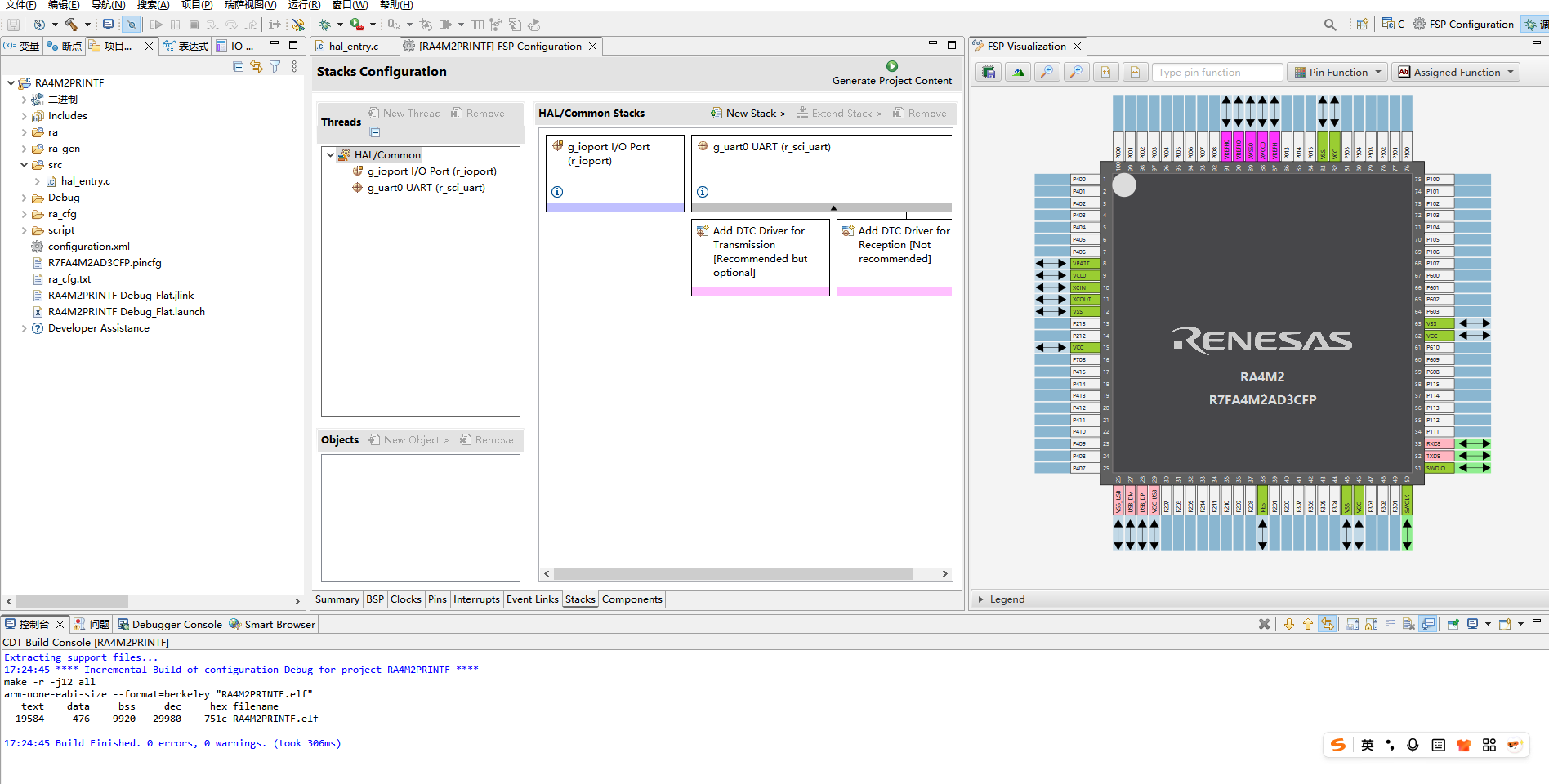
这里学习一下,LED的驱动。做一个流水灯效果
参考代码如下:
#include "hal_data.h"

FSP_CPP_HEADER
void R_BSP_WarmStart(bsp_warm_start_event_t event);
FSP_CPP_FOOTER

/*******************************************************************************************************************//**
 * main() is generated by the RA Configuration editor and is used to generate threads if an RTOS is used.  This function
 * is called by main() when no RTOS is used.
 **********************************************************************************************************************/
void hal_entry(void)
{
    /* TODO: add your own code here */

    while(1)
    {

//              R_IOPORT_PinWrite(&g_ioport_ctrl, BSP_IO_PORT_04_PIN_04, BSP_IO_LEVEL_LOW);
//              R_IOPORT_PinWrite(&g_ioport_ctrl, BSP_IO_PORT_04_PIN_05, BSP_IO_LEVEL_LOW);
//              R_BSP_SoftwareDelay(500, BSP_DELAY_UNITS_MILLISECONDS);
//
//              R_IOPORT_PinWrite(&g_ioport_ctrl, BSP_IO_PORT_04_PIN_04, BSP_IO_LEVEL_HIGH);
//              R_IOPORT_PinWrite(&g_ioport_ctrl, BSP_IO_PORT_04_PIN_05, BSP_IO_LEVEL_HIGH);
//              R_BSP_SoftwareDelay(500, BSP_DELAY_UNITS_MILLISECONDS);


       R_IOPORT_PinWrite(&g_ioport_ctrl, BSP_IO_PORT_04_PIN_04, BSP_IO_LEVEL_HIGH);
       R_IOPORT_PinWrite(&g_ioport_ctrl, BSP_IO_PORT_04_PIN_05, BSP_IO_LEVEL_LOW);
       R_IOPORT_PinWrite(&g_ioport_ctrl, BSP_IO_PORT_00_PIN_02, BSP_IO_LEVEL_LOW);
       R_BSP_SoftwareDelay(500, BSP_DELAY_UNITS_MILLISECONDS);

       R_IOPORT_PinWrite(&g_ioport_ctrl, BSP_IO_PORT_04_PIN_04, BSP_IO_LEVEL_LOW);
       R_IOPORT_PinWrite(&g_ioport_ctrl, BSP_IO_PORT_04_PIN_05, BSP_IO_LEVEL_HIGH);
       R_IOPORT_PinWrite(&g_ioport_ctrl, BSP_IO_PORT_00_PIN_02, BSP_IO_LEVEL_LOW);
       R_BSP_SoftwareDelay(500, BSP_DELAY_UNITS_MILLISECONDS);


       R_IOPORT_PinWrite(&g_ioport_ctrl, BSP_IO_PORT_04_PIN_04, BSP_IO_LEVEL_LOW);
       R_IOPORT_PinWrite(&g_ioport_ctrl, BSP_IO_PORT_04_PIN_05, BSP_IO_LEVEL_LOW);
       R_IOPORT_PinWrite(&g_ioport_ctrl, BSP_IO_PORT_00_PIN_02, BSP_IO_LEVEL_HIGH);
       R_BSP_SoftwareDelay(500, BSP_DELAY_UNITS_MILLISECONDS);


    }
#if BSP_TZ_SECURE_BUILD
    /* Enter non-secure code */
    R_BSP_NonSecureEnter();
#endif
}

/*******************************************************************************************************************//**
 * This function is called at various points during the startup process.  This implementation uses the event that is
 * called right before main() to set up the pins.
 *
 * @param[in]  event    Where at in the start up process the code is currently at
 **********************************************************************************************************************/
void R_BSP_WarmStart(bsp_warm_start_event_t event)
{
    if (BSP_WARM_START_RESET == event)
    {
#if BSP_FEATURE_FLASH_LP_VERSION != 0

        /* Enable reading from data flash. */
        R_FACI_LP->DFLCTL = 1U;

        /* Would normally have to wait tDSTOP(6us) for data flash recovery. Placing the enable here, before clock and
         * C runtime initialization, should negate the need for a delay since the initialization will typically take more than 6us. */
#endif
    }

    if (BSP_WARM_START_POST_C == event)
    {
        /* C runtime environment and system clocks are setup. */

        /* Configure pins. */
        R_IOPORT_Open (&g_ioport_ctrl, g_ioport.p_cfg);
    }
}

#if BSP_TZ_SECURE_BUILD

BSP_CMSE_NONSECURE_ENTRY void template_nonsecure_callable ();

/* Trustzone Secure Projects require at least one nonsecure callable function in order to build (Remove this if it is not required to build). */
BSP_CMSE_NONSECURE_ENTRY void template_nonsecure_callable ()
{

}
#endif
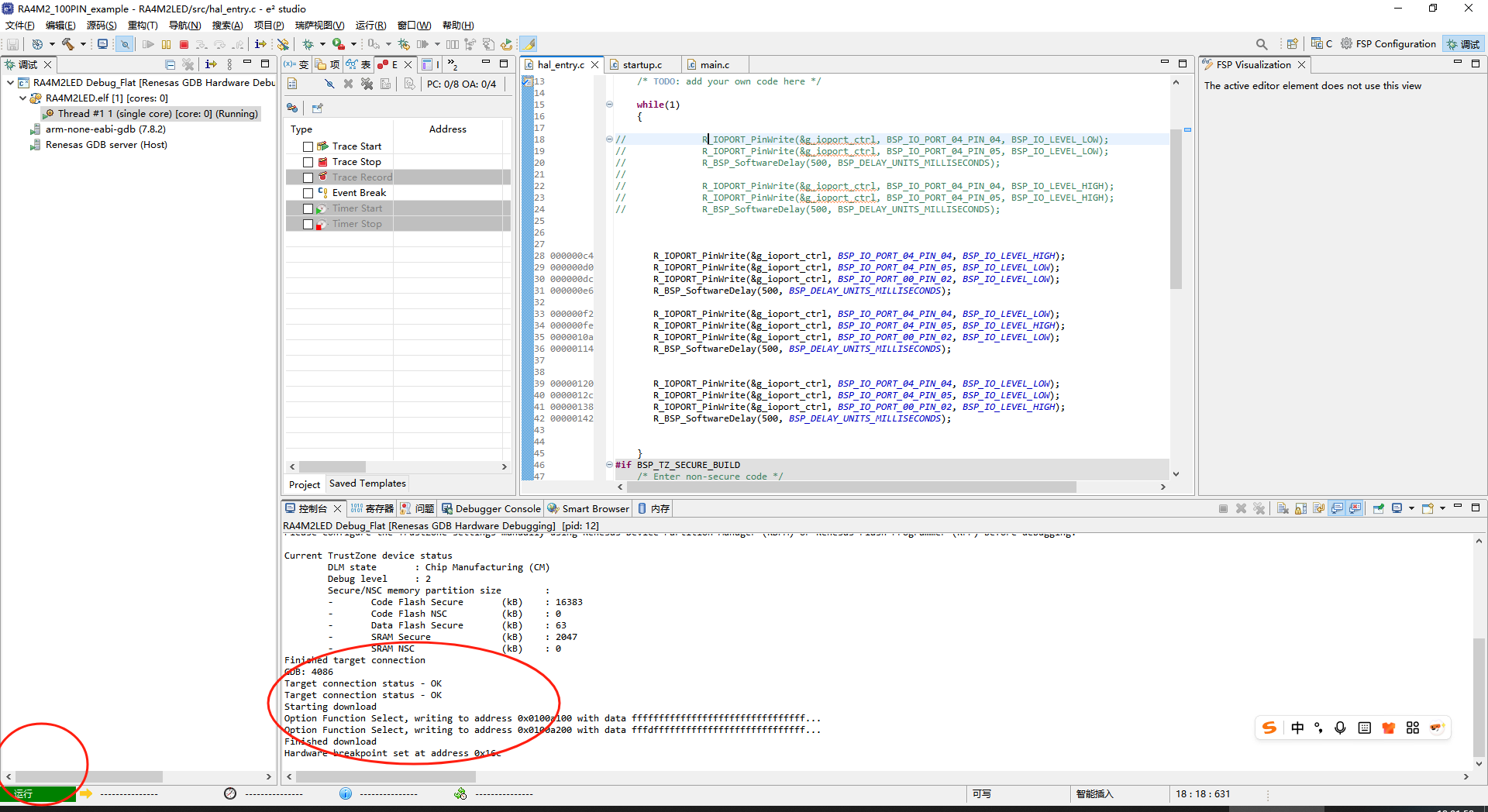
下载成功:
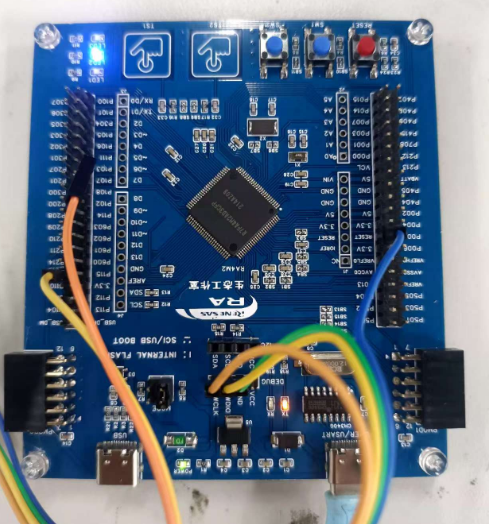
动态效果看附件。
更多回帖


