我刚刚安装了一个ISE 14.5,并且已经设置了一个WebPACK Device Locked Edi
tion节点锁定许可证
当我从PlanAhead构建一个项目时,似乎无法生成system.bit文件。而当我
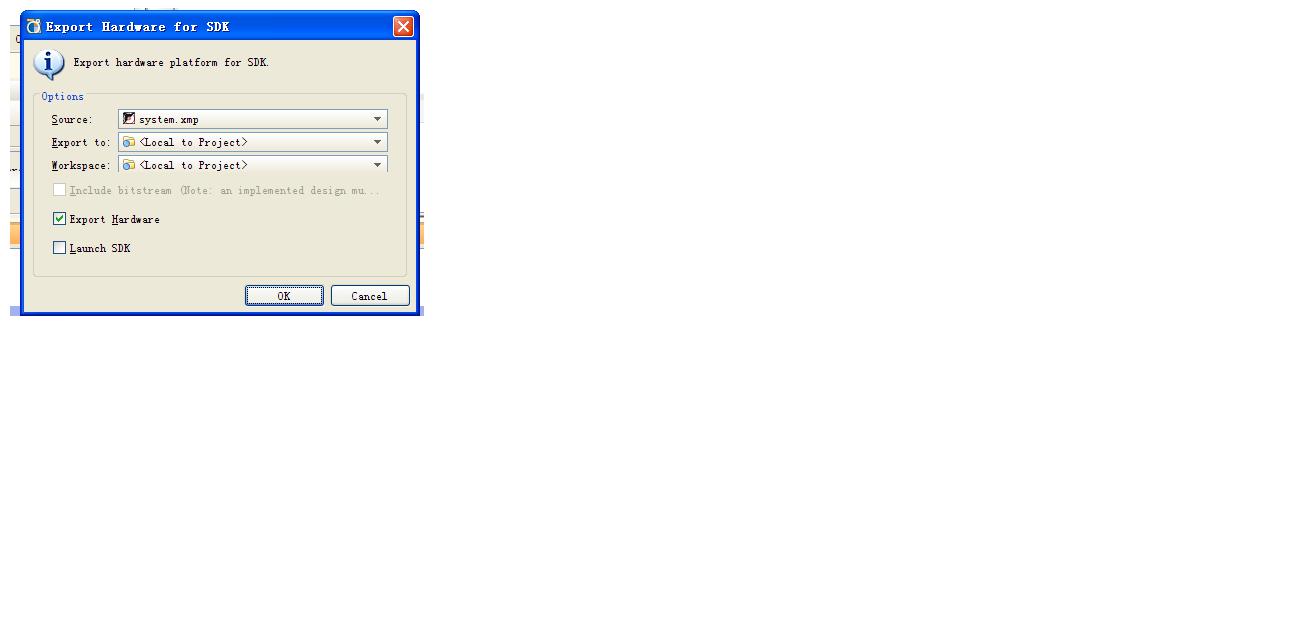
将硬件导出到SDK,无法选中“包含比特流”复选框。但状态显示Bitgen
这真的让我感到困惑。我在项目目录中查找了.bit文件,只有一个
可以找到system_stub.bit文件。日志文件中的一些信息如下:
***使用args -secure -ncd2xdl -nopips“system_stub_routed.ncd”“system_stub_routed.xdl”运行xdl
版本14.5 - xdl P.58f(nt)版权所有(c)1995-2012 Xilinx,Inc。保留所有权利。
警告:XDL:213 - 将所得XDL的输出将不具有LUT方程串或RAM INIT strings.Loading设备用于从文件 '7z020.nph' 应用Rf_Device在环境d: ISE145 14.5 ISE_DS ISE 。
“system_stub”是NCD,版本3.2,设备xc7z020,包clg484,速度-1成功转换设计'system_stub_routed.ncd'到'system_stub_routed.xdl'。
***使用args运行bitgen“system_stub_routed.ncd”“system_stub.bit”“system_stub.pcf”-w -intstyle pa
信息:WebTalk:4 - /usage_statistics_webtalk.html WebTalk报告已成功发送至Xilinx。
有关此文件的其他详细信息,请参阅webtalk.log中的WebTalk日志文件
WebTalk已经完成。
我怎么解决这个问题?
任何建议将不胜感激!
最好的祝福,
十二月
以上来自于谷歌翻译
以下为原文
I have just installed an ISE 14.5 and a WebPACK Device Locked Edition Node-Locked license has been got and set
correctly 。 When i build a project form PlanAhead, it seems the system.bit file cannot be generated。 And when i
export hardware to SDK, the "Include bitstream" checkbox can not be checked 。 But the status shows Bitgen
complete。 That's really confused me。 I have looked up the .bit file in the project directory, and only a
system_stub.bit file can be found。 Some info in log files as follow posted:
*** Running xdl
with args -secure -ncd2xdl -nopips "system_stub_routed.ncd" "system_stub_routed.xdl"
Release 14.5 - xdl P.58f (nt)
Copyright (c) 1995-2012 Xilinx, Inc. All rights reserved.
WARNING:XDL:213 - The resulting xdl output will not have LUT equation strings or RAM INIT strings.
Loading device for application Rf_Device from file '7z020.nph' in environment D:ISE14514.5ISE_DSISE.
"system_stub" is an NCD, version 3.2, device xc7z020, package clg484, speed -1
Successfully converted design 'system_stub_routed.ncd' to 'system_stub_routed.xdl'.
*** Running bitgen
with args "system_stub_routed.ncd" "system_stub.bit" "system_stub.pcf" -w -intstyle pa
INFO:WebTalk:4 - /usage_statistics_webtalk.html WebTalk report has been
successfully sent to Xilinx. For additional details about this file, please
refer to the WebTalk log file at webtalk.log
WebTalk is complete.
How can i solve this problem? Any suggestion would be appreciate!
Best Regards,
Dec



 举报
举报