
| 物品 | 要求 |
|---|---|
| TF卡 | ≥8GB,Class10高速卡 |
| 读卡器 | USB 3.0接口(确保稳定传输) |
| 开发板配件 | Type-C数据线、12V电源 |
t113_i_linux_tlt113-minievm-nand-sdboot_uart0.imgPhoenixCard_V4.2.7.zip(全志专用烧录工具)DriverAssitant_v5.1.1.zip(若电脑未识别开发板)插入TF卡到读卡器 → 连接电脑
打开 PhoenixCard → 选择镜像文件 → 设备选择TF卡盘符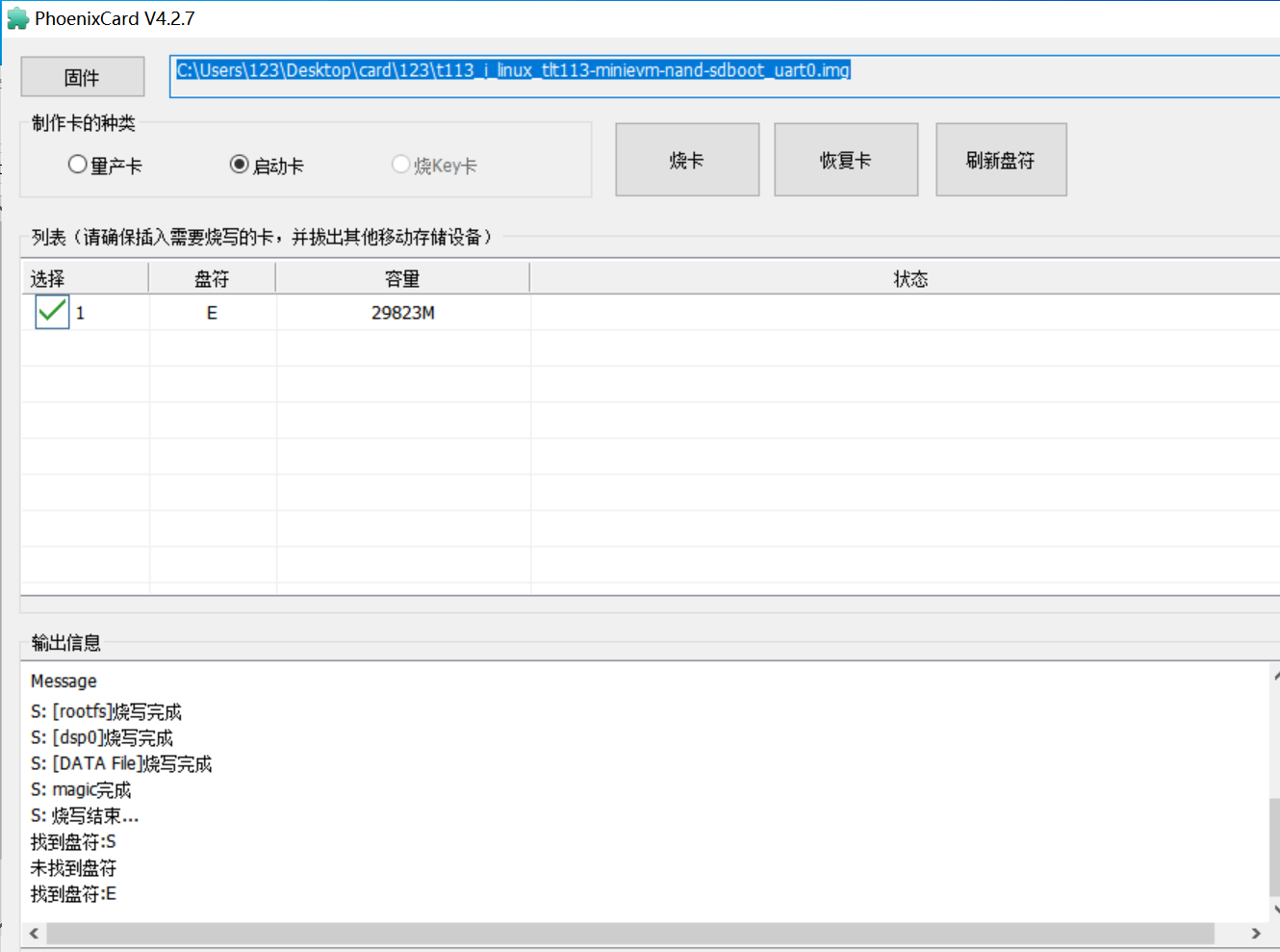
烧录模式选择 :
启动卡 → 点击 烧录等待进度条完成,直到输出信息和我的输出信息一致
避坑指南 :
- 若卡在"等待UDISK设备",需重新拔插TF卡
- 烧录前 备份TF卡数据 (该操作会清空全卡!)
插入TF卡 :开发板背面TF卡槽(金属触点朝下)
连接串口调试 :
需要安装:MobaXterm软件:
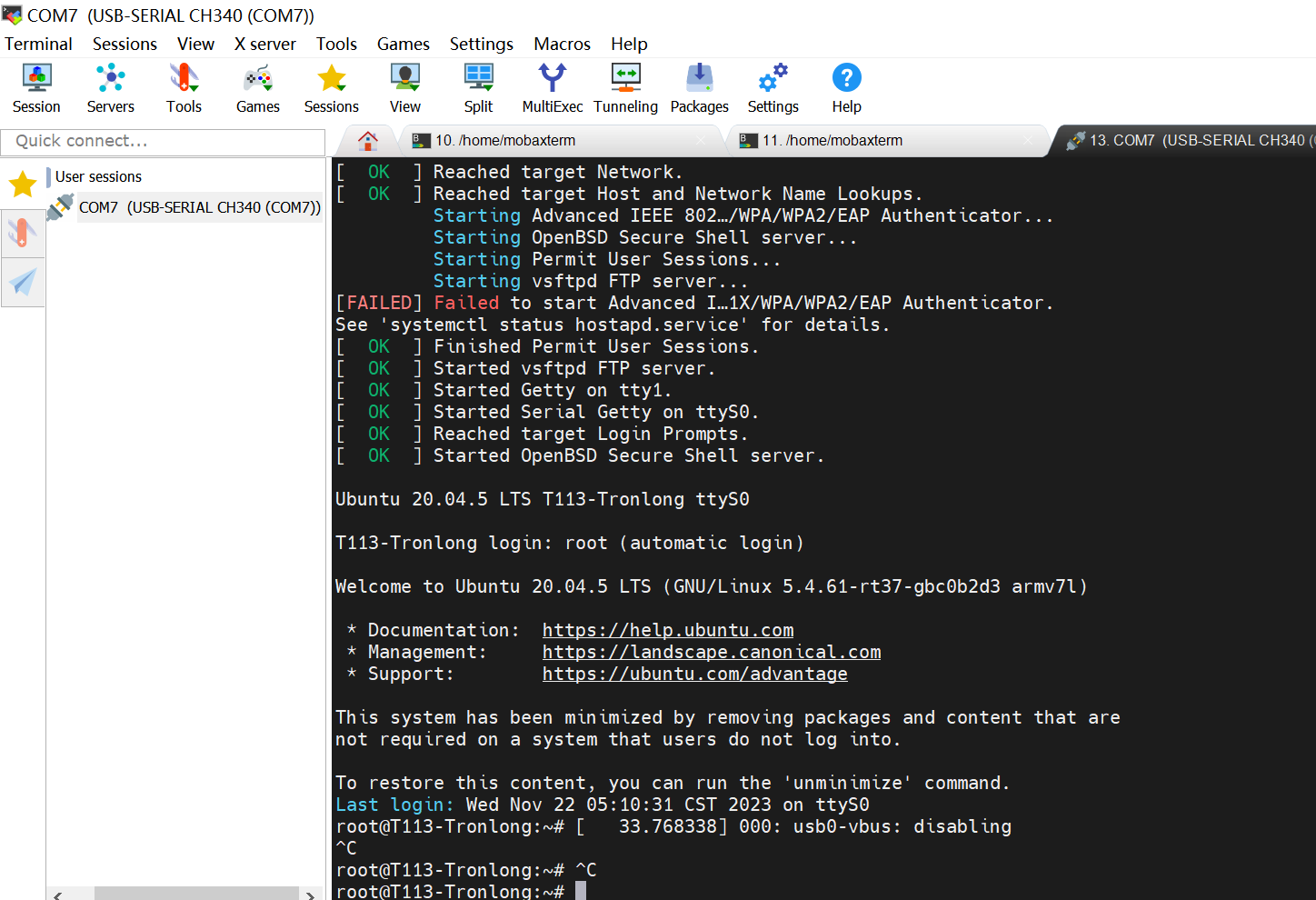
上电 → 观察串口输出:
U-Boot 2018.07-g16f6ba7 (May 25 2024 - 02:58:17 +0000) Allwinner Technology

[00.349]CPU:   Allwinner Family
[00.352]Model: sun8iw20
I2C:   ready
[00.372]DRAM:  256 MiB
[00.376]Relocation Offset is: 0ce93000
[00.406]secure enable bit: 0
E/TC:0   fdt_getprop_u32:336 prop trace_level not found
[00.420]CPU=1008 MHz,PLL6=600 Mhz,AHB=200 Mhz, APB1=100Mhz  MBus=300Mhz
[00.426]gic: sec monitor mode
SPI ALL:   ready
[00.431]line:719 init_clocks
[00.434]flash init start
[00.436]workmode = 0,storage type = 1
[00.440][mmc]: mmc driver ver uboot2018:2023-07-4 16:18:00
[00.445][mmc]: get sdc_type fail and use default host:tm1.
[00.451][mmc]: can't find node "mmc0",will add new node
[00.456][mmc]: fdt err returned <no error>
[00.460][mmc]: Using default timing para
[00.463][mmc]: SUNXI SDMMC Controller Version:0x50310
[00.482][mmc]: card_caps:0x3000000a
[00.485][mmc]: host_caps:0x3000003f
[00.489]sunxi flash init ok
可以看到硬件配置和运行信息。
| 问题 | 解决方案 |
|---|---|
| 卡在"Loading kernel..." | TF卡接触不良 → 重新插拔或更换卡 |
| 文件系统挂载失败 | 使用官方工具重新烧录 → 避免自行解压损坏 |
| USB设备无法识别 | 安装DriverAssitant驱动 → 换Type-C口 |
更多回帖


