我已经成功安装了Vivado 2018.2 WebPack:赢得10台PC。
64位dell inspiron 15 5000系列
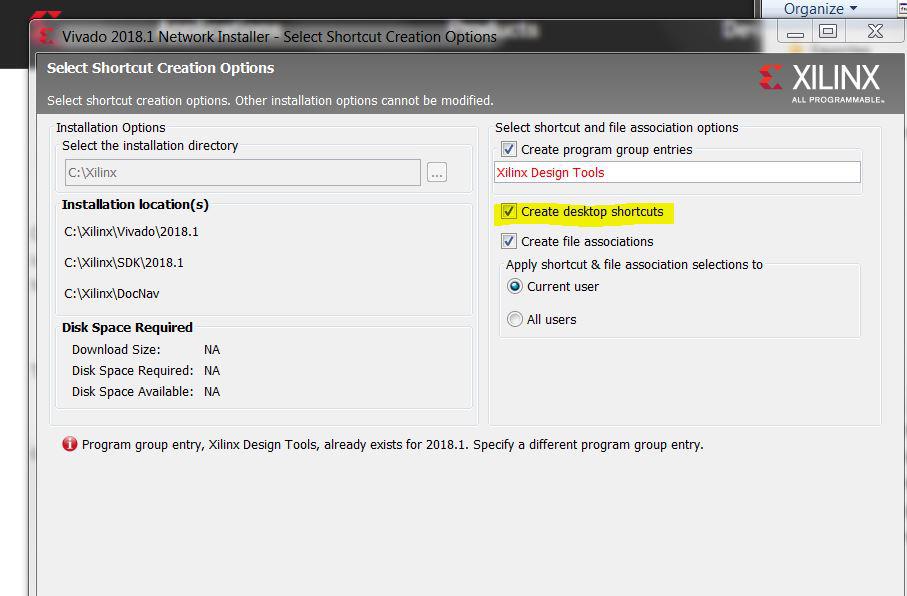
安装程序表示已成功完成,但未创建Xilinx工具的“开始”菜单组,也未创建“桌面”图标。
我重复了vivado 2017.4 WebPack,然后是vivado 2016.4 WebPack。
和2015.4
结果相同。
我尝试运行C; Xilinx Vivado 201? bin unwrapped win64.io Vivado.exe并始终获得以下一系列错误:
程序无法启动,因为您的计算机缺少librdi_commonmain.dll。
尝试重新安装该程序以解决此问题。
程序无法启动,因为您的计算机缺少librdi_common.dll。
尝试重新安装该程序以解决此问题。
程序无法启动,因为您的计算机缺少SHSMP64.dll。
尝试重新安装该程序以解决此问题。
程序无法启动,因为您的计算机缺少libboost_signals.dll。
尝试重新安装该程序以解决此问题。
然后Vivado无法启动。
我已经卸载了所有Xilinx工具,重新启动了PC并再次尝试重新安装。
我得到了相同的结果。
我拥有此PC的管理员权限。
我安装并更新了Microsoft Visual C ++ Redistributable 2015和Microsoft Visual C ++ Redistributable 2017
很多重启。
我无法手动安装4 DLL。
有关如何进行的任何建议?
以上来自于谷歌翻译
以下为原文
I have successfully installed Vivado 2018.2 WebPack on: Win 10 PCs. 64 bit dell inspiron 15 5000 series
The installer says it has successfully completed, but the Start Menu Group for Xilinx tools is not created nor are the Desktop icons.
I have repeated for vivado 2017.4 WebPack, then vivado 2016.4 WebPack. and 2015.4
Same result.
I attempt to run C;XilinxVivado201?binunwrappedwin64.ioVivado.exe and always get the following series of errors:
The program can't start because librdi_commonmain.dll is missing from your computer. Try reinstalling the program to fix this problem.
The program can't start because librdi_common.dll is missing from your computer. Try reinstalling the program to fix this problem.
The program can't start because SHSMP64.dll is missing from your computer. Try reinstalling the program to fix this problem.
The program can't start because libboost_signals.dll is missing from your computer. Try reinstalling the program to fix this problem.
Vivado then fails to launch.
I have uninstalled all Xilinx tools, restarted the PC and attempted a fresh install again. I get the same results. I have administrator rights on this PC.
I have installed and updated Microsoft Visual C++ Redistributable 2015 and Microsoft Visual C++ Redistributable 2017
lots of reboots.
and i cant find the 4 DLL to install by hand.
Any sugges
tions on how to proceed?



 举报
举报


