RA4E2是一款基于100MHz Arm®Cortex®-M33内核架构的核心板,主控芯片为R7FA4E2B93CFM。RA4E2组是RA4系列中最新的入门级微控制器,基于带有TrustZone的100MHz Arm®Cortex®-M33内核。RA4E2 MCU提供了高性能的ADC采样通道,具备12-Bit A/D Converter
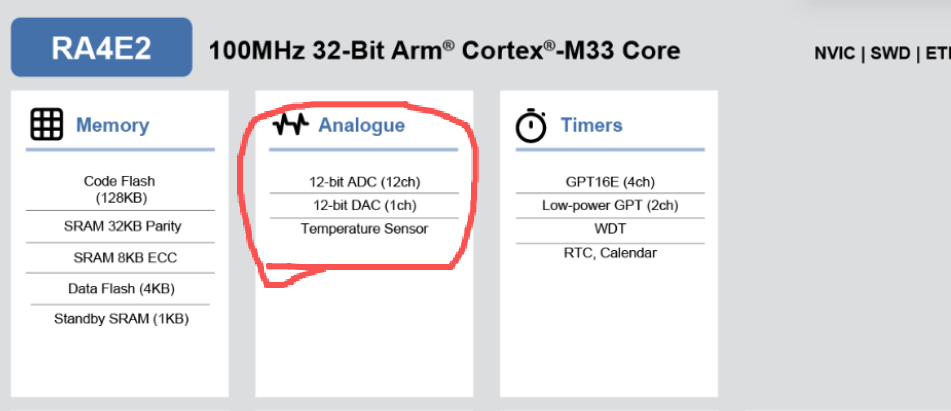
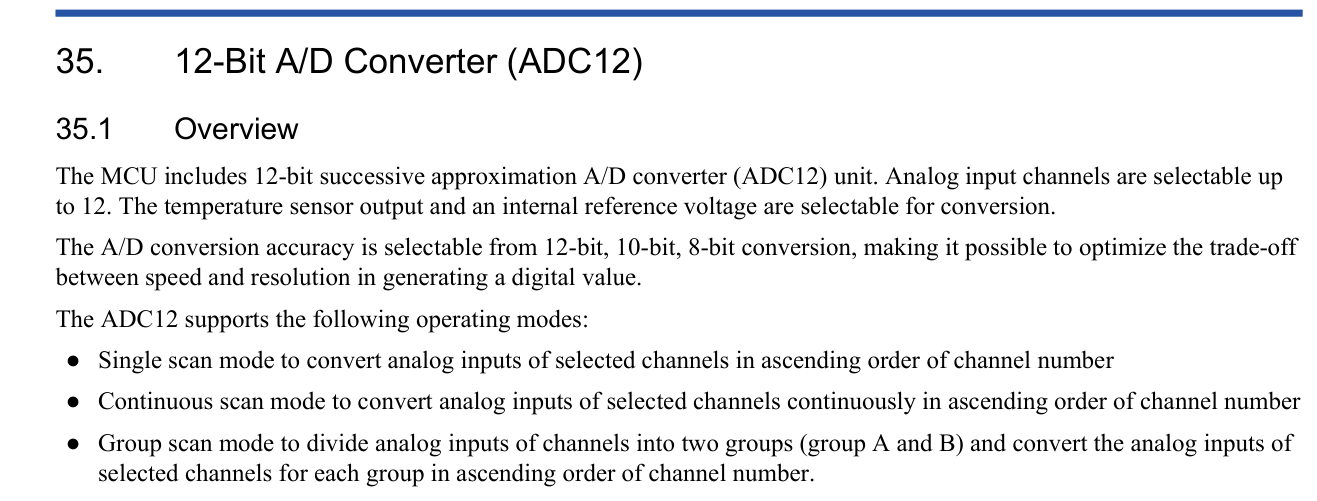
同时,还带有一个内部温度传感器,叫做TSN。

TSN有一套温度值计算算法,如下:
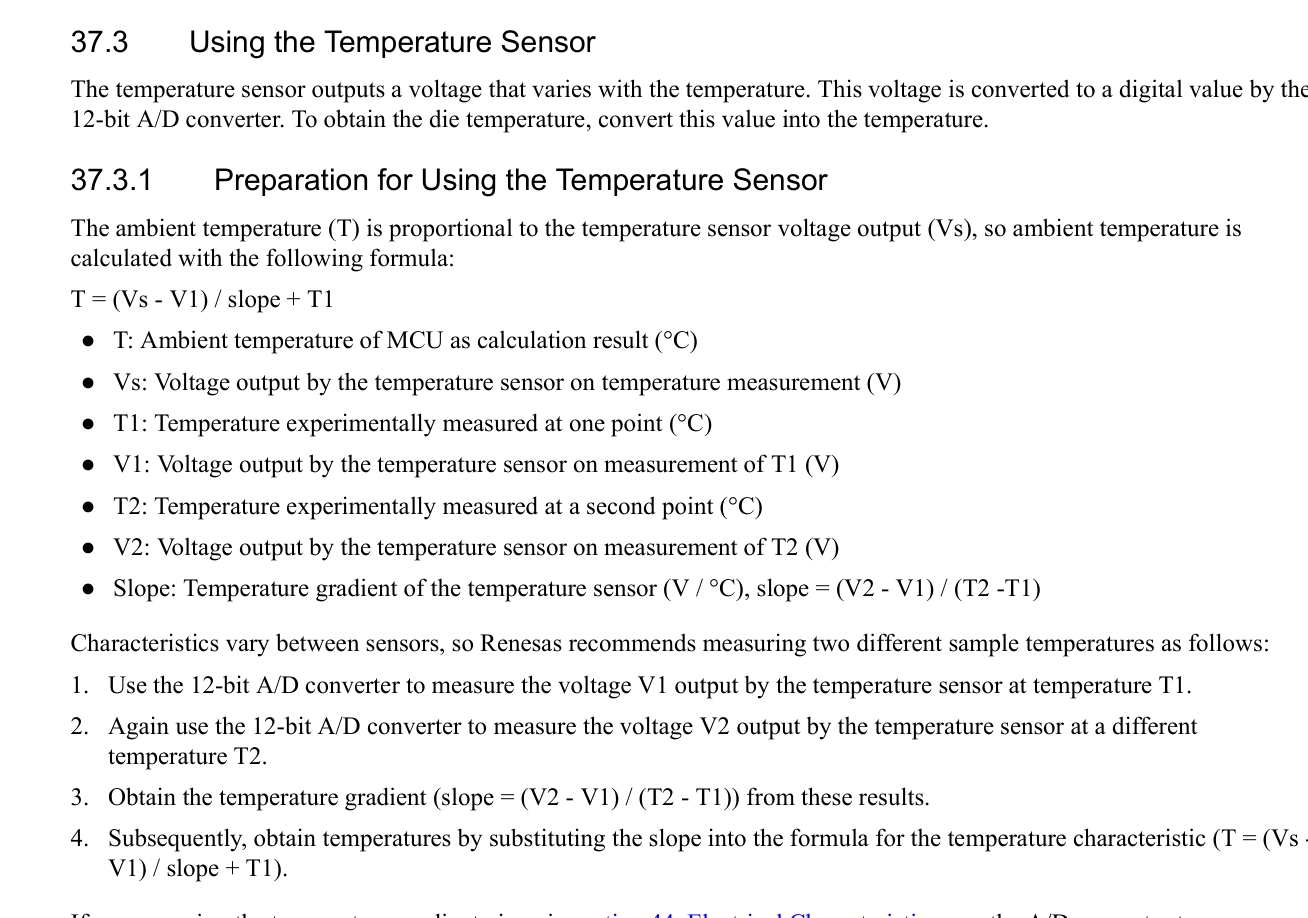
The ambient temperature (T) is proportional to the temperature sensor voltage output (Vs), so ambient temperature is
calculated with the following formula:
T = (Vs - V1) / slope + T1
● T: Ambient temperature of MCU as calculation result (°C)
● Vs: Voltage output by the temperature sensor on temperature measurement (V)
● T1: Temperature experimentally measured at one point (°C)
● V1: Voltage output by the temperature sensor on measurement of T1 (V)
● T2: Temperature experimentally measured at a second point (°C)
● V2: Voltage output by the temperature sensor on measurement of T2 (V)
● Slope: Temperature gradient of the temperature sensor (V / °C), slope = (V2 - V1) / (T2 -T1)
Characteristics vary between sensors, so Renesas recommends measuring two different sample temperatures as follows:
- Use the 12-bit A/D converter to measure the voltage V1 output by the temperature sensor at temperature T1.
- Again use the 12-bit A/D converter to measure the voltage V2 output by the temperature sensor at a different
temperature T2.
- Obtain the temperature gradient (slope = (V2 - V1) / (T2 - T1)) from these results.
- Subsequently, obtain temperatures by substituting the slope into the formula for the temperature characteristic (T = (Vs -V1) / slope + T1).

下面就来讲解TSN配置计算算法!!!
1。打开瑞萨RA Smart配置软件
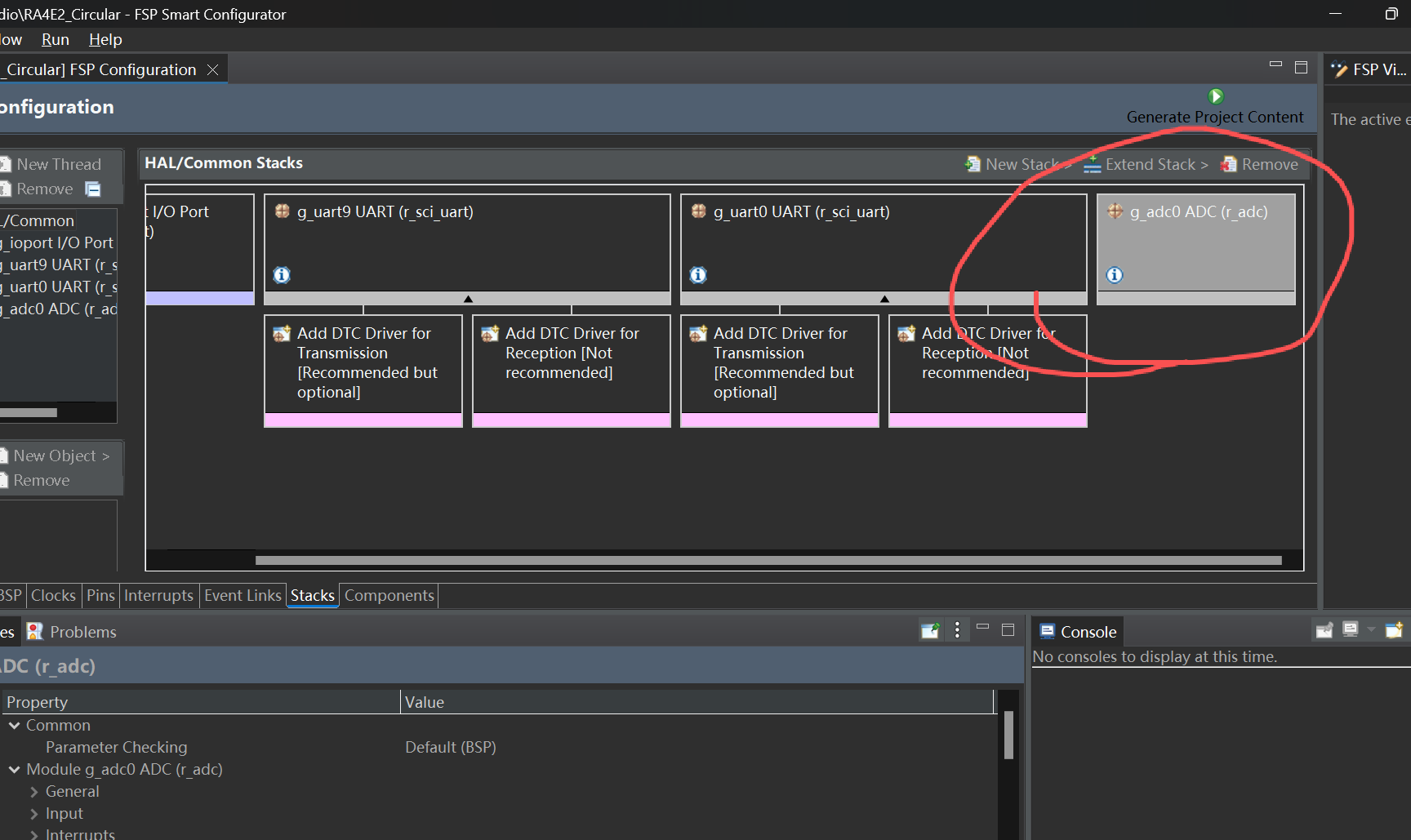
配置ADC
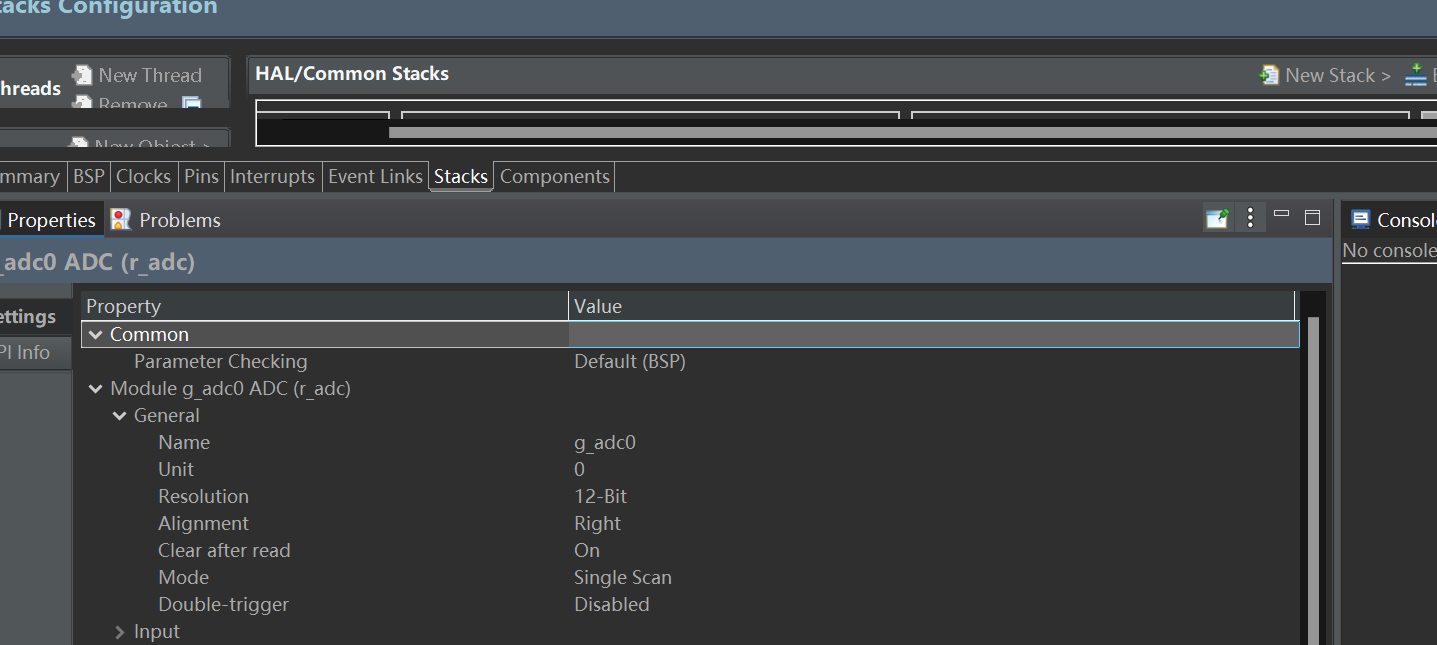
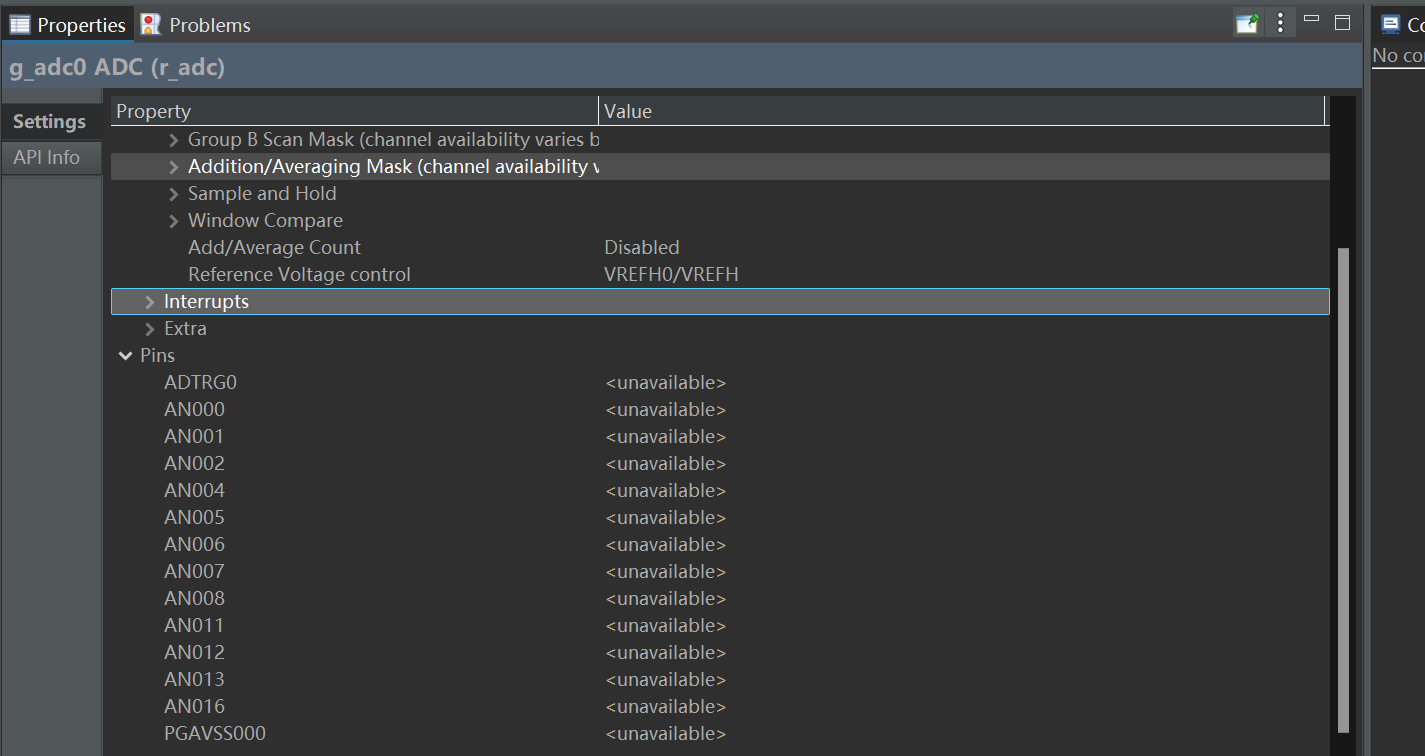
2。点击生成代码
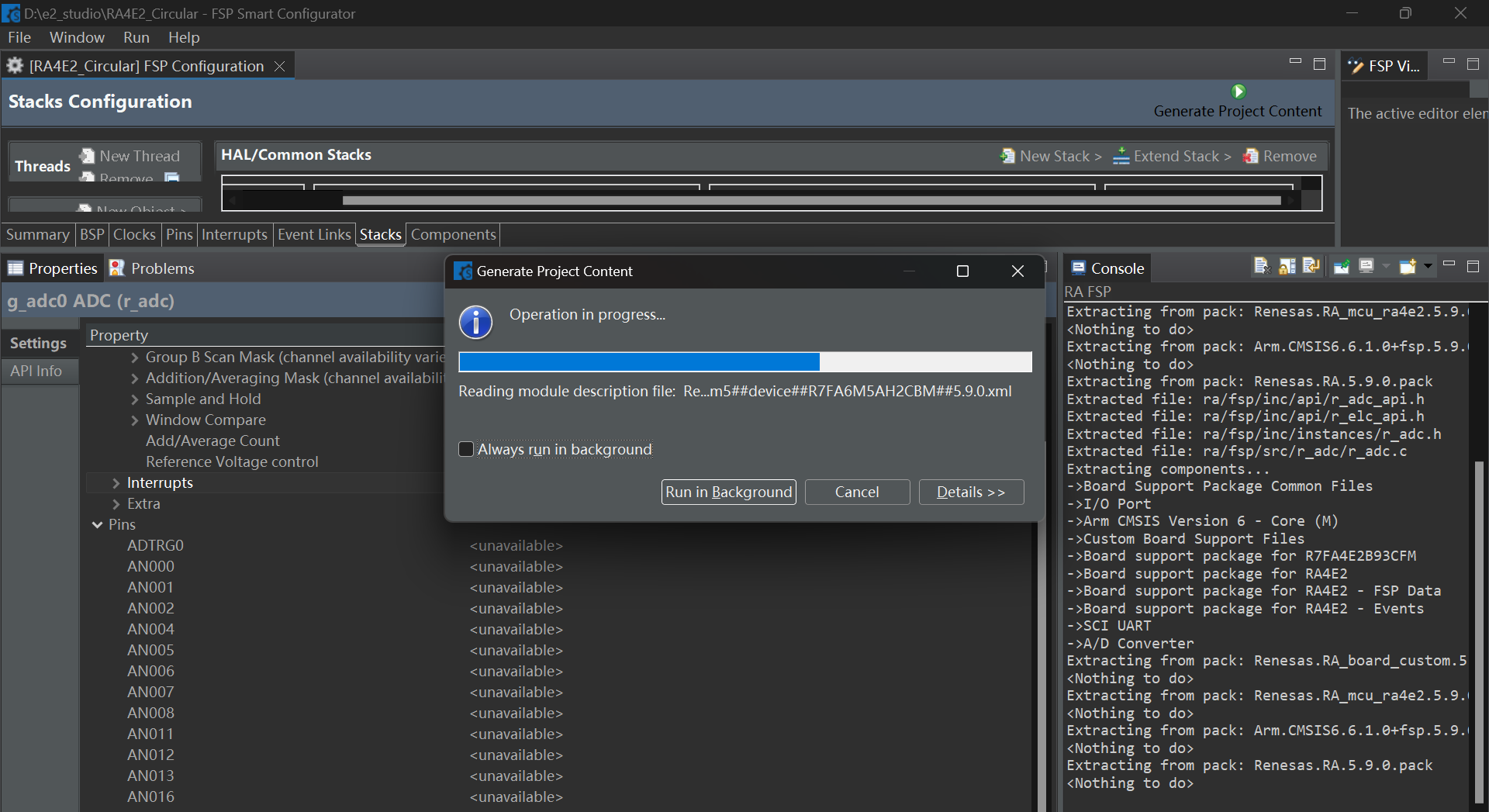
3。打开KEIL
编译代码,会发现如下错误
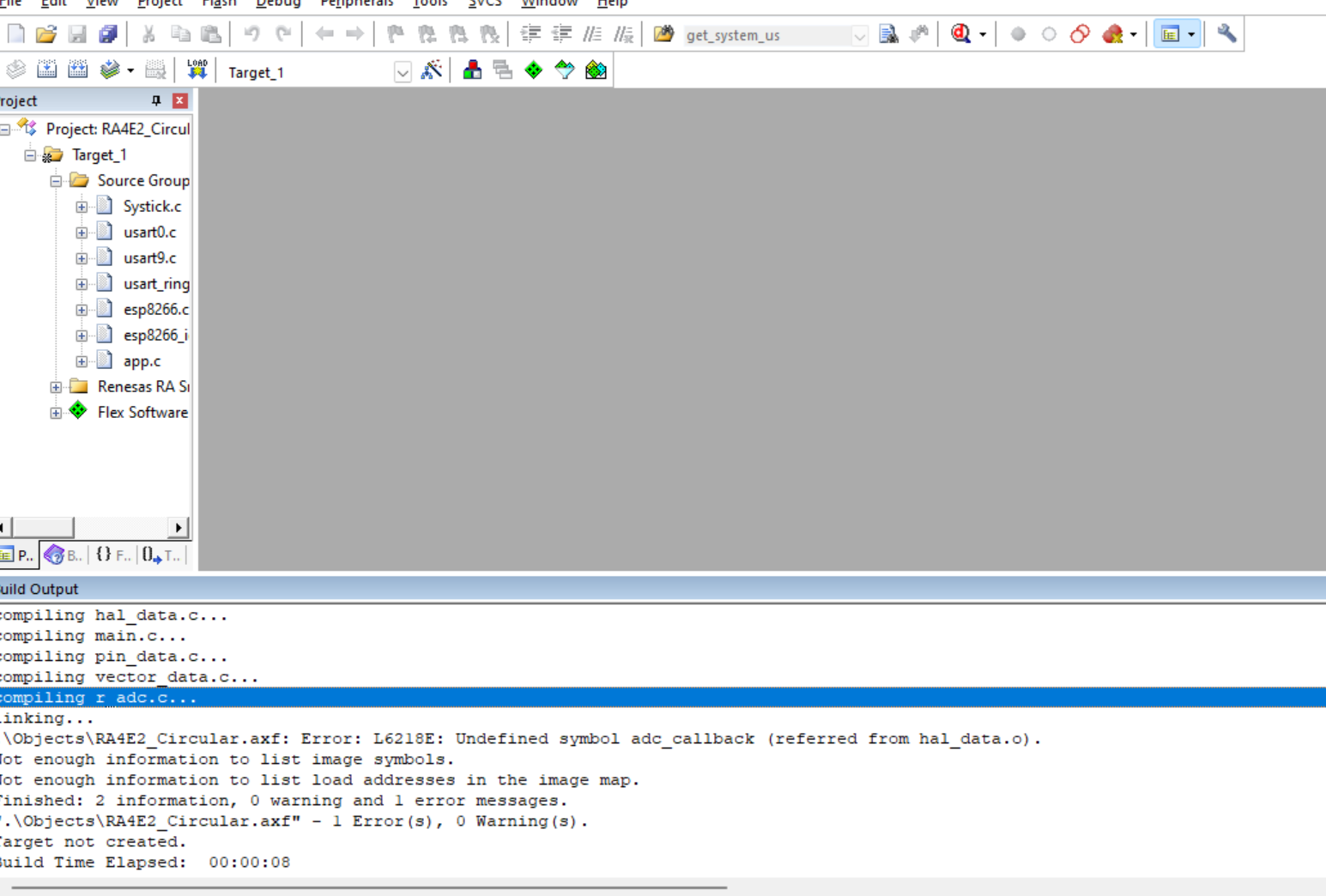
这是因为还没有实现adc_callback()中断函数
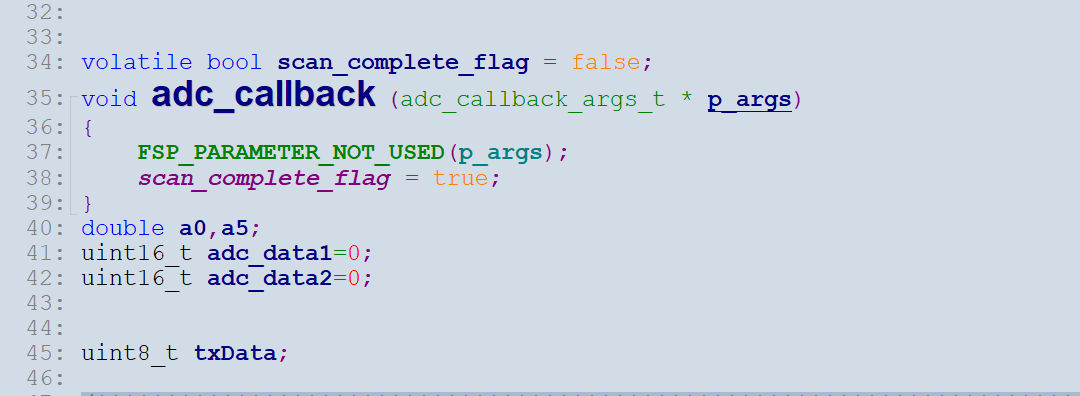
4。打开主函数,添加adc_callback函数

添加void adc_callback (adc_callback_args_t * p_args)中断函数
5。主函数如下
#include "hal_data.h"
#include "Systick.h"
#include "usart0.h"
#include "usart9.h"
#include "usart_ring.h"
#include "esp8266.h"
#include "esp8266_io.h"
#include <stdio.h>
#include "app.h"
FSP_CPP_HEADER
void R_BSP_WarmStart(bsp_warm_start_event_t event);
FSP_CPP_FOOTER
void ADC_TSN(void)
{
fsp_err_t err = FSP_SUCCESS;
err = R_ADC_Open(&g_adc0_ctrl, &g_adc0_cfg);
assert(FSP_SUCCESS == err);
err = R_ADC_ScanCfg(&g_adc0_ctrl, &g_adc0_channel_cfg);
assert(FSP_SUCCESS == err);
}
volatile bool scan_complete_flag = false;
void adc_callback (adc_callback_args_t * p_args)
{
FSP_PARAMETER_NOT_USED(p_args);
scan_complete_flag = true;
}
double a0,a5;
uint16_t adc_data1=0;
uint16_t adc_data2=0;
uint8_t txData;
/*******************************************************************************************************************//**
-
main() is generated by the RA Configuration editor and is used to generate threads if an RTOS is used. This function
-
is called by main() when no RTOS is used.
**********************************************************************************************************************/
void hal_entry(void)
{
esp8266_status_t status;
fsp_err_t err = FSP_SUCCESS;
fsp_err_t err1 = FSP_SUCCESS;
uint16_t time = 0;
uint8_t voltage_1 = 0;
uint8_t voltage_2 = 0;
static adc_info_t adc_info ;
static double die_temperature = 0 ;
static double V1 = 0;
static double Vs = 0;
/* TODO: add your own code here */
hal_systick_init();
UART0_Init();UART9_Init();
ADC_TSN();
esp8266_Init();
/* Subscribe to a topic */
while(esp8266_mqtt_subscribe("iotled", 1));
//HAL_Delay(200);
printf("读取RA4E2 Sensor开发板芯片温度值\r\n");
while (1)
{
(void) R_ADC_ScanStart(&g_adc0_ctrl);
scan_complete_flag = false;
while (!scan_complete_flag)
{
}
err = R_ADC_Read(&g_adc0_ctrl, ADC_CHANNEL_TEMPERATURE, &adc_data1);
assert(FSP_SUCCESS == err);
err = R_ADC_InfoGet(&g_adc0_ctrl, &adc_info);
assert(FSP_SUCCESS == err);
T = ( Vs - V1 ) / slope + 127 C
die_temperature = CONSTANT * ( Vs - V1 ) / ( adc_info.slope_microvolts ) + 127.0;
static char string_die_temp[10] = {0};
sprintf( string_die_temp, "%.2f", die_temperature );
printf("RA4E2 Sensor开发板芯片当前温度是: %s 度\r\n", string_die_temp);
while(esp8266_mqtt_publish("RA4E2", string_die_temp, 1, 0));
HAL_Delay(100);
}
#if BSP_TZ_SECURE_BUILD
/* Enter non-secure code */
R_BSP_NonSecureEnter();
#endif
}
/**
- [url=home.php?mod=space&uid=2666770]@Brief[/url] This function is executed in case of error occurrence.
- @retval None
/
void Error_Handler(void)
{
/ USER CODE BEGIN Error_Handler_Debug /
/ User can add his own implementation to report the HAL error return state /
__disable_irq();
while (1)
{
}
/ USER CODE END Error_Handler_Debug */
}
/*******************************************************************************************************************//**
-
This function is called at various points during the startup process. This implementation uses the event that is
-
called right before main() to set up the pins.
-
@param[in] event Where at in the start up process the code is currently at
**********************************************************************************************************************/
void R_BSP_WarmStart (bsp_warm_start_event_t event)
{
if (BSP_WARM_START_RESET == event)
{
#if BSP_FEATURE_FLASH_LP_VERSION != 0
R_FACI_LP->DFLCTL = 1U;
#endif
}
if (BSP_WARM_START_POST_C == event)
{
R_IOPORT_Open(&IOPORT_CFG_CTRL, &IOPORT_CFG_NAME);
#if BSP_CFG_SDRAM_ENABLED
R_BSP_SdramInit(true);
#endif
}
}
#if BSP_TZ_SECURE_BUILD
FSP_CPP_HEADER
BSP_CMSE_NONSECURE_ENTRY void template_nonsecure_callable ();
/* Trustzone Secure Projects require at least one nonsecure callable function in order to build (Remove this if it is not required to build). */
BSP_CMSE_NONSECURE_ENTRY void template_nonsecure_callable ()
{
}
FSP_CPP_FOOTER
#endif
编译代码,烧录板子
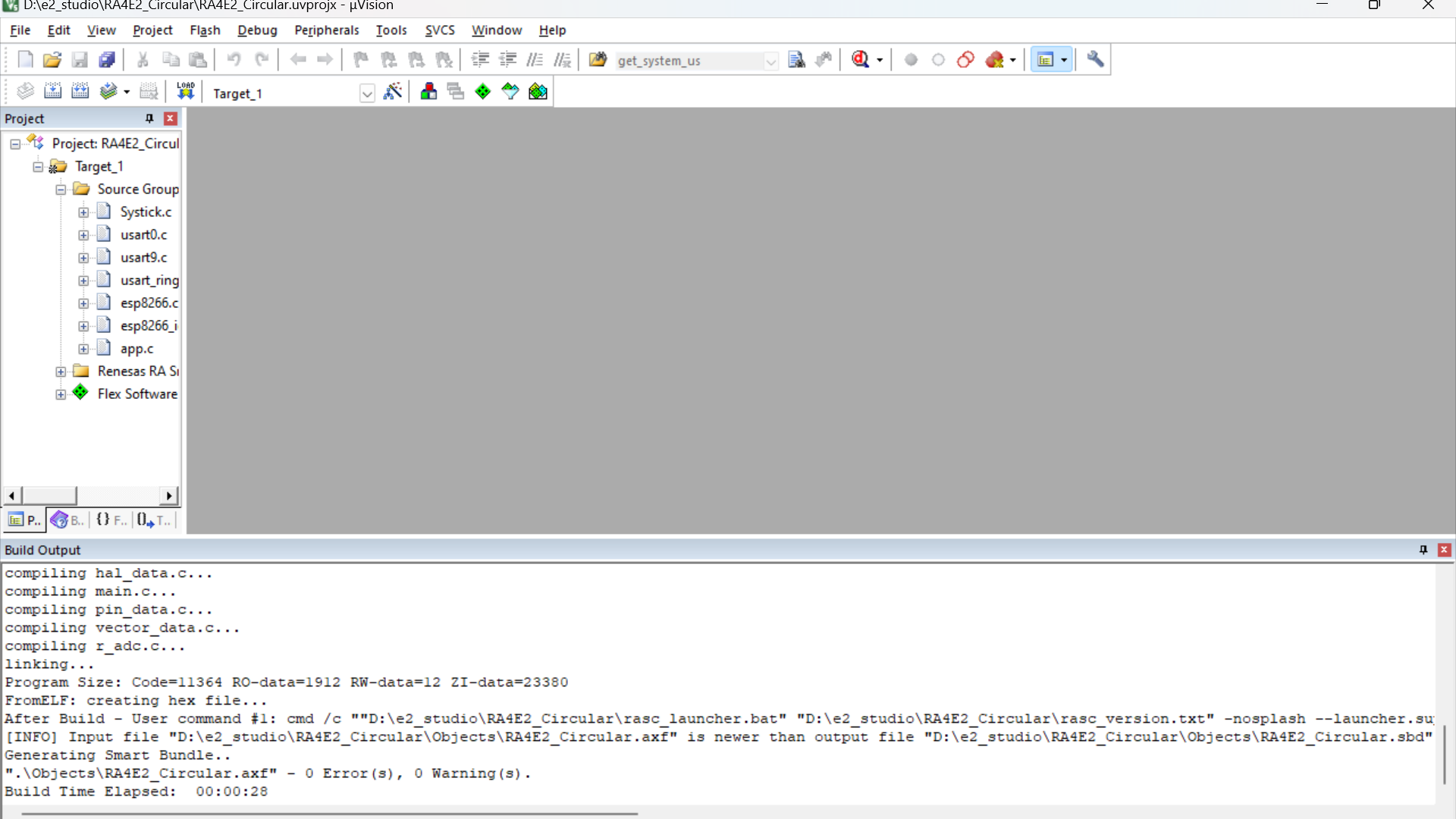
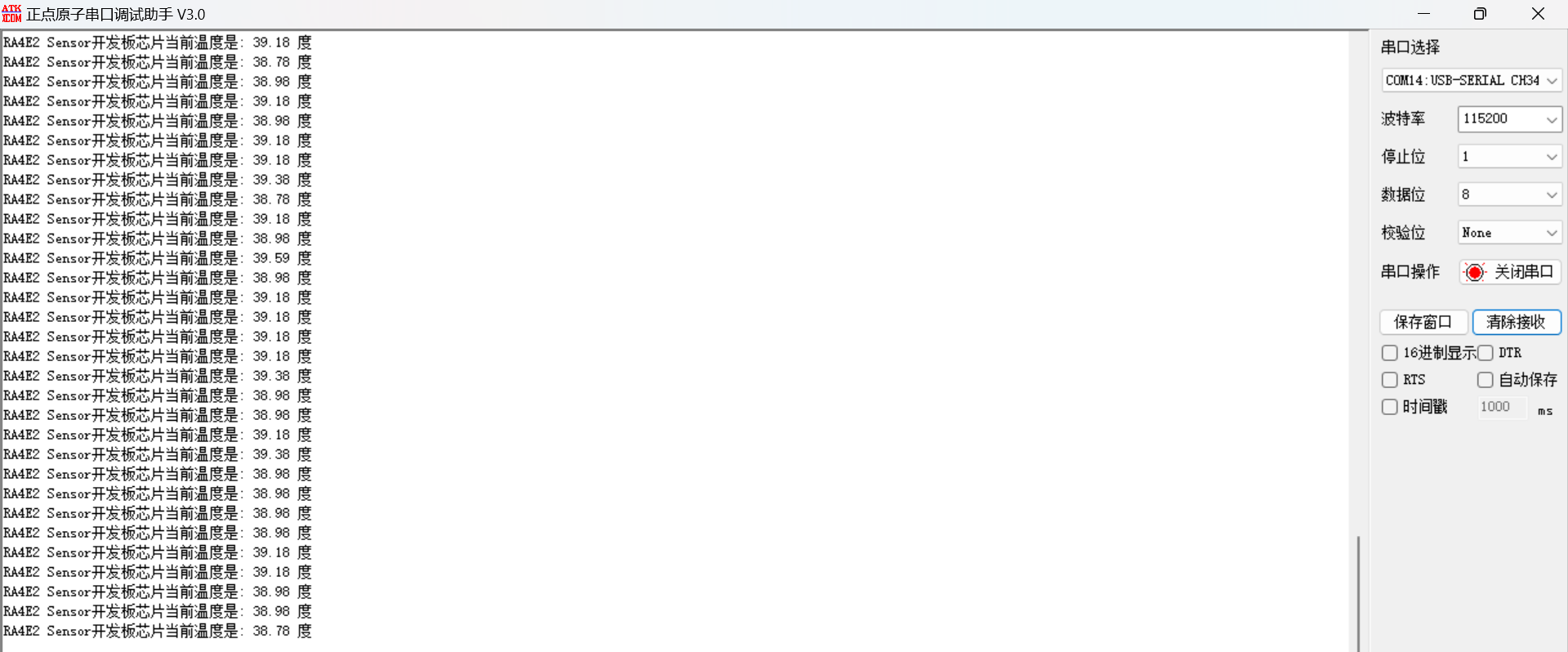
打开串口助手
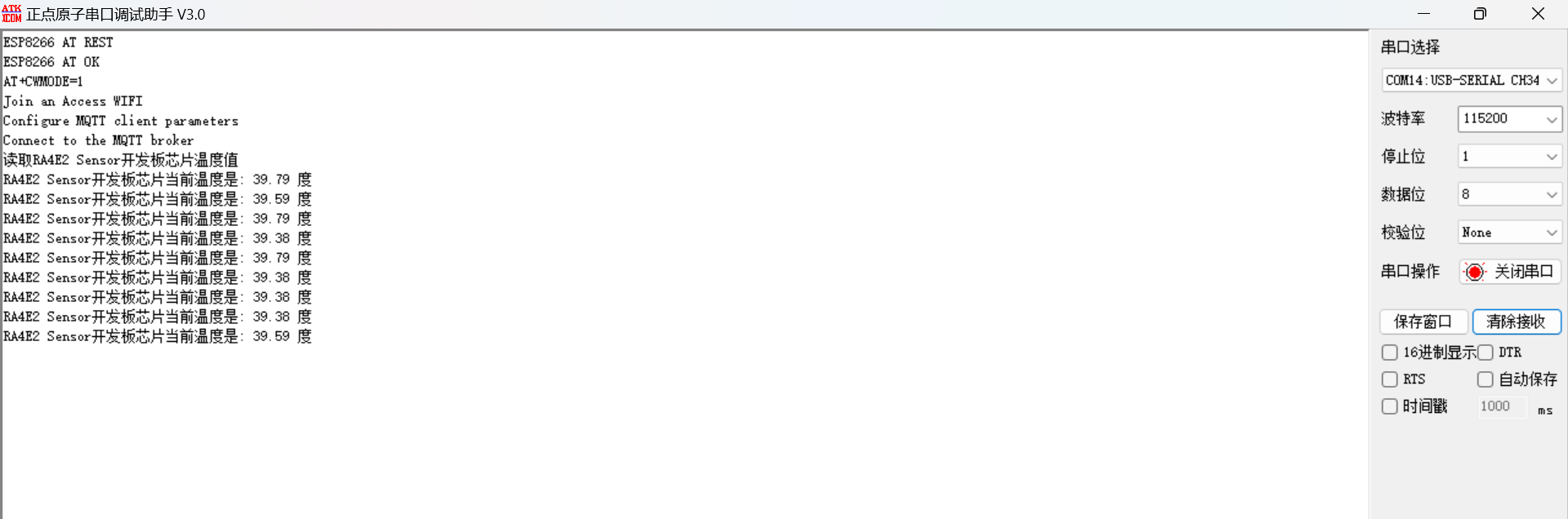
可以看到
RA4E2 Sensor开发板芯片当前温度是: 39.59 度
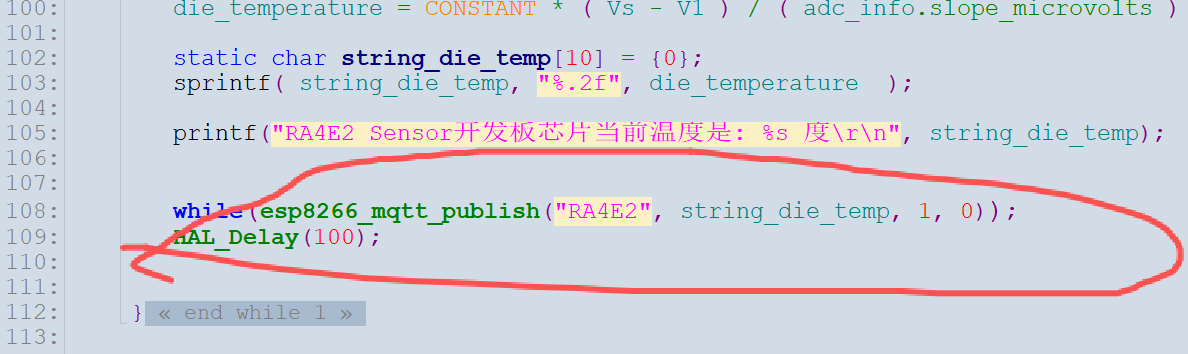
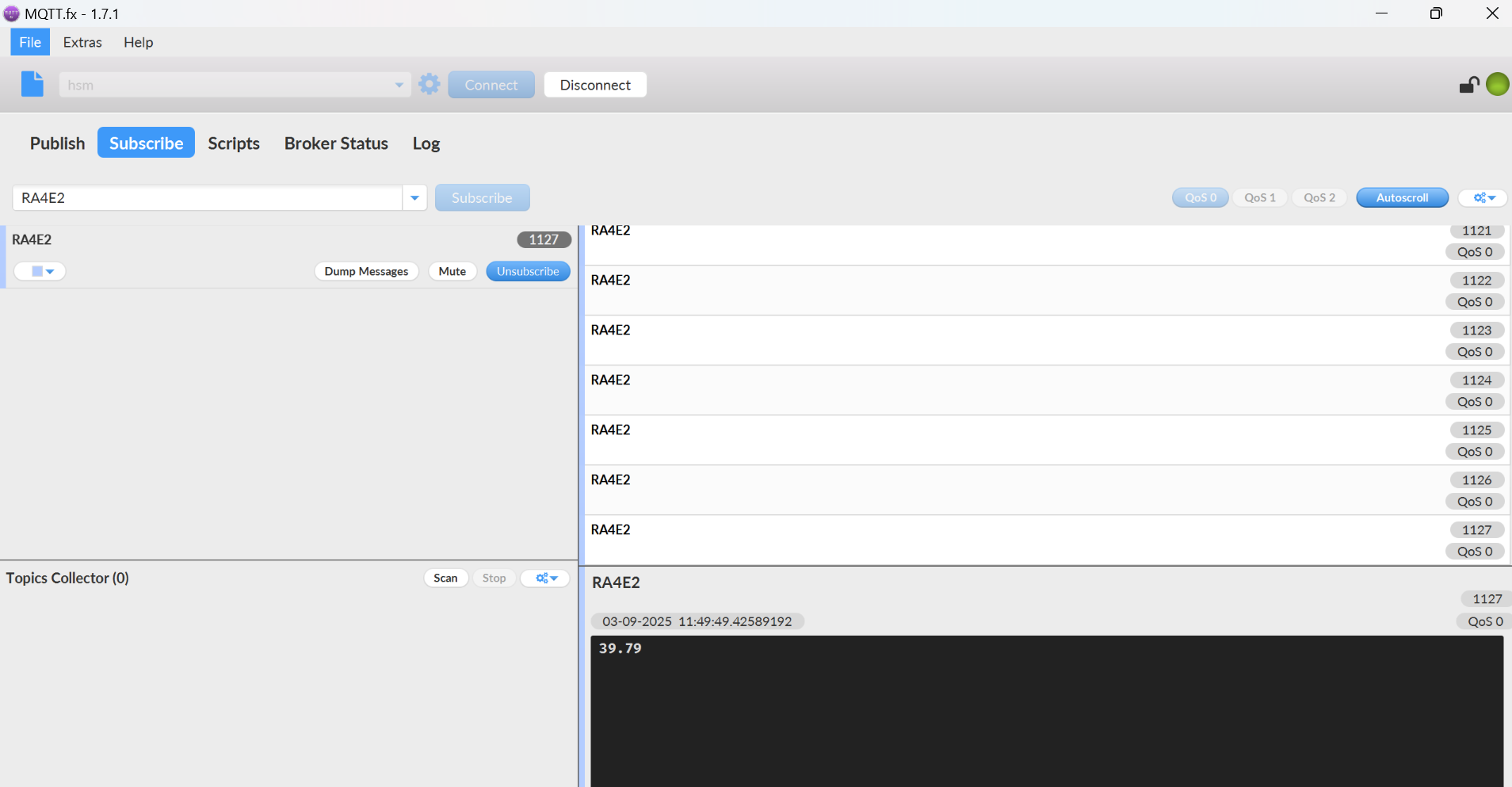
在代码中,我已经把温度上传到MQTT云端了,可以打开MQTT.fx
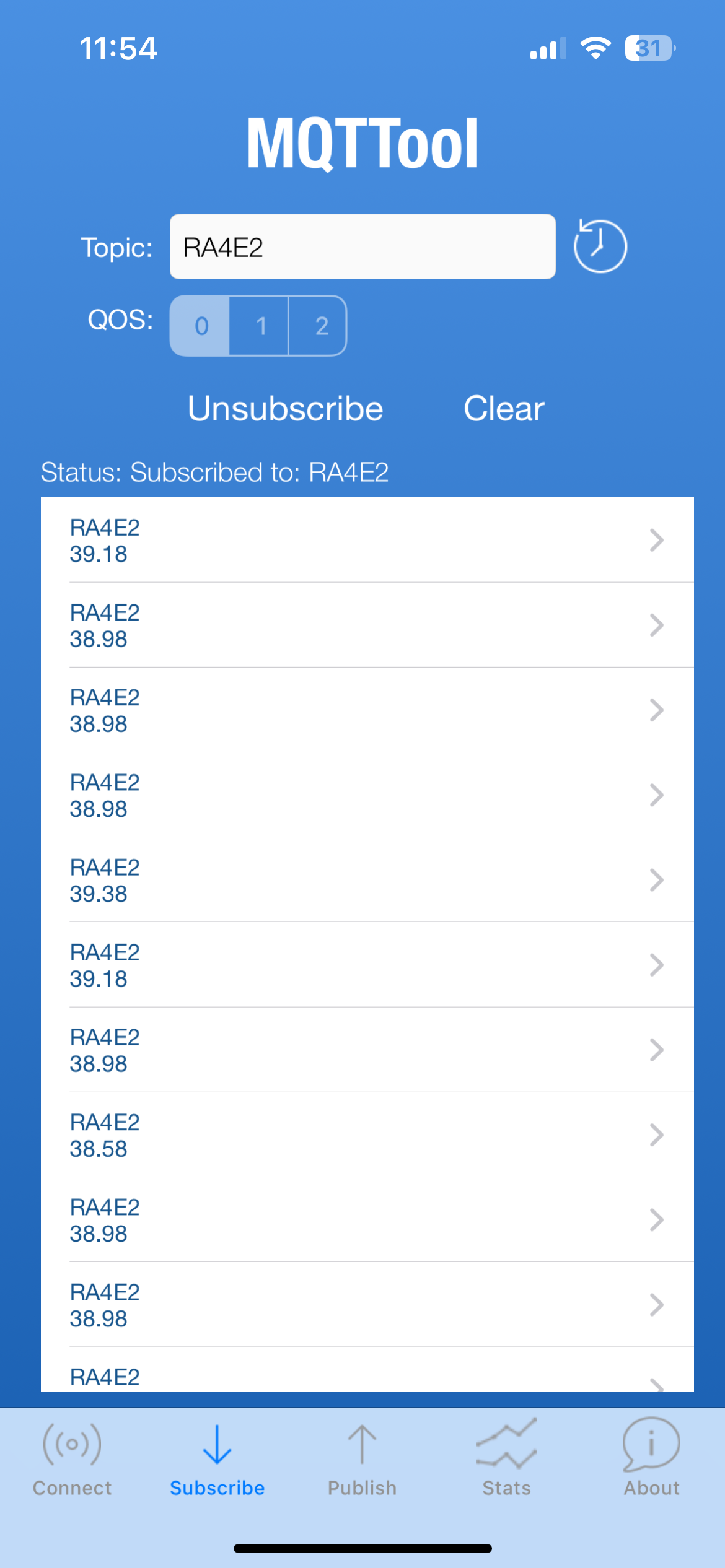
软件或者手机,接收RA4E2温度数据
顶部是手机,底部是MQTT.fx软件

 电子发烧友论坛
 0
0
 /9
/9 



 工商网监
湘ICP备2023018690号
工商网监
湘ICP备2023018690号


 924
924


 淘帖
淘帖 3
3










