介绍
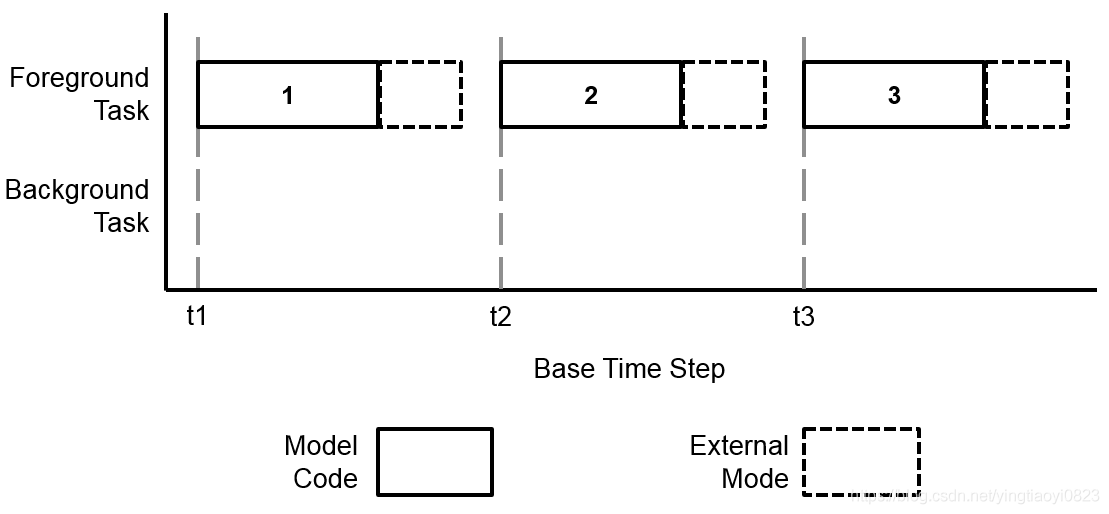
External Mode 1.Data (input or output) obtained within STM32 through its peripherals (ADC,
Timers, …) and algorithm fully executed on STM32.
2.Data monitoring from Simulink via UART
3.Not possible to modify STM32 configuration during External Mode
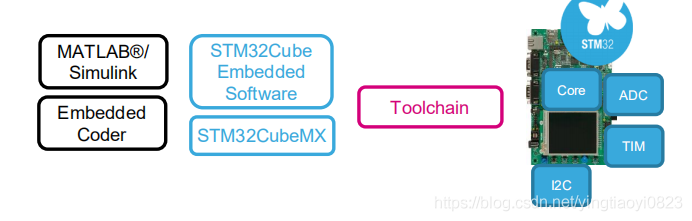
开发平台
matlab2018b IAR8.1 STM32F405 STM32CubeMX
步骤
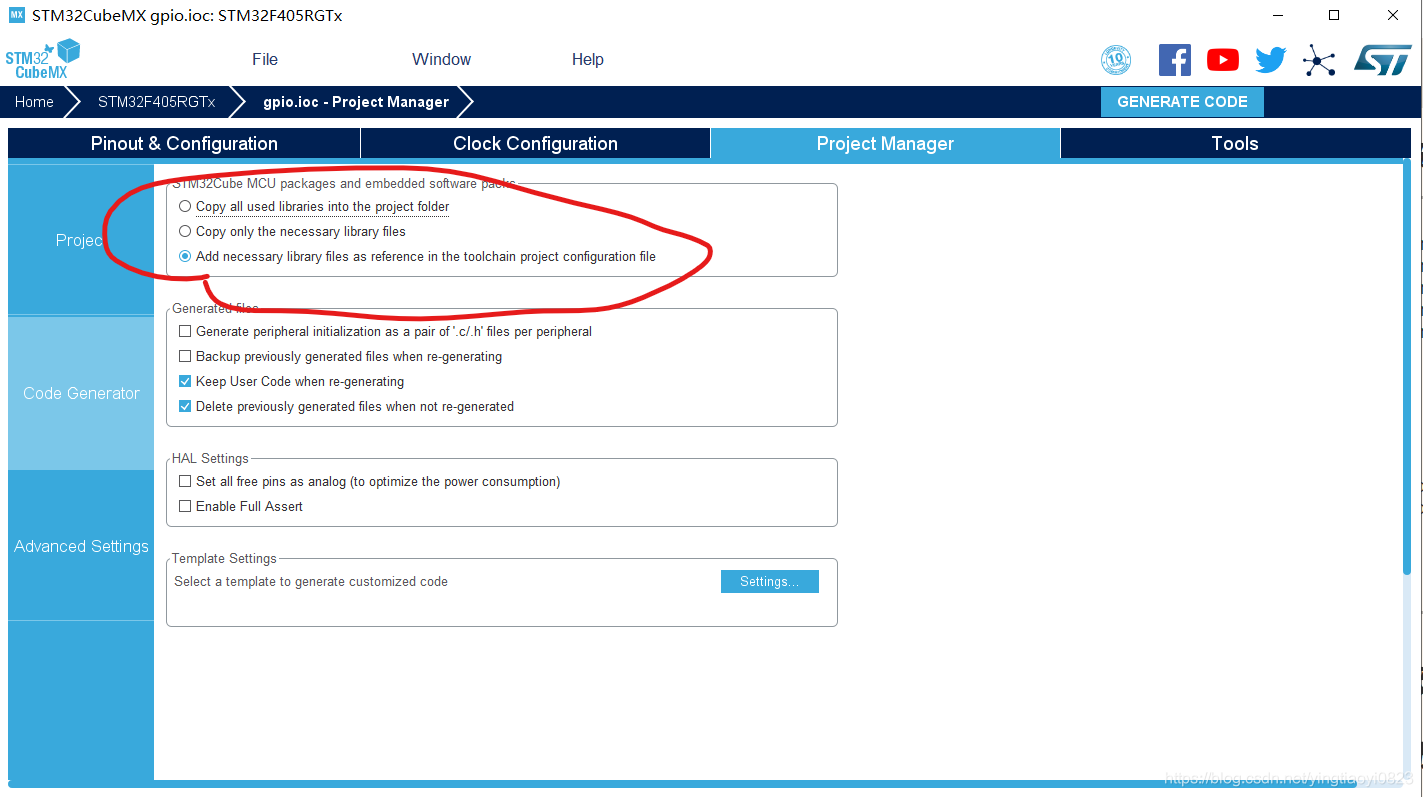
STM32CubeMX configuration
配置引脚、时钟等
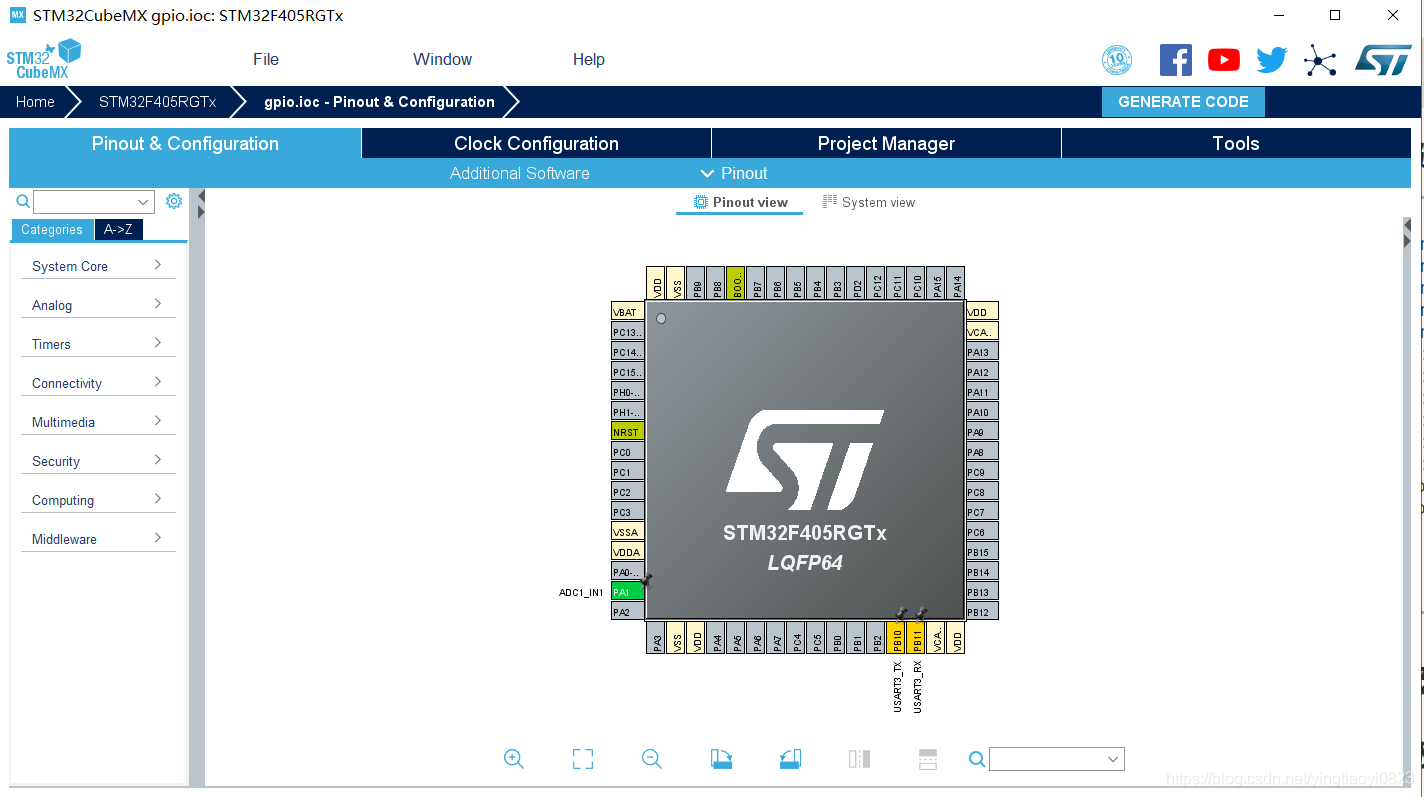
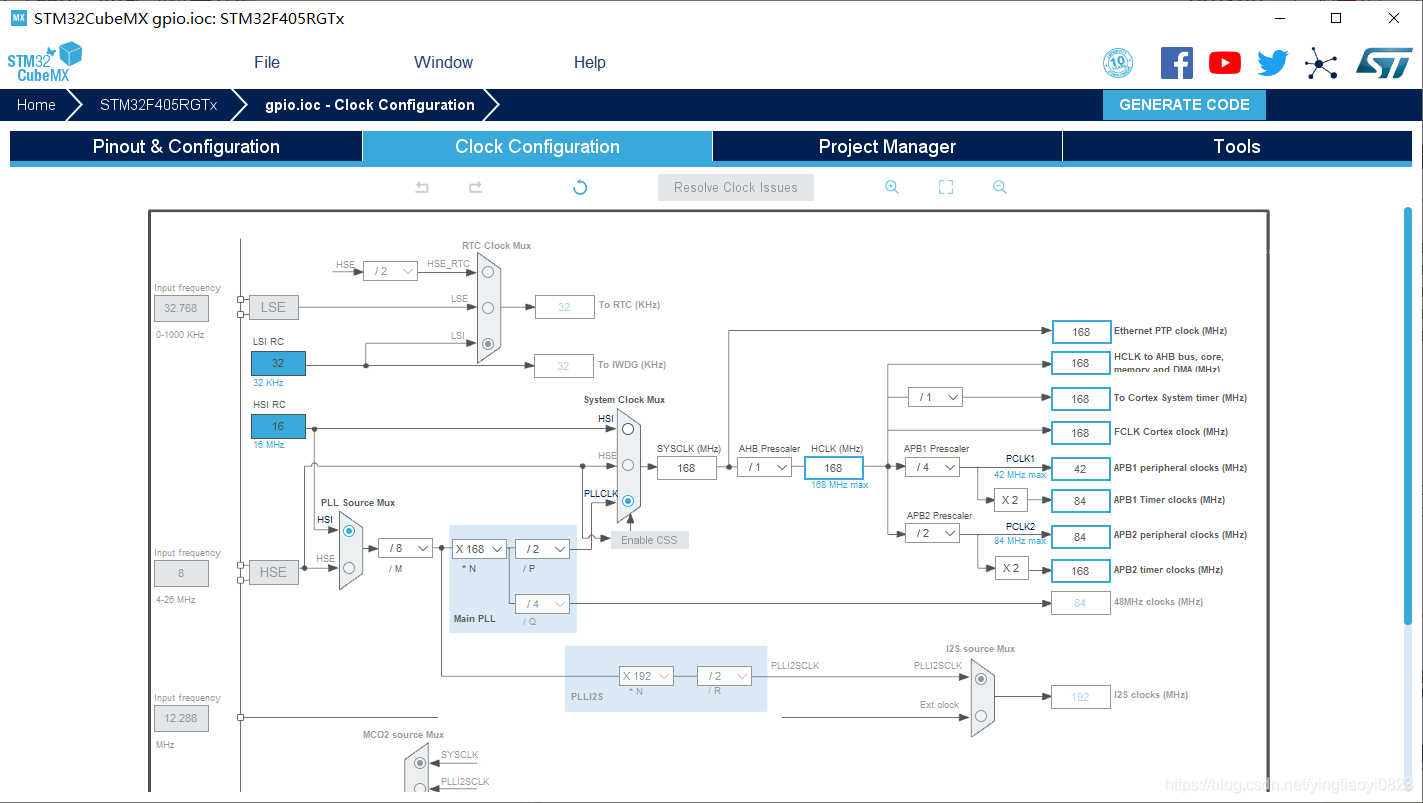
simulink model & configuration
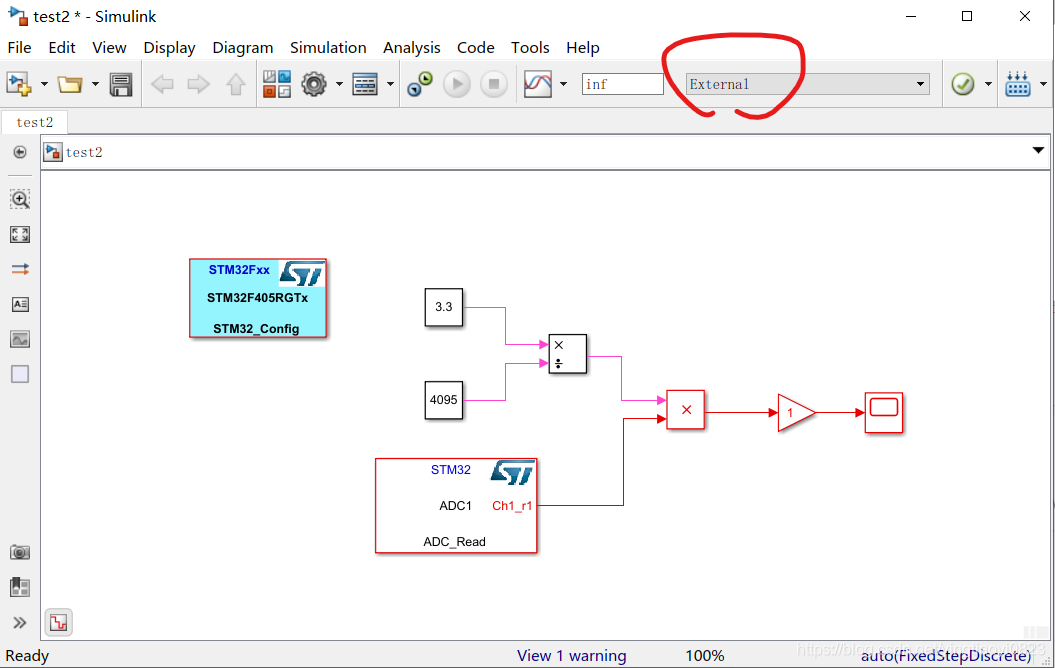
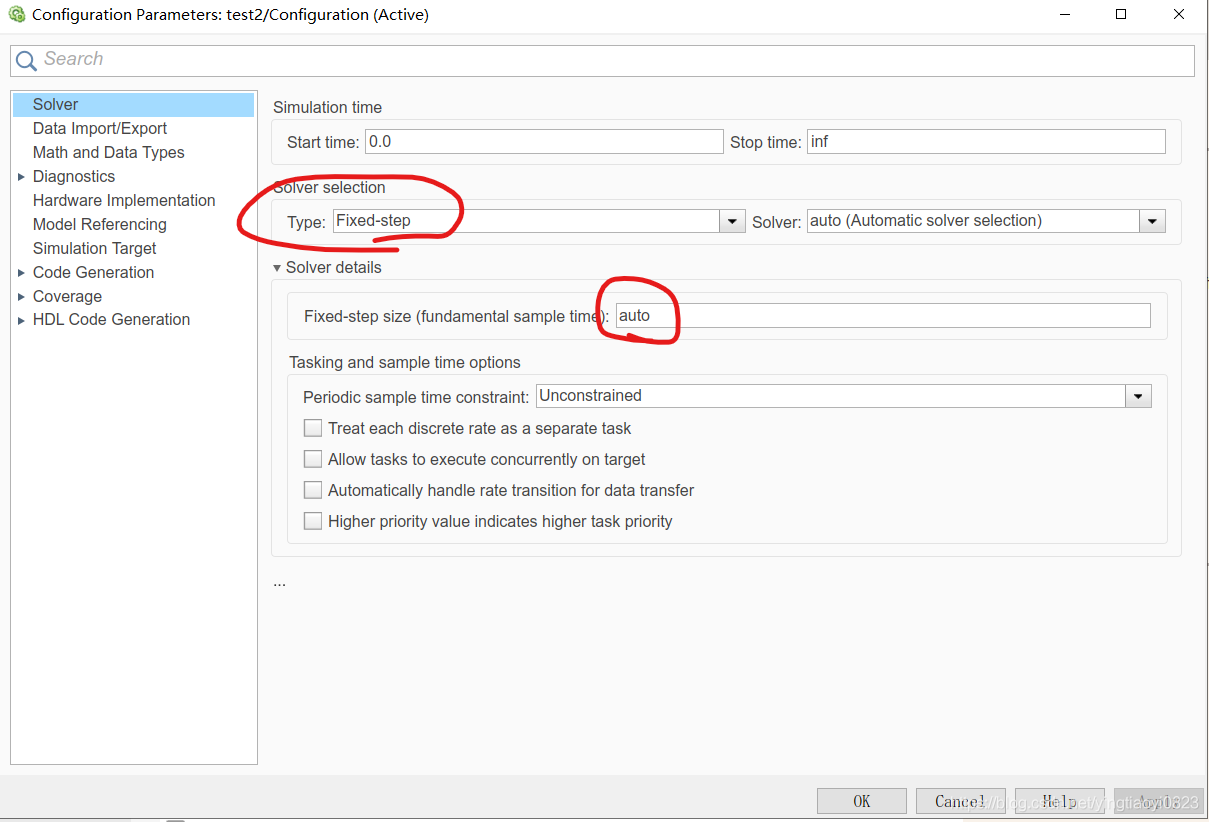
。配置仿真时间、步长及求解器
步长过大会影响输出,步长过小会影响通信
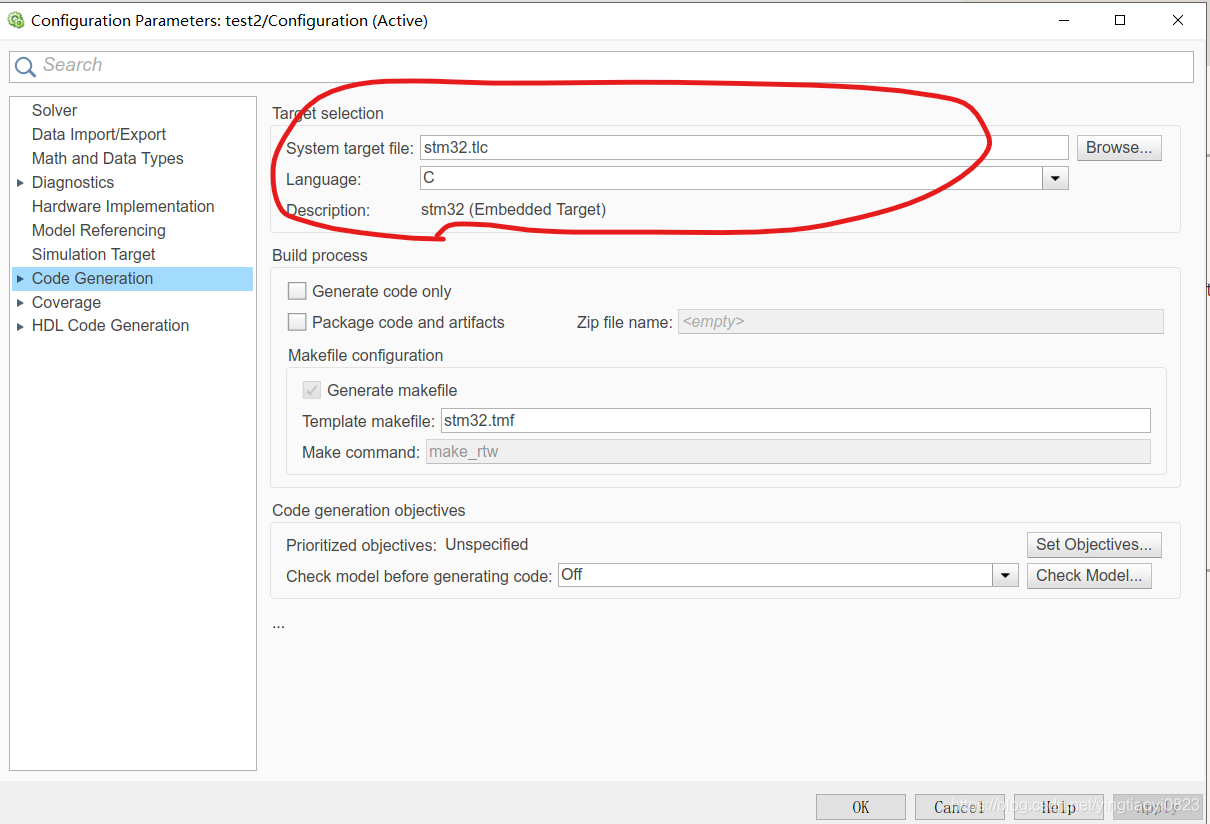
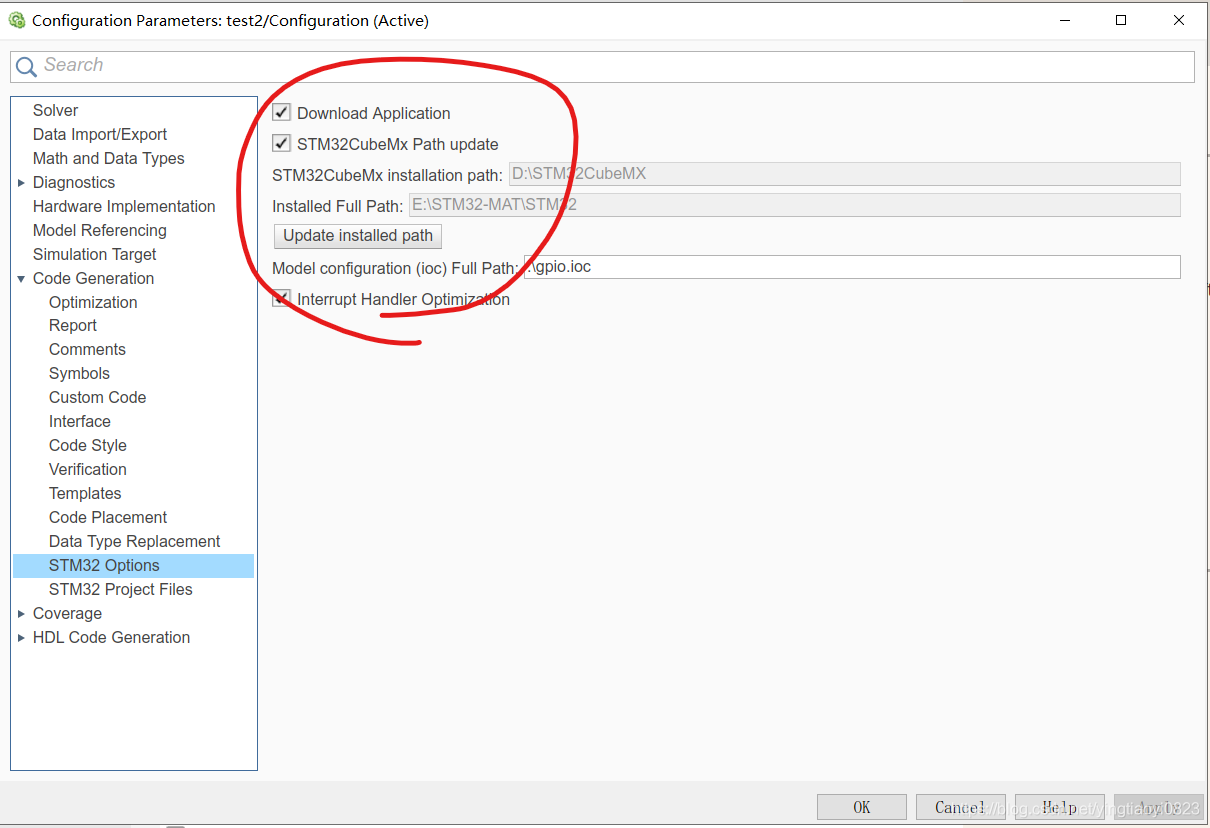
路径需配置正确,勾选STM32CubeMx Path update
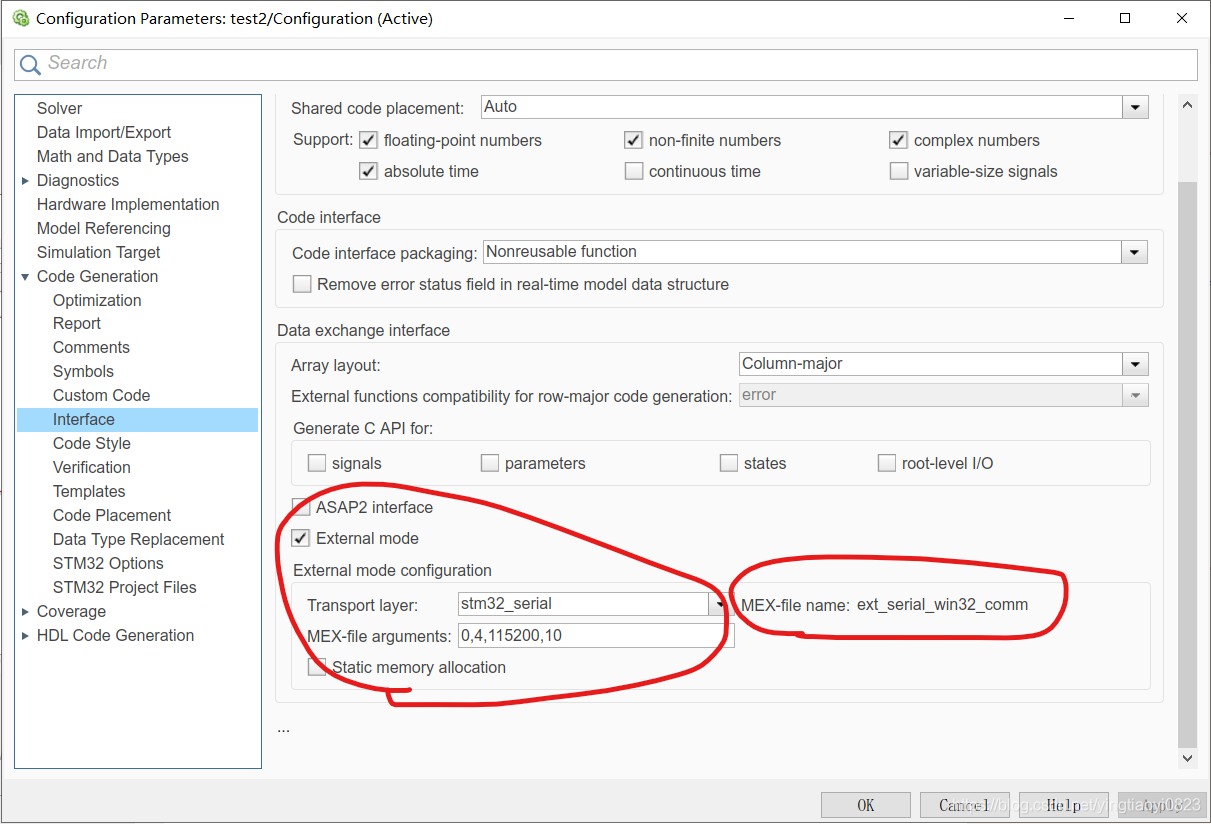
勾选External mode,若MEX-file name不是ext_serial_win32_comm,点击Transport layer处的下拉框重新选择为stm32_serial。MEX-file arguments可先不配置。
Build Model
点击右上角的“Build Model”或者ctrl+B,会出现以下界面
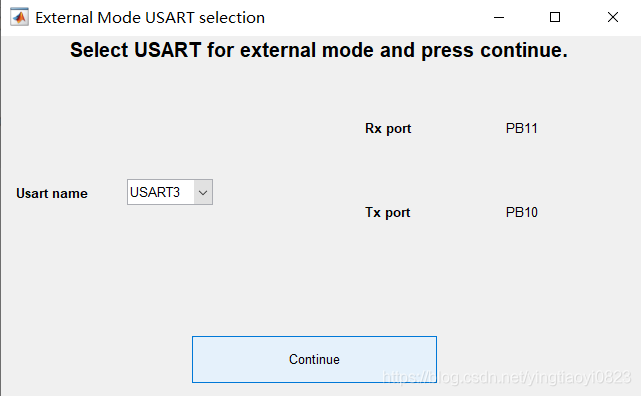
配置com口,波特率
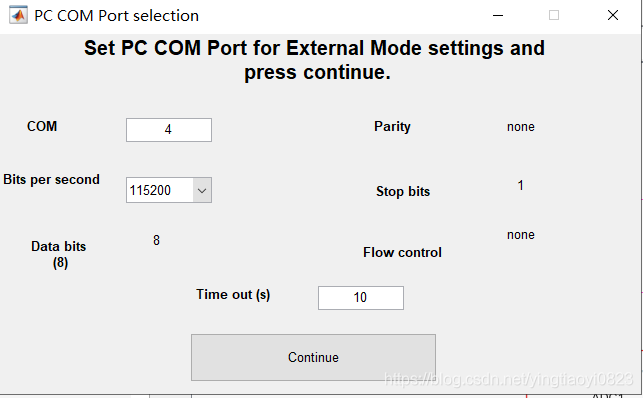
配置串口
运行C语言工程
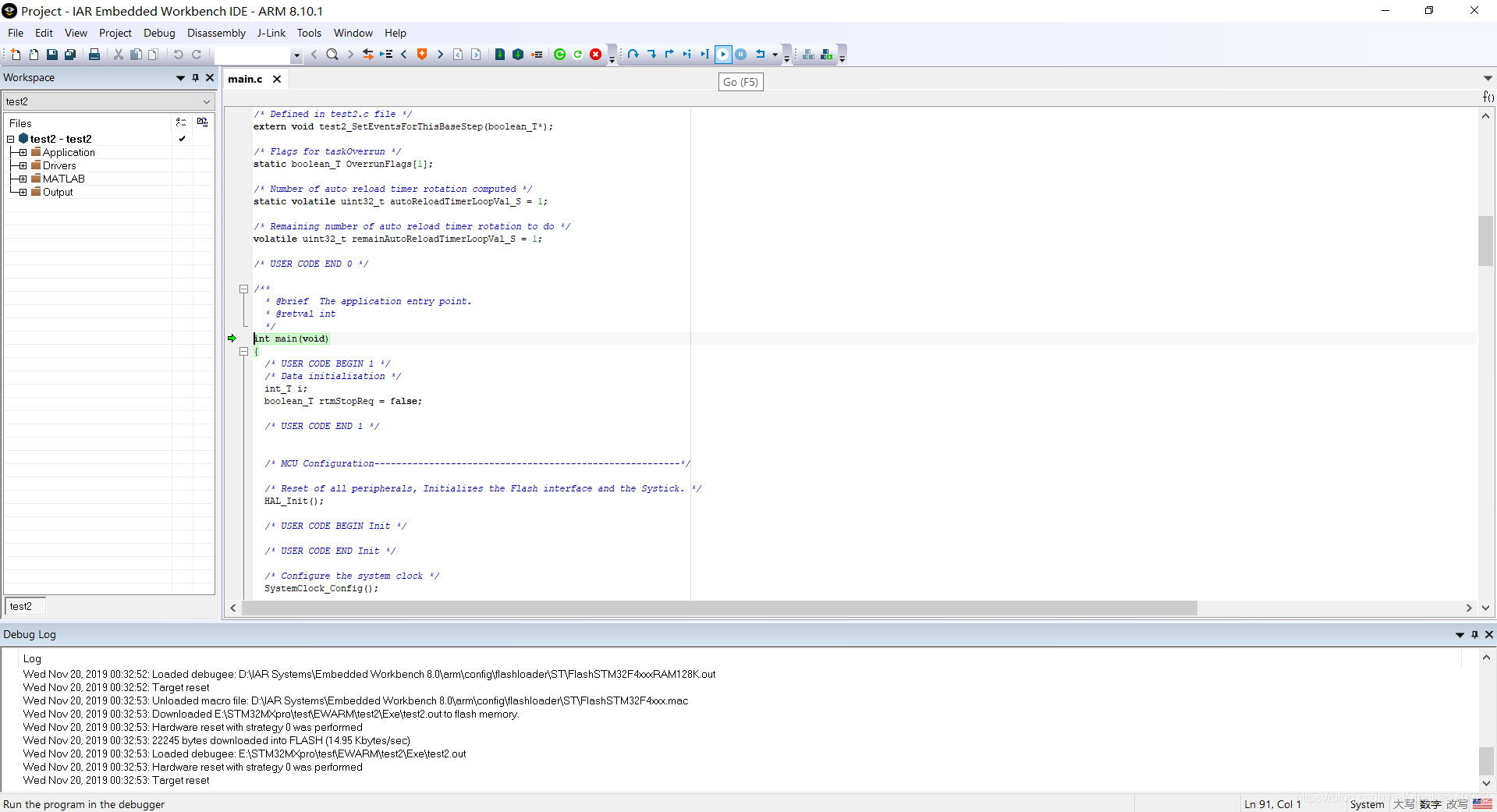
打开simulink生成的c语言程序,在option中配置device以及Debugger中的driver。然后编译,下载到芯片中,启动在线调试。
simulink中连接芯片
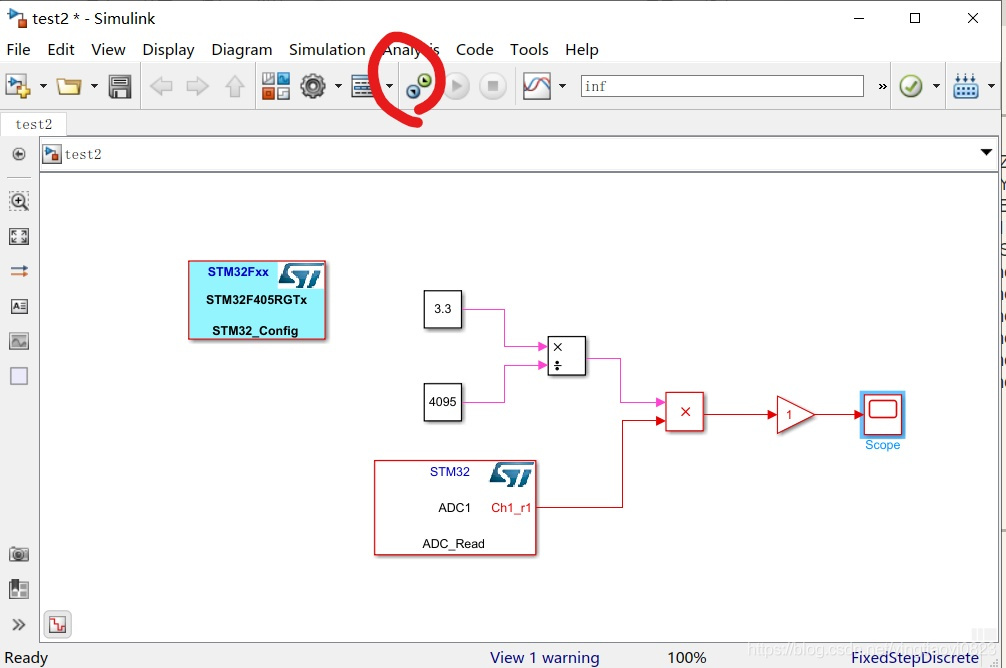
点击connect to target
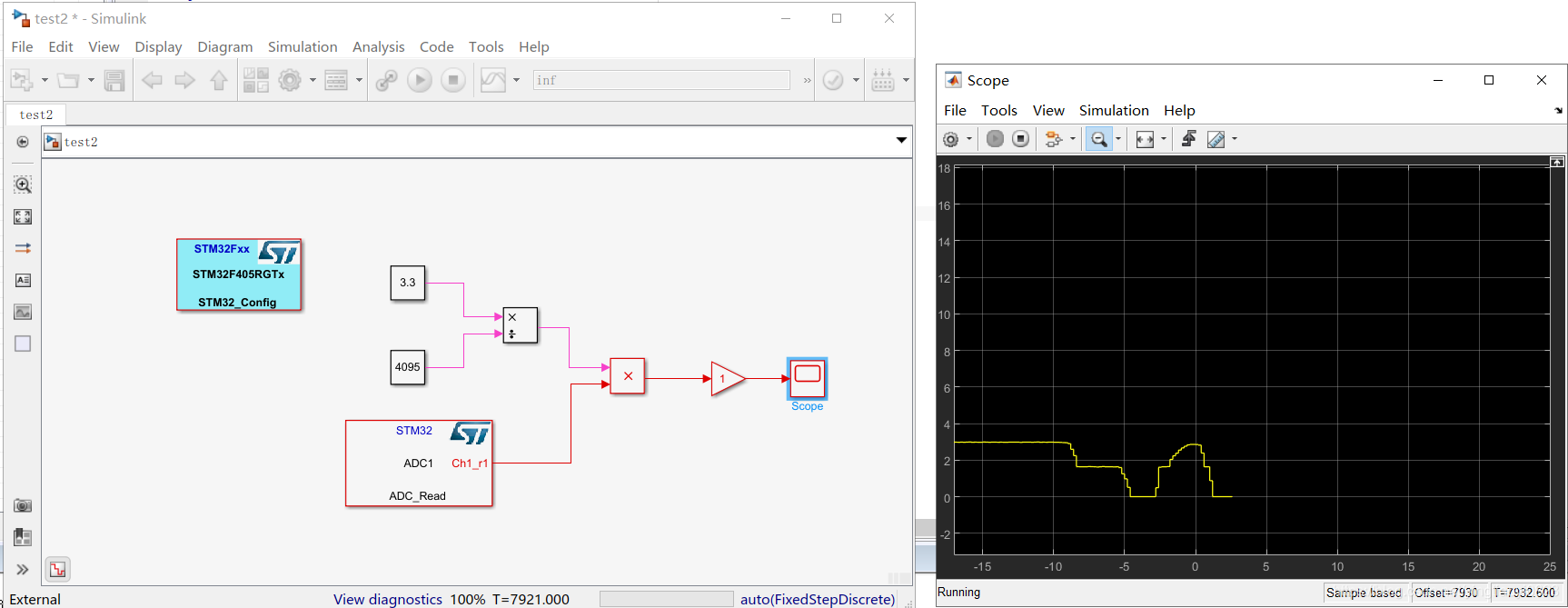
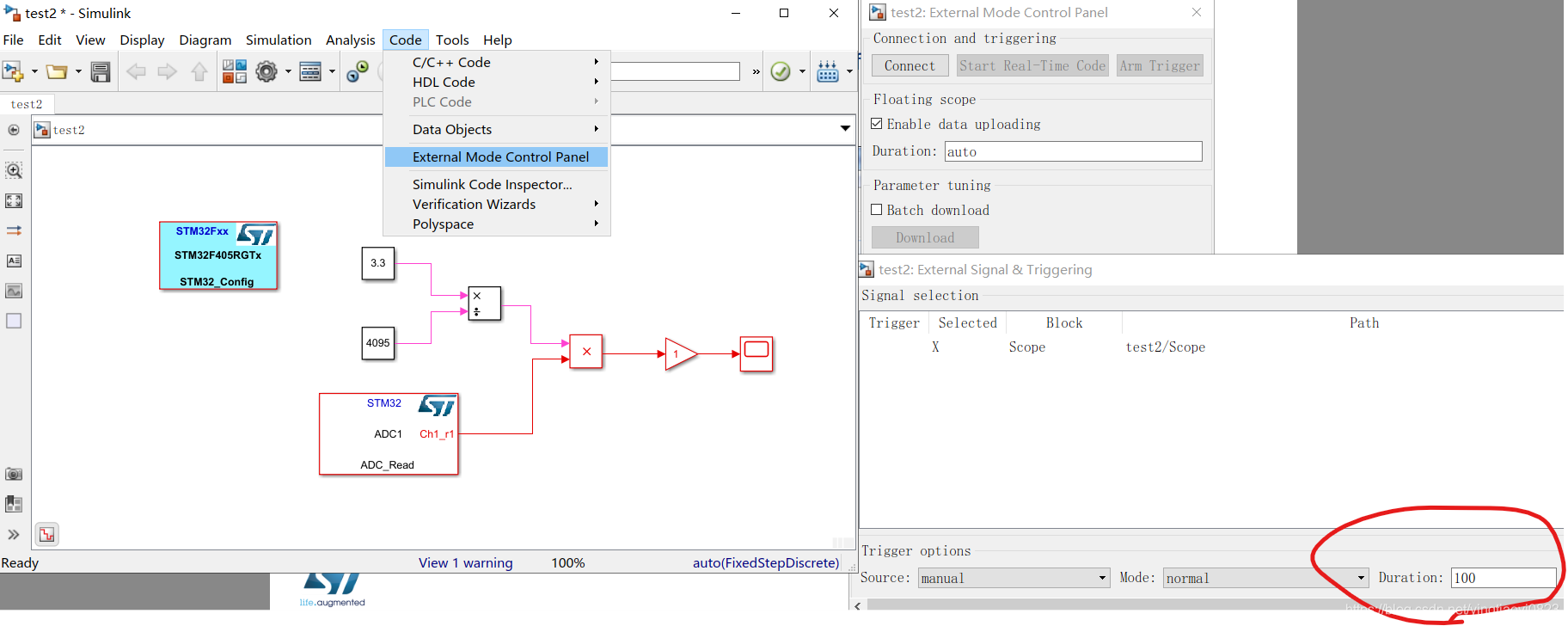
如果没有波形数据
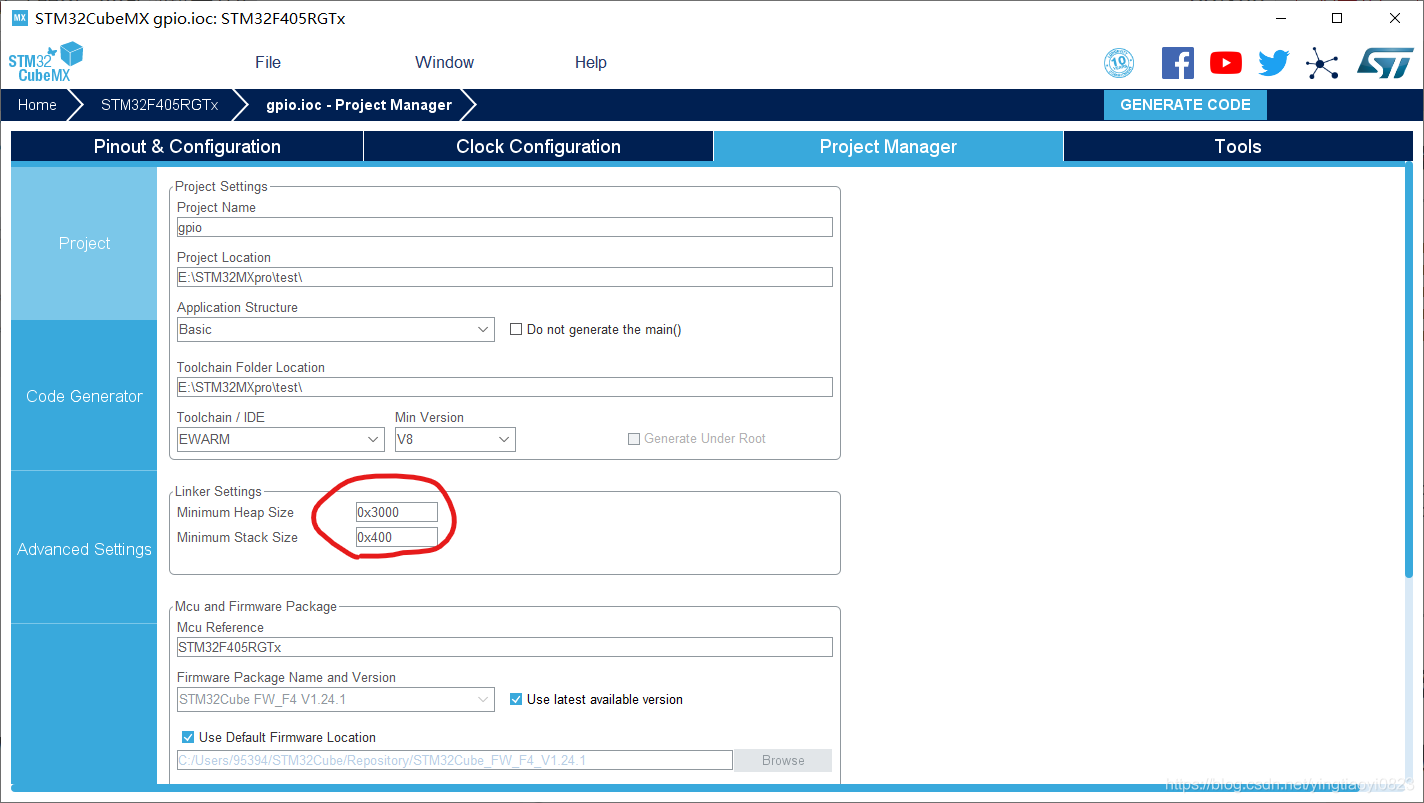
• Increase Heap Size from STM32CubeMX configuration if possible
• Or configure Signal & Triggering from External Mode Control Panel
介绍
External Mode 1.Data (input or output) obtained within STM32 through its peripherals (ADC,
Timers, …) and algorithm fully executed on STM32.
2.Data monitoring from Simulink via UART
3.Not possible to modify STM32 configuration during External Mode
开发平台
matlab2018b IAR8.1 STM32F405 STM32CubeMX
步骤
STM32CubeMX configuration
配置引脚、时钟等
simulink model & configuration
。配置仿真时间、步长及求解器
步长过大会影响输出,步长过小会影响通信
路径需配置正确,勾选STM32CubeMx Path update
勾选External mode,若MEX-file name不是ext_serial_win32_comm,点击Transport layer处的下拉框重新选择为stm32_serial。MEX-file arguments可先不配置。
Build Model
点击右上角的“Build Model”或者ctrl+B,会出现以下界面
配置com口,波特率
配置串口
运行C语言工程
打开simulink生成的c语言程序,在option中配置device以及Debugger中的driver。然后编译,下载到芯片中,启动在线调试。
simulink中连接芯片
点击connect to target
如果没有波形数据
• Increase Heap Size from STM32CubeMX configuration if possible
• Or configure Signal & Triggering from External Mode Control Panel

 举报
举报


