
之前已经写了地奇星RA6E2的点灯测试,本节就来讲解串口打印测试功能。
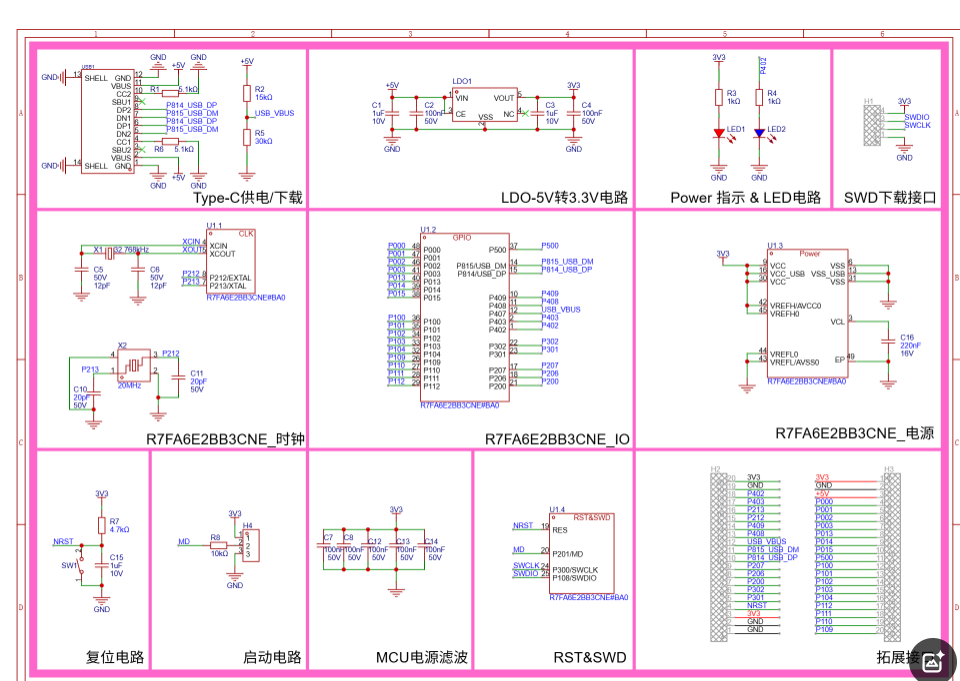
有原理图可知,串口0是P100和P101两脚
打开RA smart配置软件进行配置即可
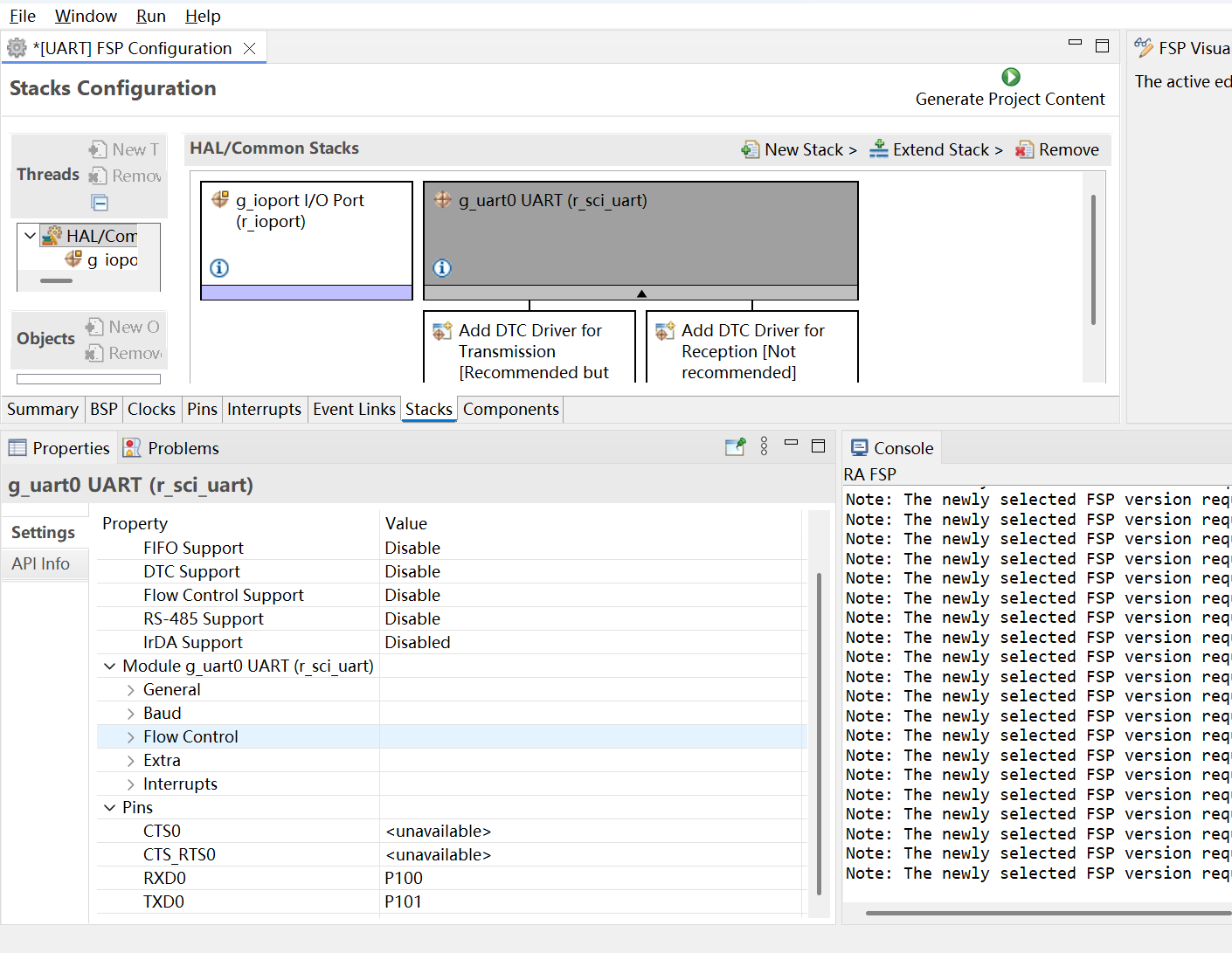
很简单,关键是要实现串口重映射和中断函数即可
#include "usart0.h"
uint8_t U1_RxBuff[RXBUFFLENGTH];
uint16_t U1_Rxlen = 0;
uint16_t U1_RxlencntPre = 0;
static volatile bool uart_send_complete_flag = false;
void UART0_Init(void)
{
fsp_err_t err = FSP_SUCCESS;
err = R_SCI_UART_Open(&g_uart0_ctrl,&g_uart0_cfg);

assert(err == FSP_SUCCESS);
}
void uart0_Send_Byte(uint8_t ch)
{
/* 发送一个字节数据到UART */
R_SCI_UART_Write(g_uart0.p_ctrl, (uint8_t *)&ch, 1);
/* 等待发送完毕 */
while(uart_send_complete_flag == false);
uart_send_complete_flag = false;
}
void uart0_Send_Bytes(uint8_t data, uint32_t len)
{
/ 发送一个字节数据到UART */
R_SCI_UART_Write(g_uart0.p_ctrl, data, len);
/* 等待发送完毕 */
while(uart_send_complete_flag == false);
uart_send_complete_flag = false;
}
void uart0_Send_String_Length(uint8_t str,uint32_t strlen)
{
unsigned int k=0;
do
{
uart0_Send_Byte ((str + k));
k++;
} while(k < strlen);
}
void uart9_Send_String(uint8_t str)
{
unsigned int k=0;
do
{
uart0_Send_Byte ((str + k));
k++;
} while(*(str + k)!='\0');
}
void user_uart_clear(void)
{
memset(U1_RxBuff, 0, sizeof(U1_RxBuff));
U1_Rxlen = 0;
}
uint8_t user_uart_wait_receive(void)
{
if(U1_Rxlen == 0) 							//如果接收计数为0 则说明没有处于接收数据中,所以直接跳出,结束函数
	return REV_WAIT;

if(U1_Rxlen == U1_RxlencntPre)				//如果上一次的值和这次相同,则说明接收完毕
{
	U1_Rxlen = 0;							//清0接收计数

	return REV_OK;								//返回接收完成标志
}

U1_RxlencntPre = U1_Rxlen;					//置为相同

return REV_WAIT;								//返回接收未完成标志
}
void uart0_callback (uart_callback_args_t * p_args)
{
if(p_args->event == UART_EVENT_TX_COMPLETE)
{
uart_send_complete_flag = true;
}
if(p_args->event == UART_EVENT_RX_CHAR)
{
if(U1_Rxlen >= sizeof(U1_RxBuff))	U1_Rxlen = 0; //防止串口被刷爆
	U1_RxBuff[U1_Rxlen++] = (uint8_t)p_args->data;
}
}
#if 1
/* 重定向 printf 输出 */
#if defined GNUC && !defined clang
int _write(int fd, char *pBuffer, int size); //防止编译警告
int _write(int fd, char *pBuffer, int size)
{
(void)fd;
R_SCI_UART_Write(&g_uart0_ctrl, (uint8_t *)pBuffer, (uint32_t)size);
while(uart_send_complete_flag == false);
uart_send_complete_flag = false;
return size;
}
#else
int fputc(int ch, FILE *f)
{
(void)f;
R_SCI_UART_Write(&g_uart0_ctrl, (uint8_t *)&ch, 1);
while(uart_send_complete_flag == false);
uart_send_complete_flag = false;
return ch;
}
#endif
#endif
#include "hal_data.h"
#include "main.h"
FSP_CPP_HEADER
void R_BSP_WarmStart(bsp_warm_start_event_t event);
FSP_CPP_FOOTER
/*******************************************************************************************************************//**
main() is generated by the RA Configuration editor and is used to generate threads if an RTOS is used. This function
is called by main() when no RTOS is used.
*********************************************************************************************************************/
void hal_entry(void)
{
/ TODO: add your own code here */
UART0_Init();
printf("RA6E2开发板串口测试----------------\r\n");
printf("\r\n");
while(1)
{
LED_ON;
 delay_ms(200);
 printf("欢迎使用瑞萨地奇星RA6E2开发板\r\n");
 printf("RA生态工作室\r\n");
}
#if BSP_TZ_SECURE_BUILD
/* Enter non-secure code */
R_BSP_NonSecureEnter();
#endif
}
/*******************************************************************************************************************//**
This function is called at various points during the startup process. This implementation uses the event that is
called right before main() to set up the pins.
@param[in] event Where at in the start up process the code is currently at
**********************************************************************************************************************/
void R_BSP_WarmStart (bsp_warm_start_event_t event)
{
if (BSP_WARM_START_RESET == event)
{
#if BSP_FEATURE_FLASH_LP_VERSION != 0
/* Enable reading from data flash. */
 R_FACI_LP->DFLCTL = 1U;

 /* Would normally have to wait tDSTOP(6us) for data flash recovery. Placing the enable here, before clock and
  * C runtime initialization, should negate the need for a delay since the initialization will typically take more than 6us. */
#endif
}
if (BSP_WARM_START_POST_C == event)
{
    /* C runtime environment and system clocks are setup. */

    /* Configure pins. */
    R_IOPORT_Open(&IOPORT_CFG_CTRL, &IOPORT_CFG_NAME);
#if BSP_CFG_SDRAM_ENABLED
/* Setup SDRAM and initialize it. Must configure pins first. */
    R_BSP_SdramInit(true);
#endif
}
}
#if BSP_TZ_SECURE_BUILD
FSP_CPP_HEADER
BSP_CMSE_NONSECURE_ENTRY void template_nonsecure_callable ();
/* Trustzone Secure Projects require at least one nonsecure callable function in order to build (Remove this if it is not required to build). */
BSP_CMSE_NONSECURE_ENTRY void template_nonsecure_callable ()
{
}
FSP_CPP_FOOTER
#endif
全部源代码如上即可
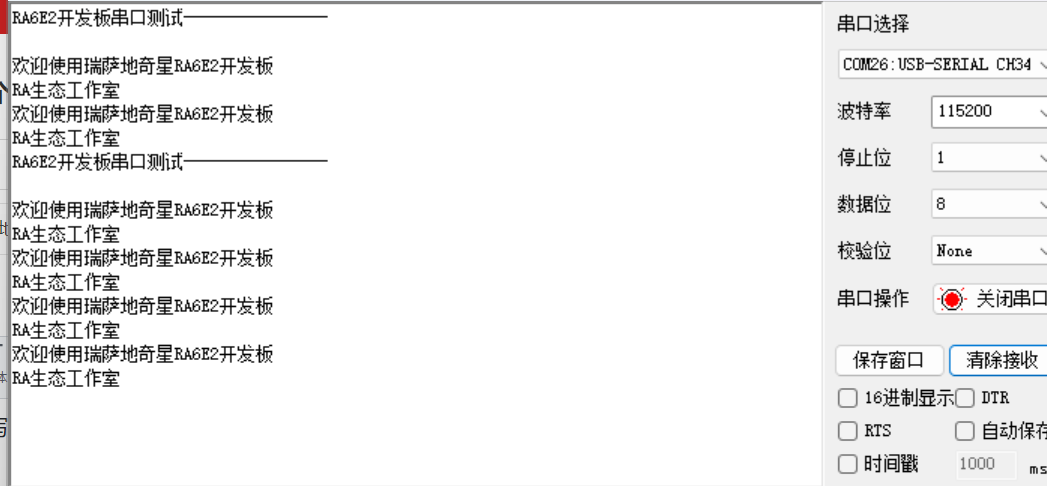
打开KEIL,编译后烧录代码

打开串口助手
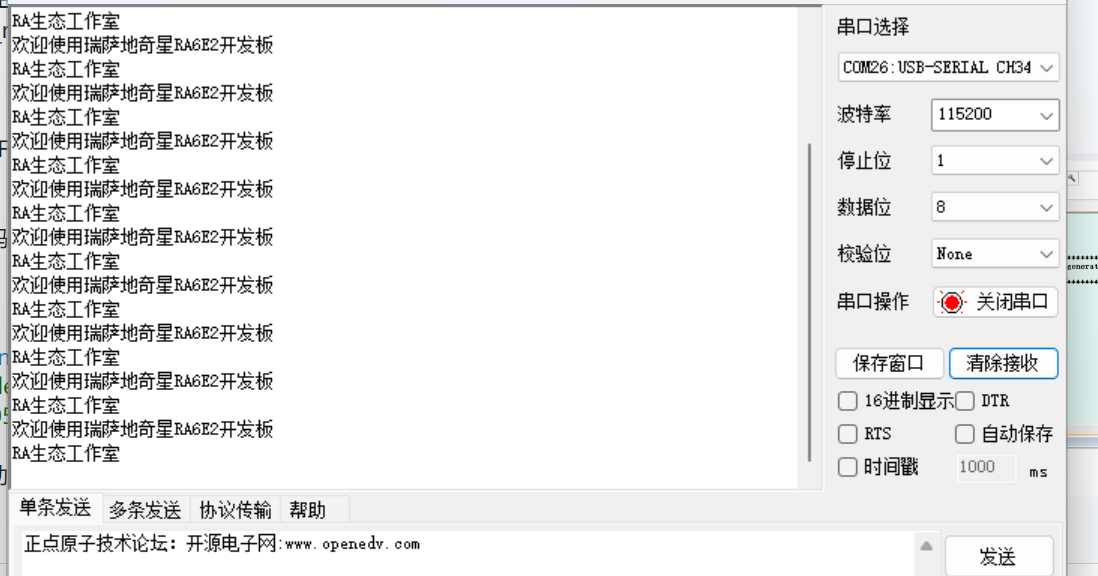
详情见视频
更多回帖


