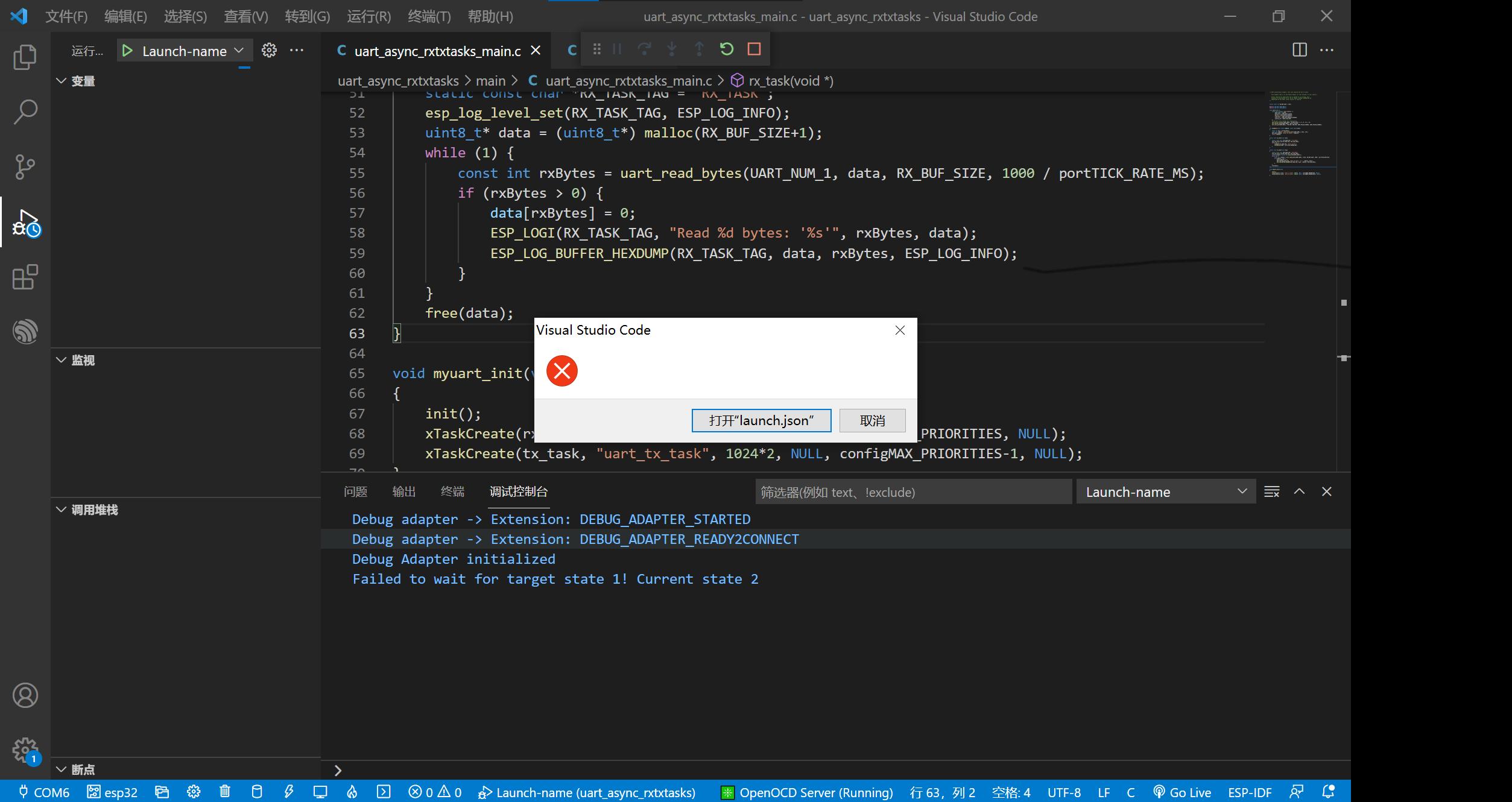
1. 确保您已正确安装了以下组件:
- Visual Studio Code
- ESP-IDF Extension for VSCode
- Python 3.7 或更高版本
- esptool.py
- openocd-esp32
2. 检查您的开发板是否已连接到计算机,并且驱动程序已正确安装。
3. 确保您的开发板已设置为下载模式。对于ESP32-SOLO-1,您需要按下BOOT按钮并同时按下RESET按钮,然后释放RESET按钮。
4. 检查您的vscode配置文件(`.vscode`文件夹中的`launch.json`)是否正确设置。以下是一个示例配置:
```json
{
"version": "0.2.0",
"configurations": [
{
"name": "ESP32 Debug",
"type": "cppdbg",
"request": "launch",
"miDebuggerPath": "openocd-esp32",
"servertype": "openocd",
"cwd": "${workspaceFolder}",
"gdbpath": "xtensa-esp32-elf-gdb",
"postLaunchCommands": [
"monitor reset halt",
"monitor flash breakpoints"
],
"setupCommands": [
{
"text": "target remote :3333",
"description": "Connect to remote target",
"ignoreFailures": false
}
],
"preLaunchTask": "ESP-IDF: Build",
"externalConsole": false,
"sourceFileMap": {
"CMakeFiles": "${workspaceFolder}"
},
"symbolLoadMode": "eager",
"logging": {
"moduleLoad": false,
"trace": false,
"engineLogging": false,
"programOutput": false,
"exceptions": false,
"traceResponse": false
}
}
]
}
```
1. 确保您已正确安装了以下组件:
- Visual Studio Code
- ESP-IDF Extension for VSCode
- Python 3.7 或更高版本
- esptool.py
- openocd-esp32
2. 检查您的开发板是否已连接到计算机,并且驱动程序已正确安装。
3. 确保您的开发板已设置为下载模式。对于ESP32-SOLO-1,您需要按下BOOT按钮并同时按下RESET按钮,然后释放RESET按钮。
4. 检查您的vscode配置文件(`.vscode`文件夹中的`launch.json`)是否正确设置。以下是一个示例配置:
```json
{
"version": "0.2.0",
"configurations": [
{
"name": "ESP32 Debug",
"type": "cppdbg",
"request": "launch",
"miDebuggerPath": "openocd-esp32",
"servertype": "openocd",
"cwd": "${workspaceFolder}",
"gdbpath": "xtensa-esp32-elf-gdb",
"postLaunchCommands": [
"monitor reset halt",
"monitor flash breakpoints"
],
"setupCommands": [
{
"text": "target remote :3333",
"description": "Connect to remote target",
"ignoreFailures": false
}
],
"preLaunchTask": "ESP-IDF: Build",
"externalConsole": false,
"sourceFileMap": {
"CMakeFiles": "${workspaceFolder}"
},
"symbolLoadMode": "eager",
"logging": {
"moduleLoad": false,
"trace": false,
"engineLogging": false,
"programOutput": false,
"exceptions": false,
"traceResponse": false
}
}
]
}
```

 举报
举报