[文章]HarmonyOS应用开发实--switch开关多样式


0
0
开关选择器,通过开关,开启或关闭某个功能。
属性除支持通用属性外,还支持如下属性:
名称 | 类型 | 默认值 | 必填 | 描述 |
checked | boolean | false | 否 | 是否选中。 |
除支持通用事件外,还支持如下事件:
名称 | 参数 | 描述 | 名称 | 参数 |
change | { checked: checkedValue } | 选中状态改变时触发该事件。 | change | { checked: checkedValue } |
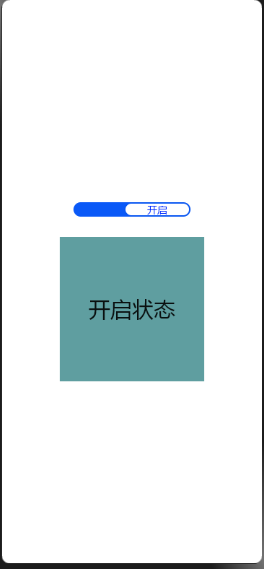

代码:
Index.hml
<div class="container"> <switch showtext="true" texton="开启" textoff="关闭" checked="true" @change="switchChange"> </switch> <div class="top" show="{{top}}"> <text>开启状态</text> </div> <div class="top2" show="{{top2}}"> <text>关闭状态</text> </div> </div> |
Index.css
.container { flex-direction: column; justify-content: center; align-items: center; } switch{ texton-color:#002aff; textoff-color:silver; text-padding:30px; } .top{ flex-direction: column; justify-content: center; align-items: center; width: 200px; height: 200px; background-color: cadetblue; } .top2{ flex-direction: column; justify-content: center; align-items: center; width: 200px; height: 200px; background-color: darkorchid; } |
Index.js
import prompt from '@system.prompt'; export default { data: { title: 'World', top: true, top2: false }, switchChange(e){ console.log(e.checked); if(e.checked){ this.top = true this.top2 = false prompt.showToast({ message: "打开开关" }); }else{ this.top = false this.top2 = true prompt.showToast({ message: "关闭开关" }); } } } |
附件:

回帖高级模式
声明:本文内容及配图由入驻作者撰写或者入驻合作网站授权转载。文章观点仅代表作者本人,不代表电子发烧友网立场。文章及其配图仅供工程师学习之用,如有内容图片侵权或者其他问题,请联系本站作侵删。 侵权投诉